AlloyScan vs. Alloy Discovery: Why AlloyScan Is the Way Forward
What does AlloyScan improve over Alloy Discovery? See how the two compare and what AlloyScan brings to modern IT environments.
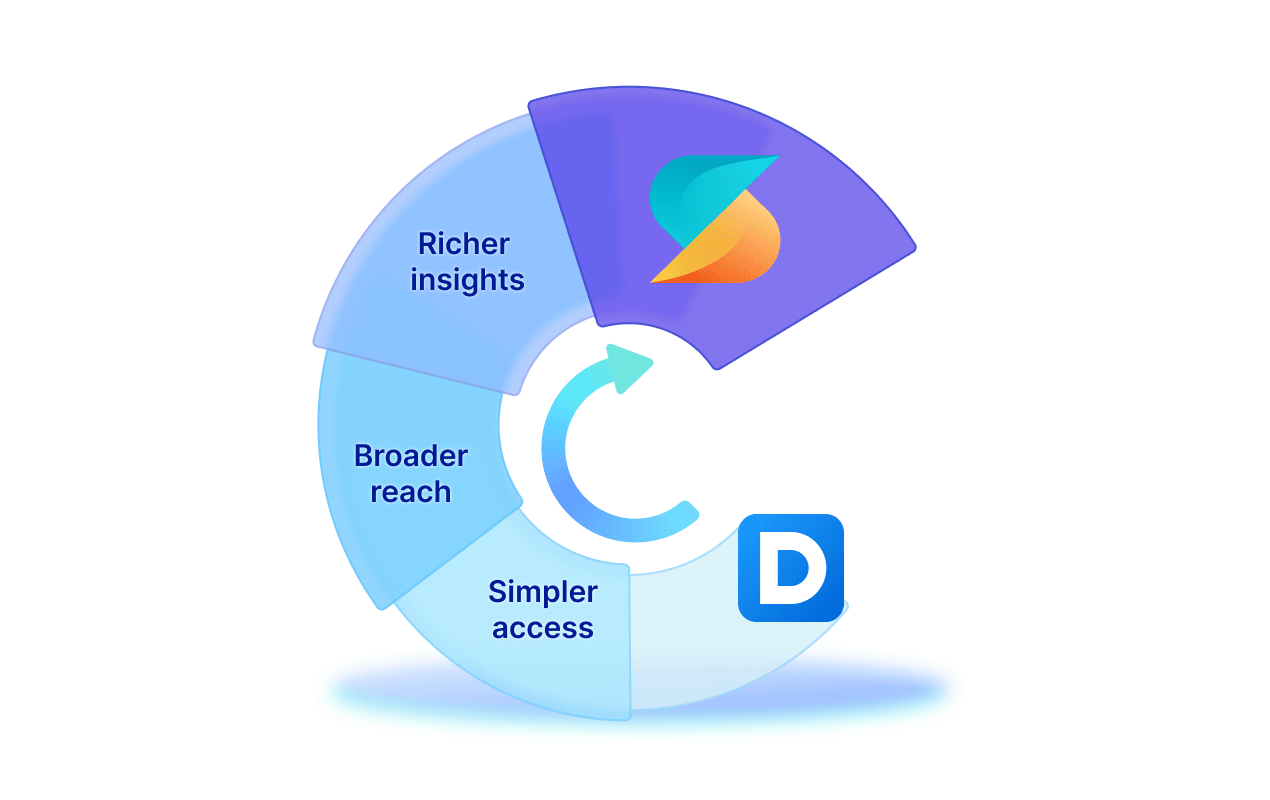

What does AlloyScan improve over Alloy Discovery? See how the two compare and what AlloyScan brings to modern IT environments.
AlloyScan builds on Alloy Discovery’s proven discovery and audit capabilities and brings them to a modern, browser-based platform. It keeps the familiar collection approaches customers already know while making inventory easier to access, manage, analyze, and connect with other systems.
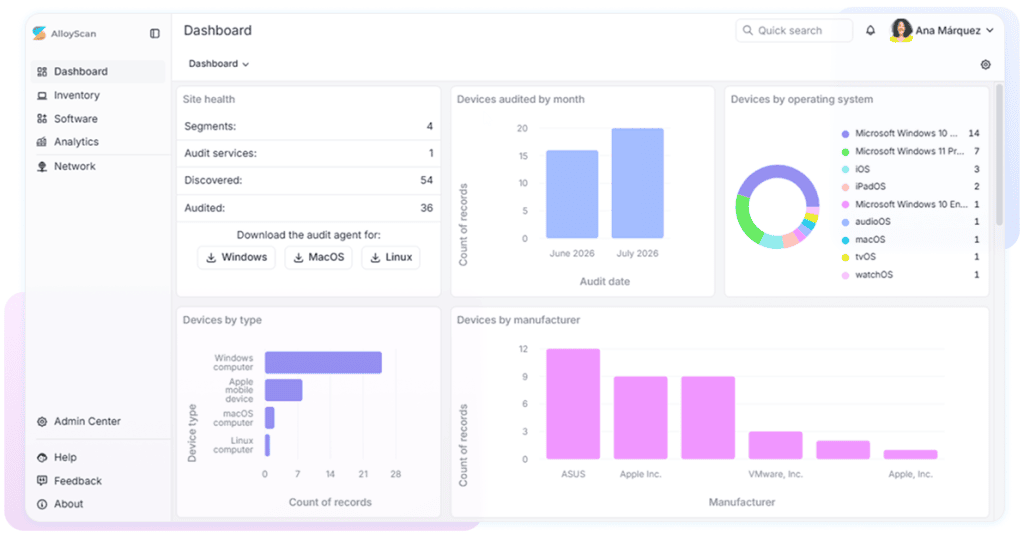
AlloyScan works as a standalone inventory platform and can also supply inventory to Alloy Navigator and other systems through supported integrations and its REST API. For Alloy Discovery customers, the goal remains familiar: build and maintain accurate inventory. What changes is how easily teams can collect that data across modern environments and put it to work.
We’re trusted by IT teams in healthcare, public sector, manufacturing, and education across 50+ countries.
Both products solve the same inventory problems, but AlloyScan approaches them with a newer architecture and workflow.
| What you do | Alloy Discovery | AlloyScan |
|---|---|---|
| Access and manage inventory | Windows desktop application with customer-managed Inventory Server and SQL Server | Browser-based hosted SaaS with centralized administration |
| Collect inventory across your environment | Multiple Inventory Servers, Direct Network Scan, and standalone audit methods | Audit Services, endpoint Audit Agents, and cloud and managed-device inventory sources |
| Understand and act on inventory | RDL reports and charts, scheduled reporting, change history, and alerts | Interactive Analytics, configurable data views, dashboards, change history, notifications, and CSV/XLSX export |
| Connect inventory to other systems | Alloy Navigator, data export, PowerShell integrations, and command-line reporting | Alloy Navigator synchronization, REST API, data export, and tools through Alloy Integration Launcher |
Both products support auditing with and without permanent endpoint agents. The main differences are in how collection, access, analysis, and integration are organized.
AlloyScan reduces the desktop footprint of Alloy Discovery and makes day-to-day access simpler.
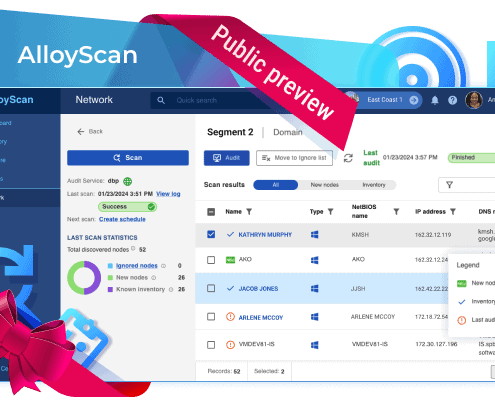
Today, AlloyScan is available as a cloud-hosted SaaS solution. Alloy Software hosts the AlloyScan platform, while local Audit Services and optional Audit Agents collect inventory from your environment and send it securely to AlloyScan over HTTPS. Users work through a web browser instead of installing a dedicated AlloyScan client on every workstation.
This reduces the amount of software that teams need to install and maintain while keeping local data collection separate from the hosted platform.
Deployment is becoming simpler in other ways, too. Supported cloud inventory can now be collected without deploying a local Audit Service, so organizations can connect cloud environments directly to AlloyScan without installing an additional collection component just for those resources.
For organizations that prefer to host AlloyScan within their own infrastructure, an on-premises deployment option is planned for the future.
AlloyScan keeps administration simple by giving each organization a secure, dedicated Site for managing its inventory and access.
Users, access, devices, audit settings, schedules, notifications, and limits can all be managed within that Site, while each organization’s inventory and access remain isolated.


Alloy Discovery has Sites too, but they are primarily used to structure network locations and audit sources. AlloyScan expands the concept into a fuller administrative environment.
For service providers, the same model can support multiple customers from a single AlloyScan instance, while keeping each customer’s Site isolated.
AlloyScan reduces the desktop footprint of Alloy Discovery and makes day-to-day access simpler.
Audits can run on demand or on a schedule, using agentless network discovery or endpoint agents where needed. Inventory reflects the latest successful audit, giving teams a current snapshot of their environment without relying on continuous traffic monitoring.
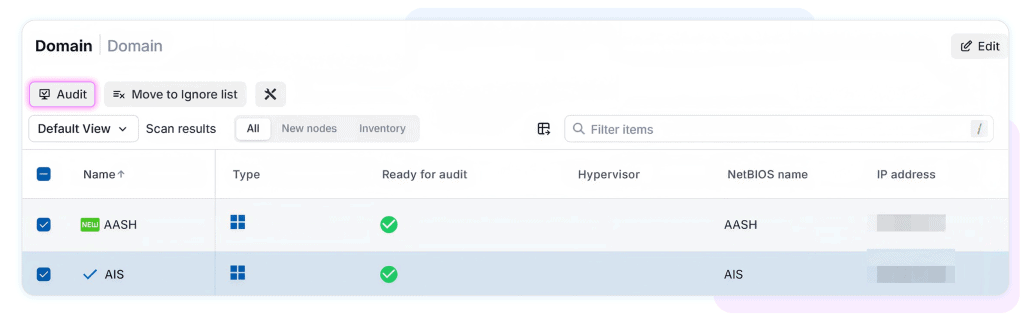
If a device is reachable from your network, you often do not need to install anything on it. AlloyScan’s Audit Service can discover network ranges and Active Directory domains and audit supported computers, hypervisors, and SNMP devices, continuing the agentless approach familiar from Alloy Discovery’s Direct Network Scan.
For offsite or intermittently connected computers, AlloyScan uses optional Audit Agents for Windows, macOS, and Linux. They upload inventory over outbound HTTPS and include automatic update capabilities.
Alloy Discovery supports remote auditing too, but its standalone audit workflows can rely on methods such as network folders, email, FTP/SFTP, or portable media, with separately deployed agents or configurations redistributed when updates are needed.
In practice, AlloyScan gives teams a simpler way to keep inventory current for laptops and other devices that are not always connected to the corporate network.
AlloyScan extends inventory beyond traditional network discovery into cloud and managed-device environments.
It can collect inventory from AWS, Microsoft Azure, Google Cloud Platform, Google Directory, and Jamf-managed Apple environments, extending visibility beyond the traditional office network.


Teams can also tailor data collection where needed with PowerShell custom fields, custom SNMP OIDs, and custom Windows software recognition.
The result is a more flexible way to build and maintain accurate inventory across a distributed IT estate.
AlloyScan goes beyond collecting device data by making inventory easier to explore, compare, and act on.
Teams can search, filter, group, tag, and save tailored data views, compare configuration changes between audits, classify software, and use audit history to understand how fresh the data is.
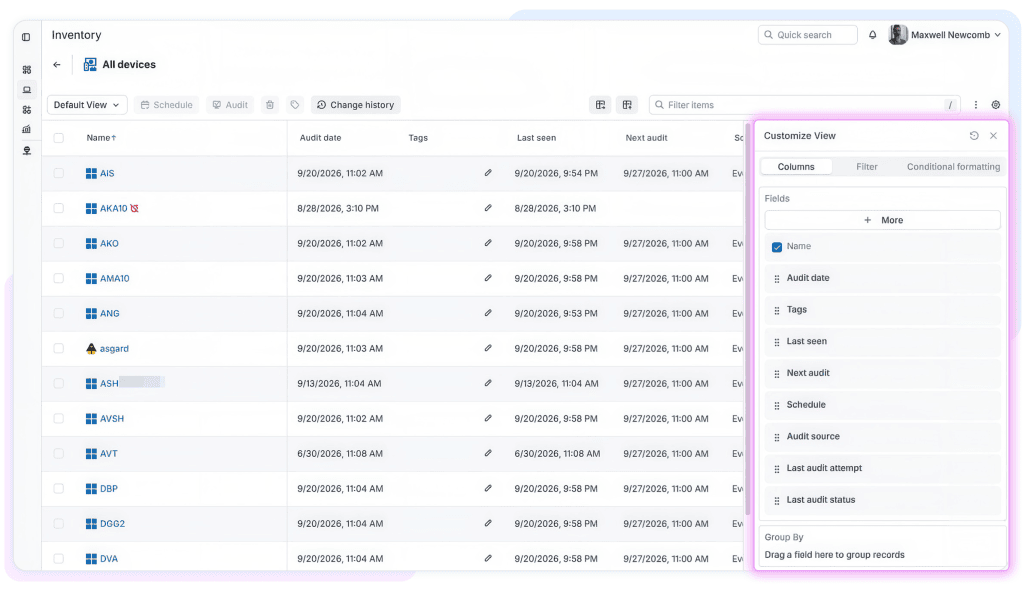
Interactive Analytics, customizable dashboards, notifications, CSV/XLSX export, and the ability to export and import inventory snapshots as JSON help teams spot trends, identify exceptions, and work with inventory data in more ways. Optional Windows Event Log collection can also surface recent Critical and Error events captured during an audit.
In short, instead of simply knowing what devices you have, you can more quickly see what changed and where attention may be needed.
Your inventory does not have to stop at AlloyScan. It can become part of the wider IT workflows around it.
AlloyScan provides value as a standalone inventory platform, while also connecting with Alloy Navigator and other systems through supported integrations, data export, and its REST API.
Alloy Navigator can continue to serve as the central destination for audited inventory. AlloyScan keeps inventory flowing into Navigator through a dedicated synchronization job and secure application credentials.
AlloyScan’s REST API lets applications and scripts work programmatically with devices, software, audit snapshots, network segments, tags, and other supported data.
Built-in and custom tools can also be launched through Alloy Integration Launcher, connecting AlloyScan inventory with applications available on the operator’s workstation.
Keep audit traffic protected and control who can access inventory with built-in security controls.
AlloyScan is designed to protect discovery credentials and audit traffic throughout the scanning process. Audit Services and Agents communicate with the platform over outbound HTTPS, while Site roles, Microsoft and Google SSO, security logs, and configurable IP restrictions give administrators control over inventory access.
Audited inventory and change history can also support security assessments and exception reviews by giving teams a clearer record of what is in the environment and what has changed.
For organizations with formal security requirements, Alloy also provides security and compliance resources, including SOC documentation through its Trust Center.
AlloyScan makes licensing easier to understand, track, and adapt to the way your organization is structured.
Administrators can see current limits and usage directly in the Admin Center for audited devices, users, monthly audits, and API transactions, along with usage history for monthly quotas.
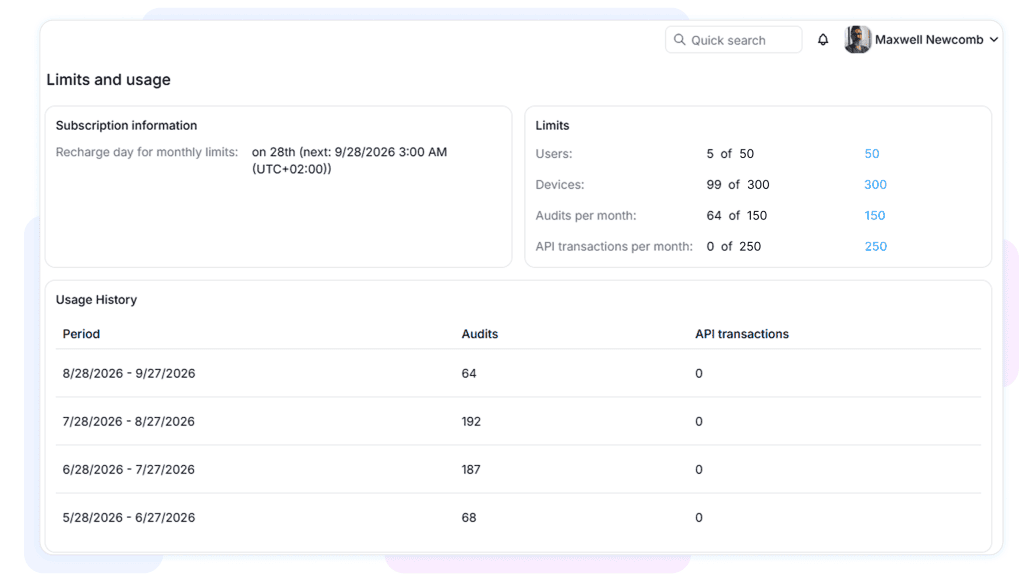
Capacity can be shared across the AlloyScan instance or allocated to individual Sites.
Moving to AlloyScan means setting up a new AlloyScan environment. If you use Alloy Navigator, your existing records remain in place.
Moving from Alloy Discovery is a product replacement rather than a configuration migration. AlloyScan Sites, audit settings, and synchronization are configured from scratch, and existing Alloy Discovery agents are replaced with AlloyScan Audit Agents where agents are required. Alloy Discovery data and configuration are not transferred into AlloyScan.
For customers using Alloy Navigator, the important continuity is in Navigator itself: existing device records and previously collected data remain there. Once AlloyScan is configured and synchronization is verified, AlloyScan becomes the new source of audit updates.
For organizations investing in network discovery today, AlloyScan is the platform built to move forward with them.
AlloyScan carries forward the strengths of Alloy Discovery while adding browser-based access, centralized Site administration, modern Analytics, REST API access, and new collection sources that extend inventory beyond the traditional network.
Future development is focused on making inventory data more reliable, easier to interpret, and more useful in day-to-day IT decisions. This includes stronger asset intelligence, more useful analytics, and broader ways to use AlloyScan data across connected systems and workflows.
The goal is not simply to collect more data, but to help IT teams get more value from it – whether that means understanding what is changing across the environment, identifying areas that need attention, or using AlloyScan data in connected tools and AI-assisted workflows.
Alloy Discovery established the foundation, and AlloyScan is where that foundation continues to grow.
If you are using Alloy Discovery today, talk to the Alloy Software team about planning your move to AlloyScan and identifying the right setup for your environment.