Meet Allie, Your New AI Teammate
Get a first look at your new AI assistant for IT teams, coming this fall.


Get a first look at your new AI assistant for IT teams, coming this fall.
Coming to Alloy Navigator this fall, Allie is a versatile AI assistant that understands how you work and helps you get things done. It combines the context of your current task with years of knowledge accumulated across your system, broader expertise, and external sources you choose. Allie answers questions, analyzes information, and takes action, following processes tailored to your team.
See how Allie helps your team make sense of complex information and act on it, taking on work that would otherwise fall to you.
When a ticket changes hands, the next person has to piece together what has been tried, what the requester has already told the team, and what is still unresolved. Miss a detail, and you may repeat a troubleshooting step or ask the requester for information they’ve already provided.
Instead, ask Allie:
I’m picking up this ticket. Where are we with it?
It brings together the history and checks related records as you ask follow-up questions, so you can see what has been tried and what is holding up progress. When it’s time to update the requester or check with a teammate, Allie uses that context to draft the message and prepare the appropriate action. You review and approve it in the same conversation.
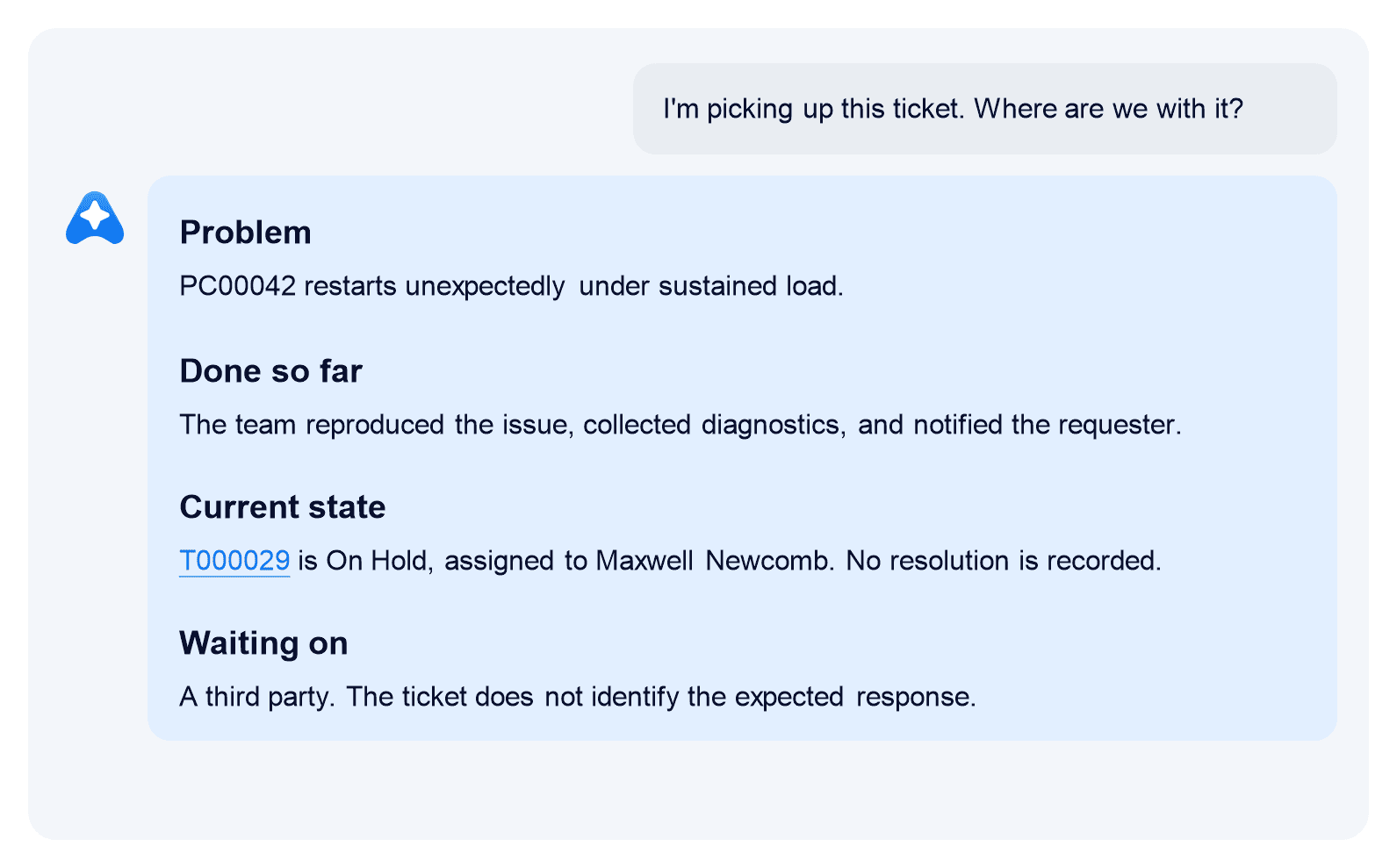
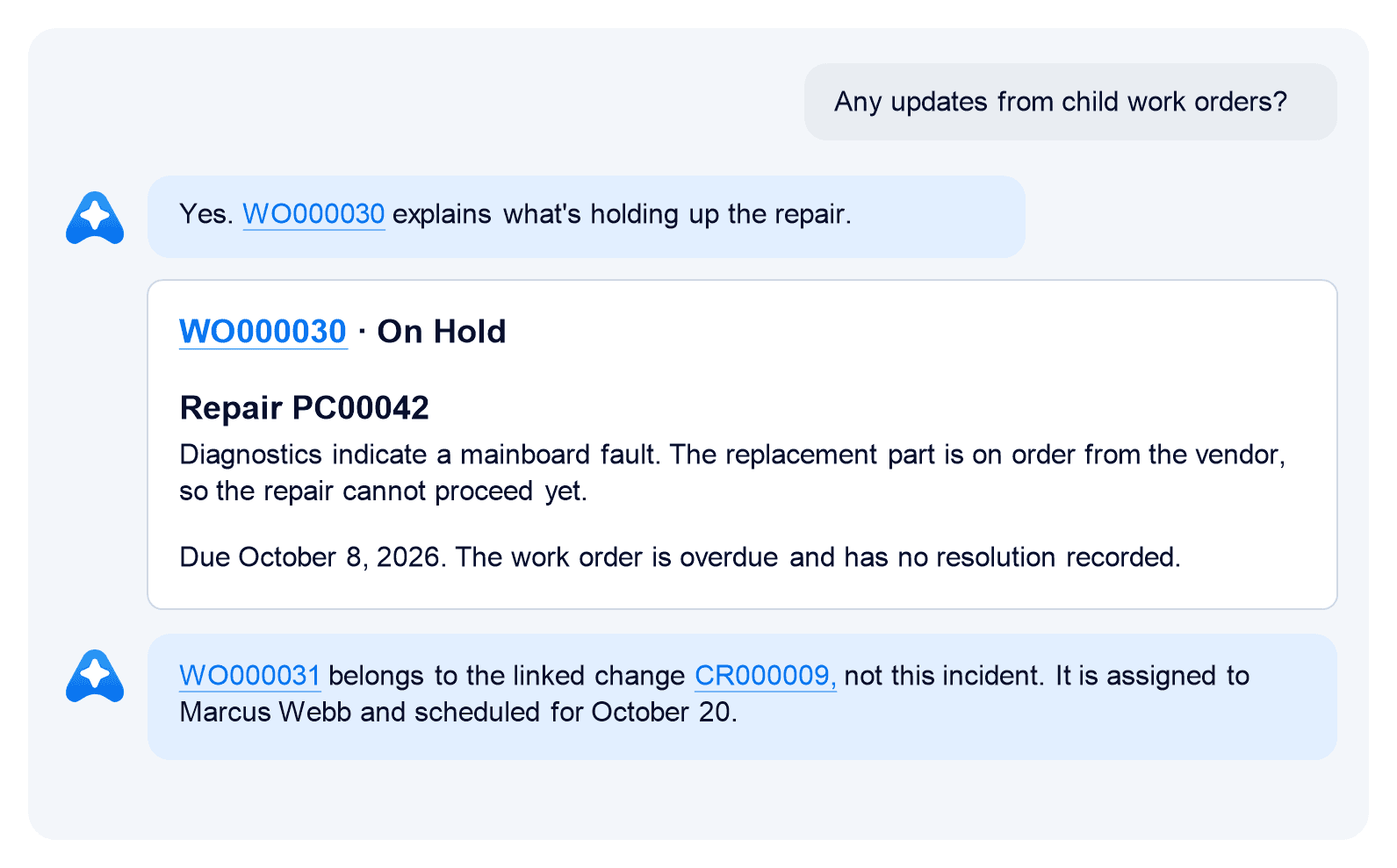
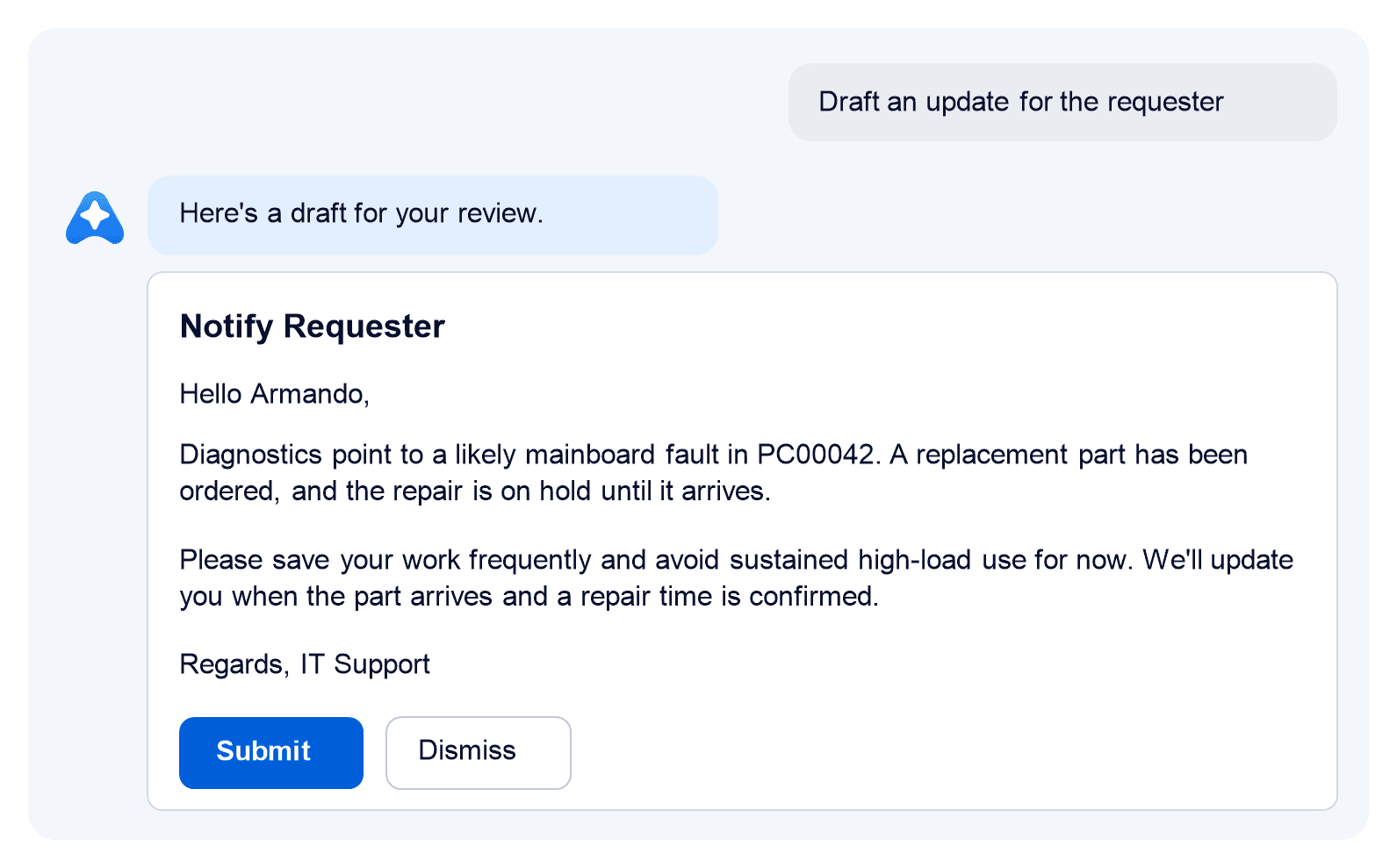
This scenario is especially useful for service desk tickets, but the same approach applies to project tasks, asset management, and other ongoing work across Alloy Navigator. Allie helps you understand the history, identify what’s holding up progress, and take the next step.
At first glance, this scenario looks like a job for the built-in AI-powered Summarize Incident workflow action. But Allie goes much further! It checks related items, clarifies what’s blocking progress, and prepares the appropriate next step for approval.
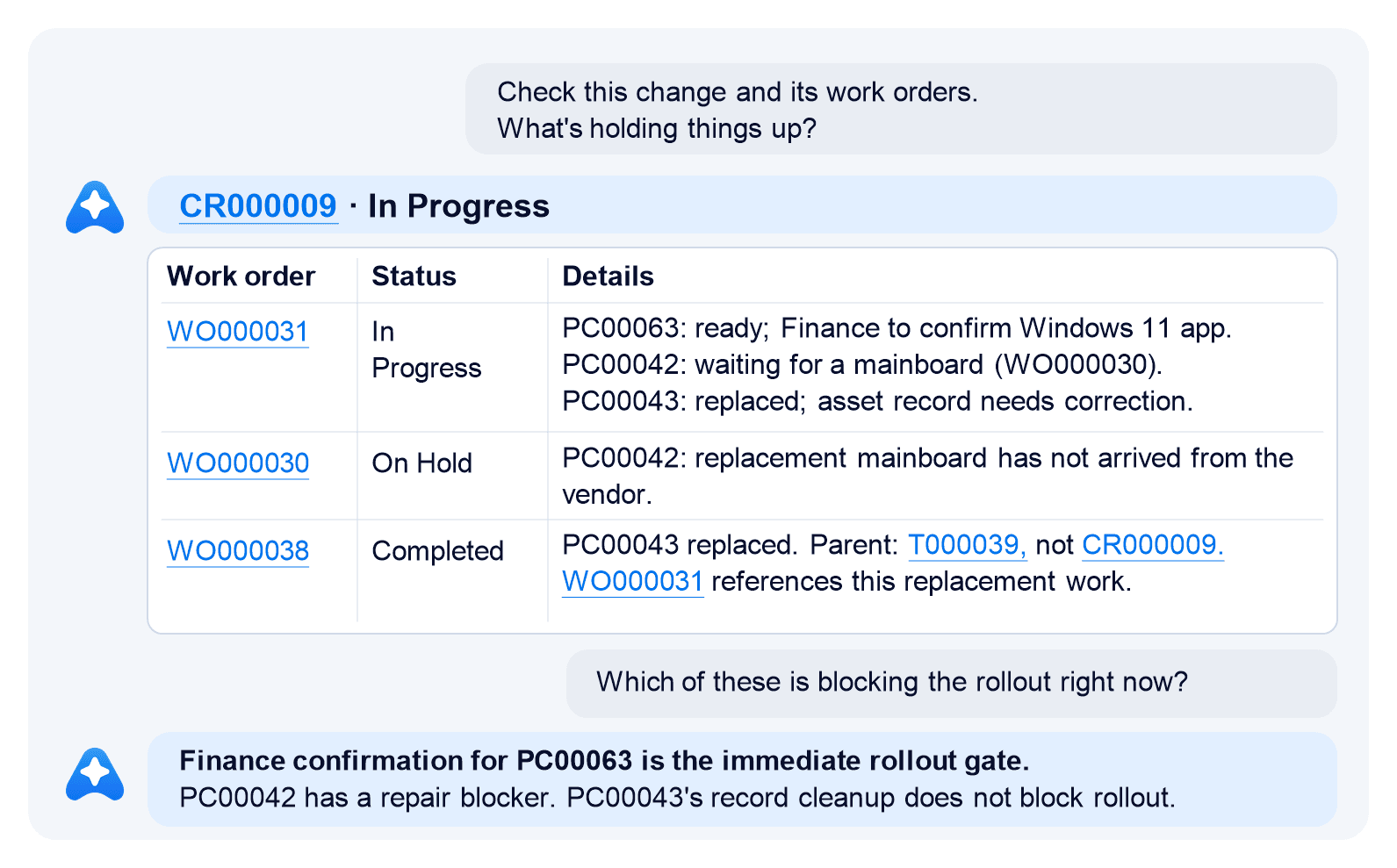
A change request may show plenty of activity while the reasons for delay are scattered across its work orders and asset records.
For example, consider a Windows 11 rollout. The last few Windows 10 devices can be the hardest to move, and you may have to dig around to find out what’s holding each one up. Instead, ask Allie:
Check this change and its work orders. What’s holding things up?
It finds three loose ends: one computer is ready for upgrade but waiting for confirmation that a key business application works on Windows 11; another is waiting for repair parts; and a third has been replaced but is still listed as deployed. Allie points you to the related records behind the answer.
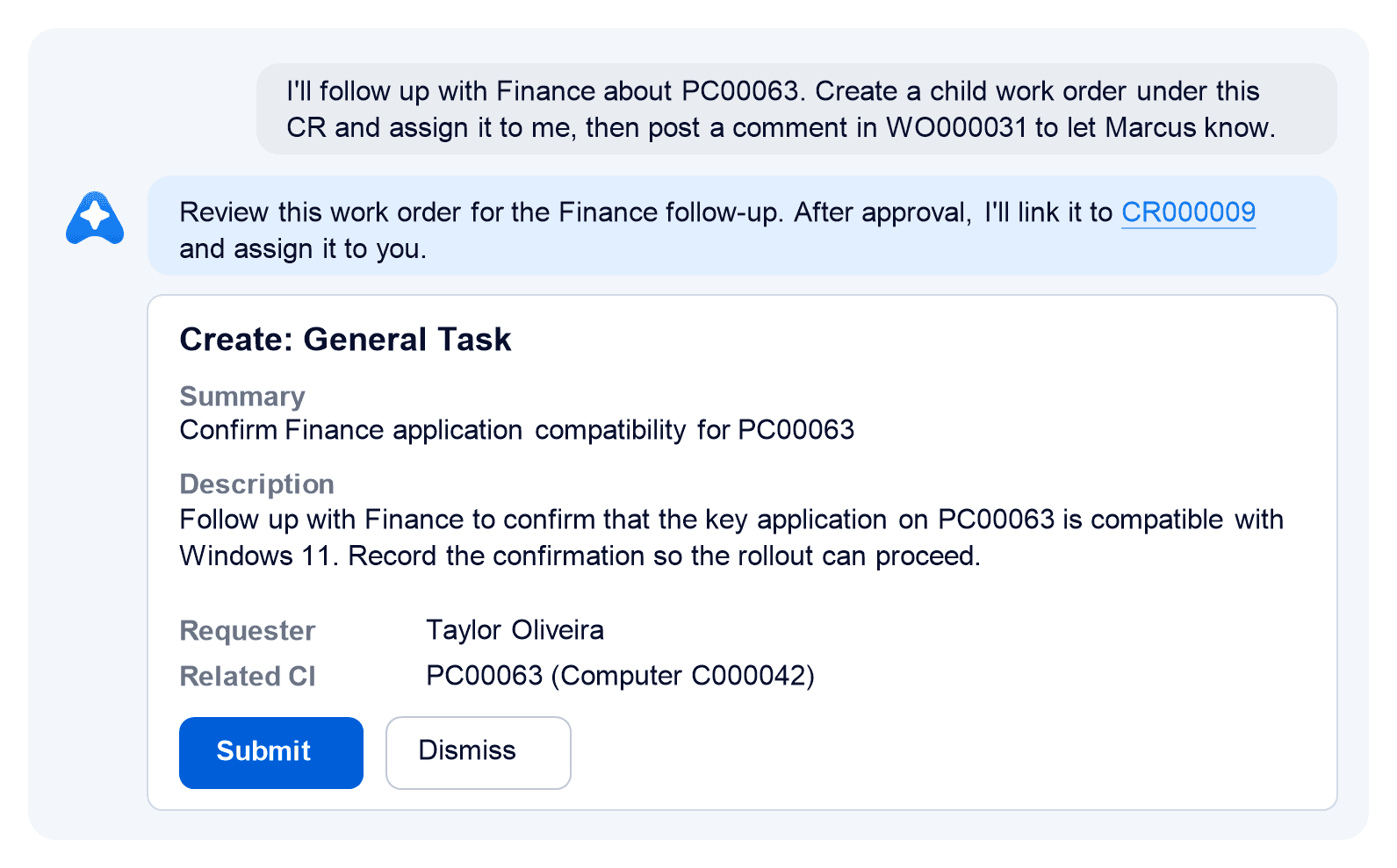
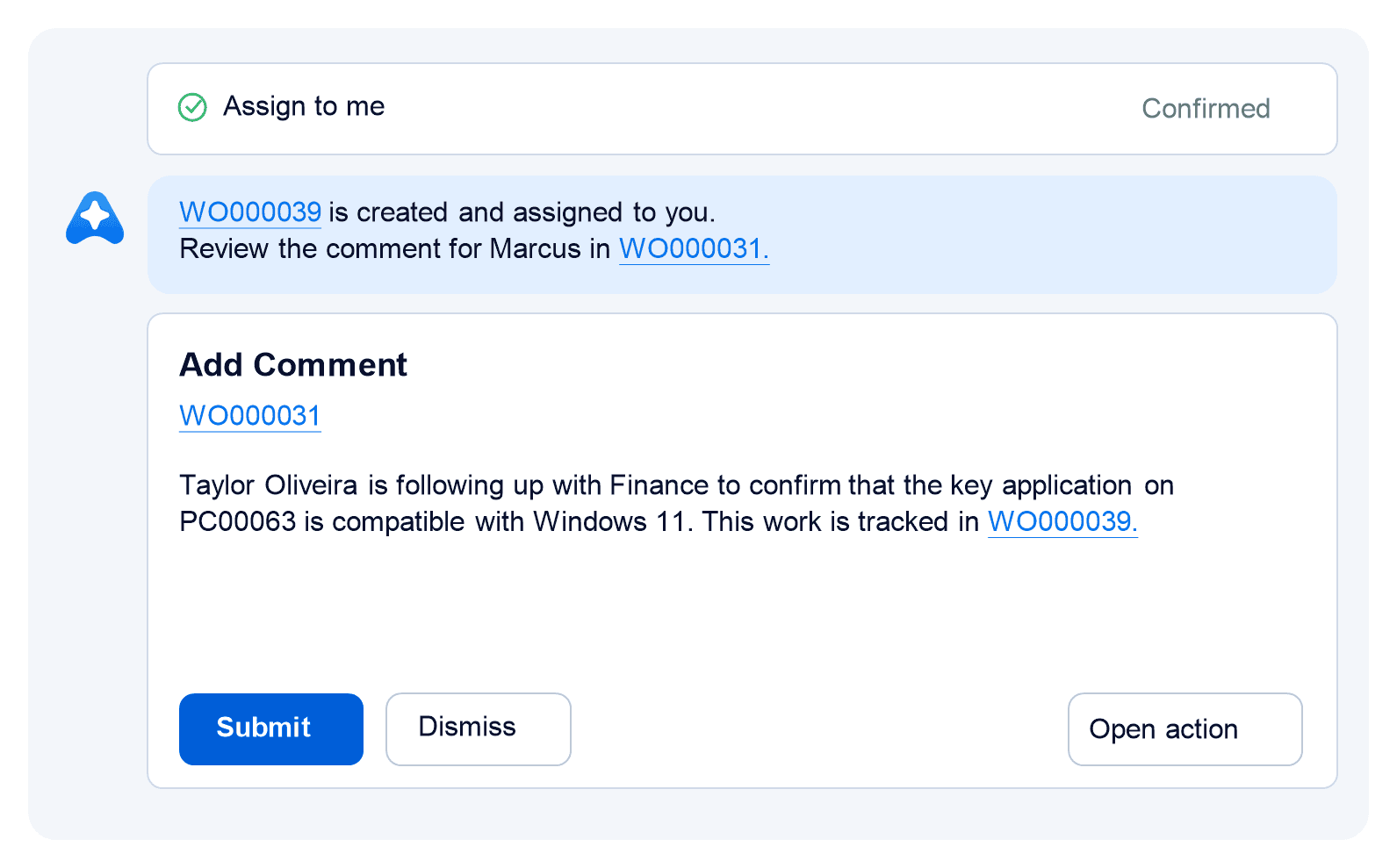
Suppose you or a teammate could quickly take on one of those follow-ups, but the paperwork and coordination around it feel like too much fuss. Ask Allie to handle both. It prepares a work order for whoever takes it on, links it to the right computer, and creates it once you approve. Then it drafts an update in your colleague’s work order and posts it after your approval.
Allie helps you spot stalled work and quickly redistribute it. It prepares the tasks and updates that give everyone a clear next step, so the change gets done faster.
The built-in AI-powered Suggest Action Plan action develops a plan for implementing a change request. Allie goes deeper: it checks what’s already been done across the change and related records, then prepares the next action or suggests a plan for the work that remains.
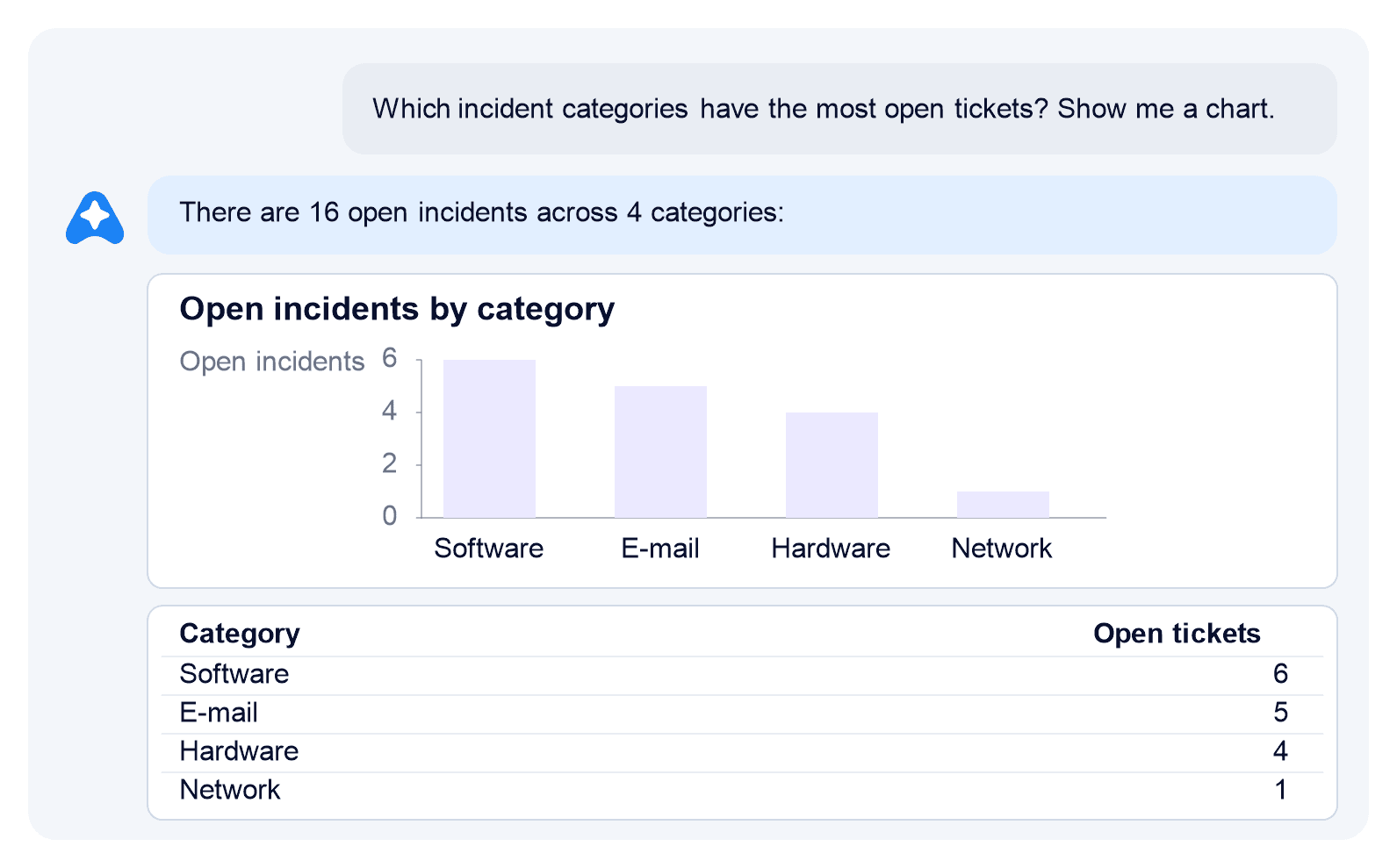
A ticket queue tells you what is open, but patterns across cases take more work to see. Allie can chart the queue by category and help you investigate where several reports may share a cause.
Start by asking Allie:
Which incident categories have the most open tickets? Show me a chart.
A ticket queue tells you what is open, but patterns across cases take more work to see. Allie can chart the queue by category and help you investigate where several reports may share a cause.
For example, the chart shows five email cases. Are they part of one problem? Ask a follow-up:
Are those five email tickets related? Which should we investigate together?
It groups them into two mail-flow cases to investigate first, two Outlook desktop issues worth checking together, and one mobile sync problem to handle separately. One of the mail-flow tickets is already linked to a problem record, giving the team a stronger starting point.
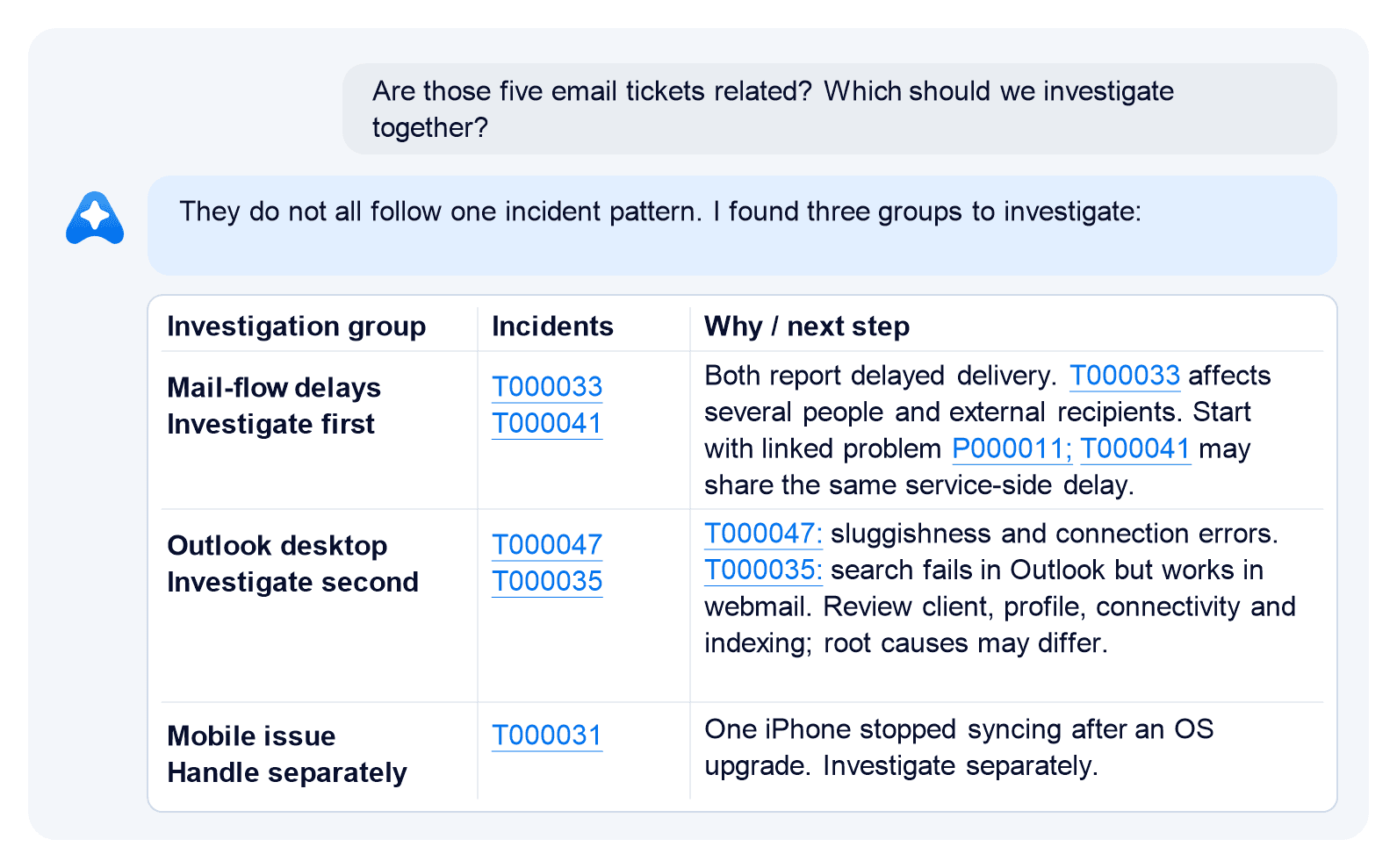
Your team can investigate likely related reports together, keep distinct issues on separate tracks, and focus first where the evidence of a shared cause is strongest.
Your knowledge base lets IT teams reuse what they’ve learned and gives people answers through self-service. Keeping it useful takes work: support teams have to spot recurring issues and searches without useful results, then figure out what guidance is missing.
For example, ask Allie,
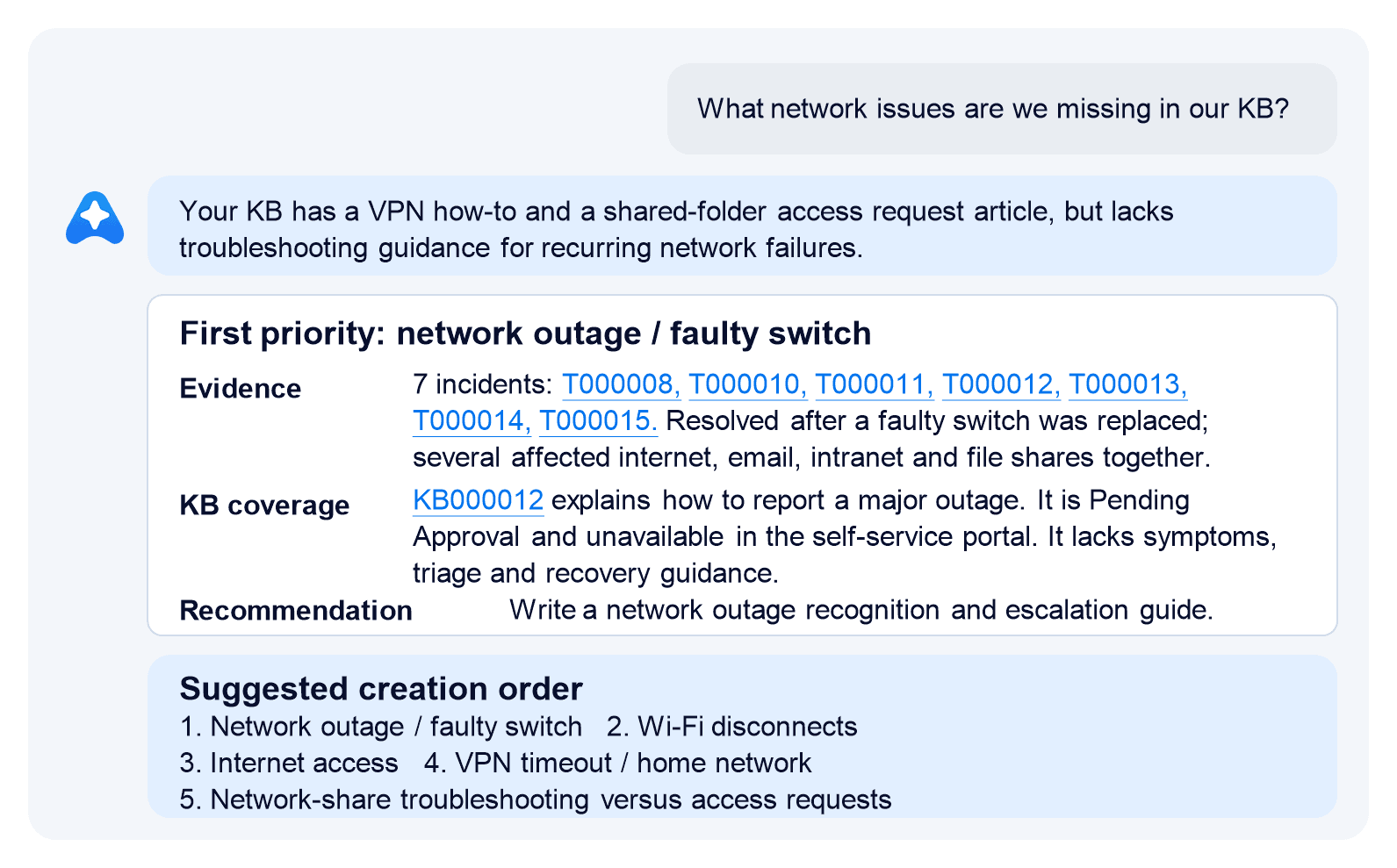
What network issues are we missing in our knowledge base?
It finds several incidents where people lost access to network shares and the internet at the same time. The existing major-outage article explains how to report an outage, but not how to recognize and troubleshoot one. Allie shows the incidents and article behind that gap.
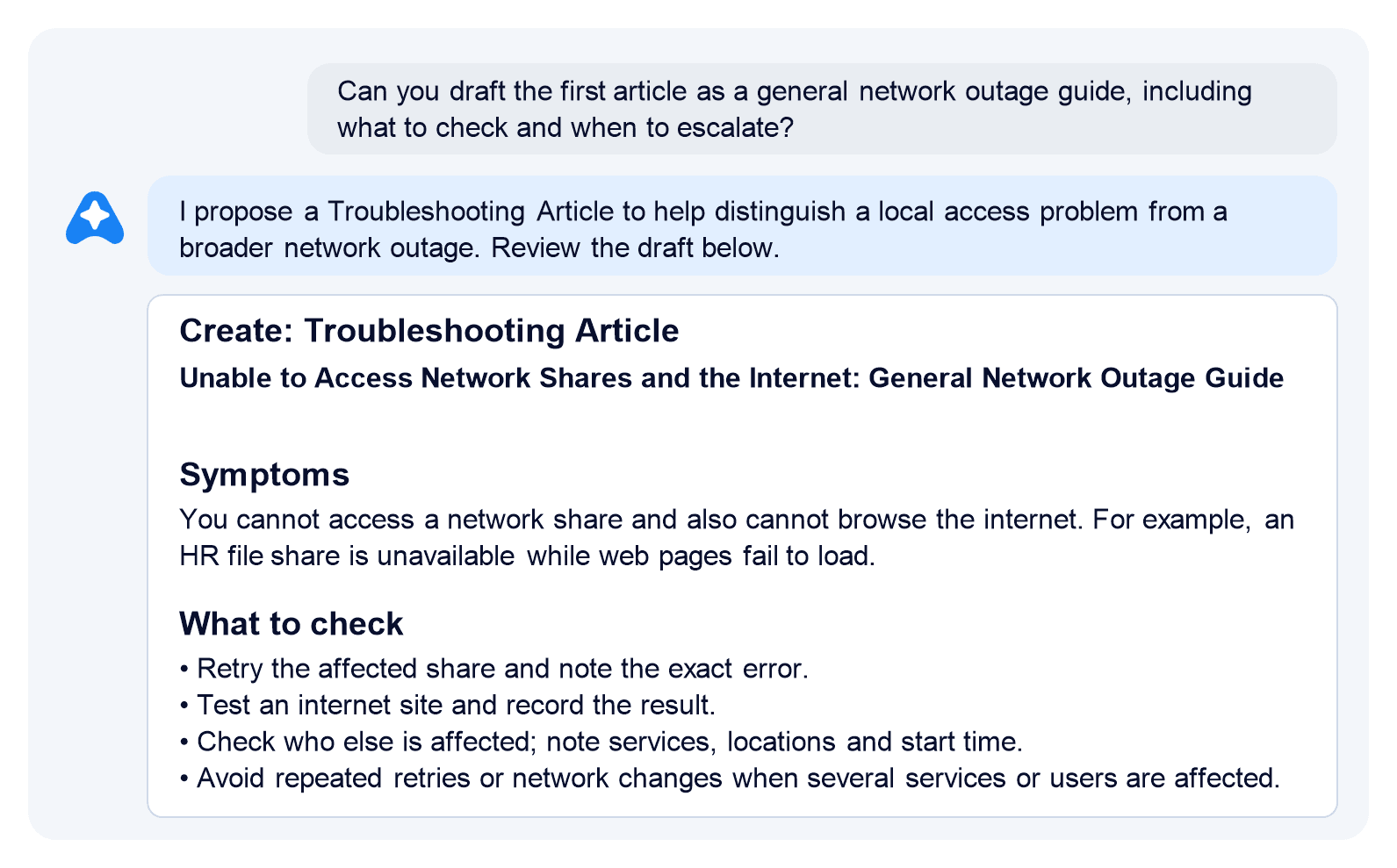
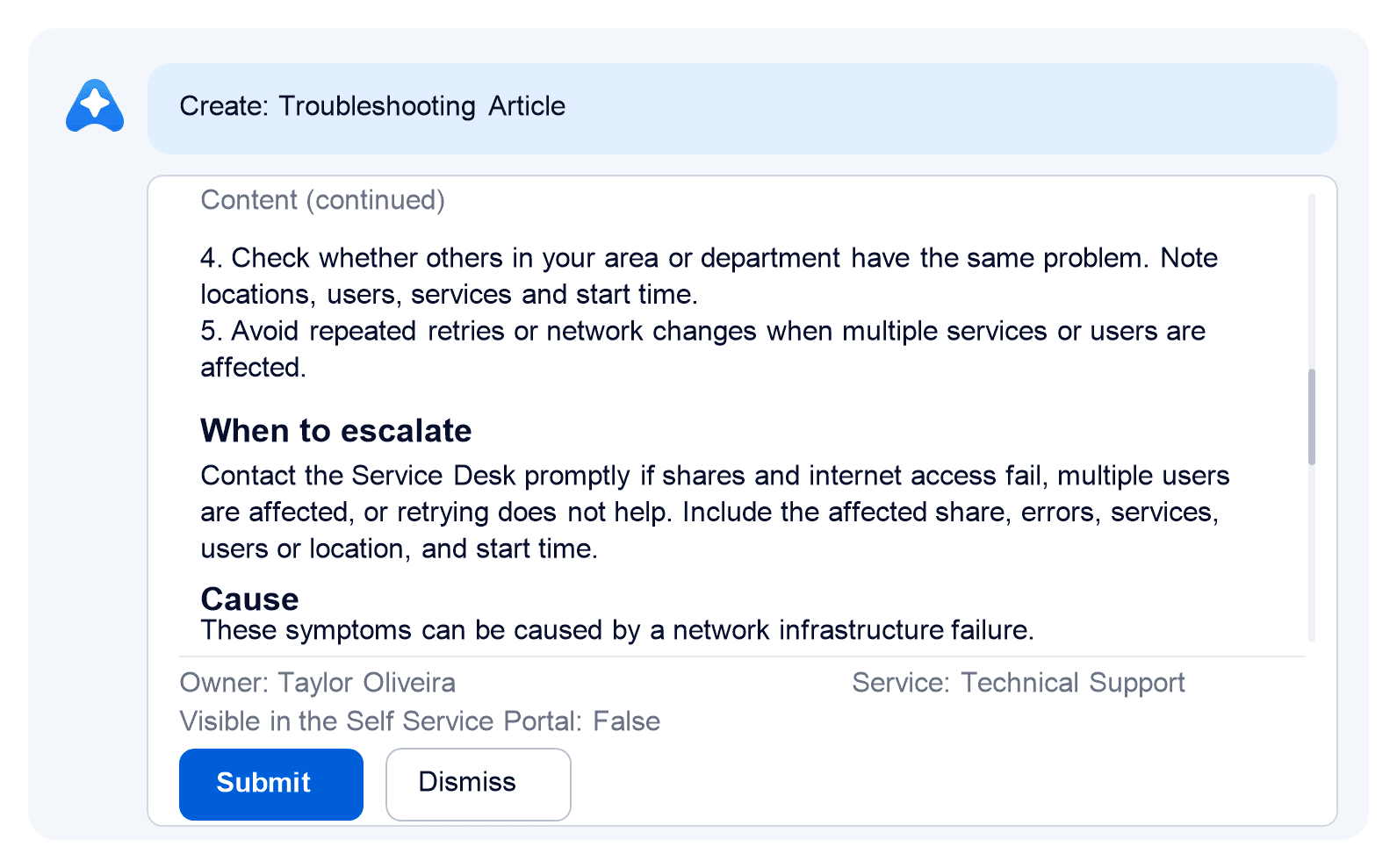
Ask Allie to draft a guide for that gap. It prepares a troubleshooting article with symptoms, first checks, and guidance on when to escalate. Your team can review the draft before creating the article.
Gaps can hide in existing articles, too. A guide may skip a step, assume too much of the reader, or fall behind as software and services change. Allie can use related cases and external sources you choose to find what is missing or no longer accurate, then help update the article.
Allie helps keep your knowledge base complete and up to date, so more people can find answers on their own and support teams spend less time answering the same questions.
The examples in this article are only a start. Allie can help with the other everyday questions and tasks your team faces, whether that means chasing down an answer, getting up to speed, or moving work forward.
We’ve built a broad set of skills into Allie for exactly this kind of work. They help it gather context, analyze what matters, and prepare the next step. You can also add skills tailored to your processes and connect the sources your team relies on. That gives Allie the reach to support bigger workflows across IT.


























Click to add your own text here


