Turnitin Alternatives: Best AI and Plagiarism Checkers for Classroom
Discover how to use AI detectors and plagiarism tools responsibly in schools to track originality and ensure fair writing assessment.


Discover how to use AI detectors and plagiarism tools responsibly in schools to track originality and ensure fair writing assessment.
For over a decade, Turnitin has been a go-to solution for K–12 institutions seeking to detect plagiarism—and more recently, AI-generated content. However, rising subscription costs and ETS grammar tools discontinuation have led many educators and school administrators to look for reliable, affordable tools that can help verify original student work. In this article, we’ll explore the most effective and affordable plagiarism and AI detection services available for classroom use today.
The pressure behind that search keeps growing. Turnitin’s Q2 2026 Learning Integrity Insights Report, drawn from 33 million US higher-education submissions between October 2025 and April 2026, found that 19.4% of student work now scores above 80% AI-written – roughly double the rate in the UK (9.8%) and Australia (10.2%). At K – 12 level the figure sits between 5% and 6%. Annie Chechitelli, Turnitin’s Chief Product Officer, framed the demand from teachers simply: “they want to see how their students are actually using AI”, and to decide themselves when it belongs in an assignment.
Students agree that the tools are now permanent. The Student Generative AI Survey 2026, written by Rose Stephenson, Director of Policy and Strategy at the Higher Education Policy Institute, and Policy Manager Charlotte Armstrong, found 95% of UK undergraduates use AI in some form and 94% use it on assessed work – up from 66% overall in 2024.
Cost is no longer the only reason schools shop around. Vanderbilt, the University of Waterloo, Curtin University and Washington State University have all switched Turnitin’s AI detector off while keeping the plagiarism check running. That distinction matters when you pick a replacement: plagiarism detection and AI detection are separate technologies with very different reliability records, and the sections below treat them separately.
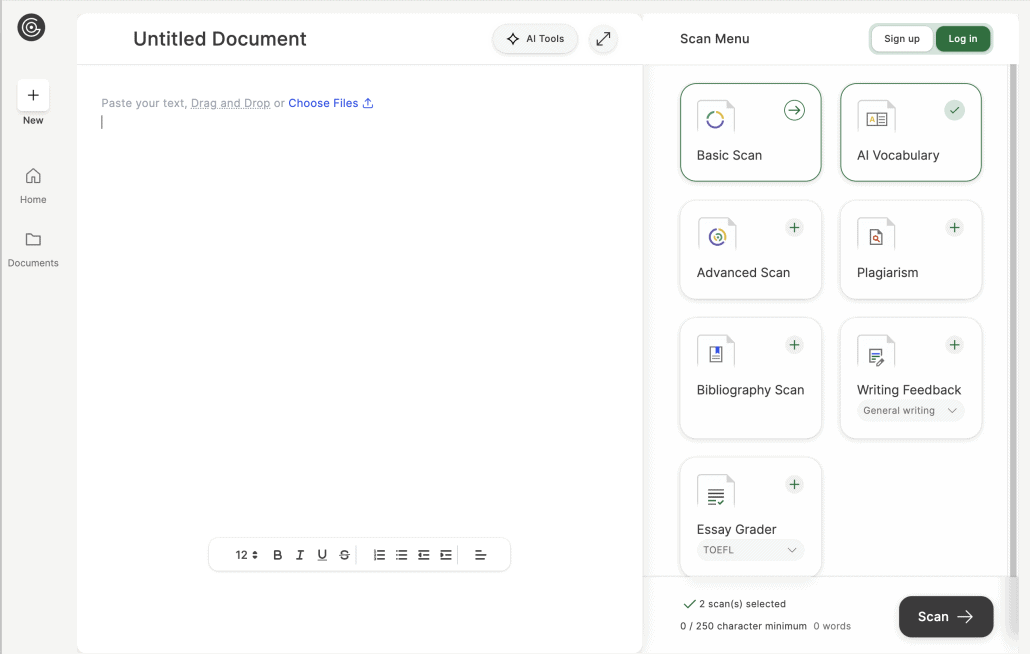
GPTZero is built for educators and trusted by the American Federation of Teachers. However, it is also suitable for anyone who wants to improve their writing style and sound authentic or detect AI fakes in their professional field. The platform offers plentiful opportunities, which include:
Related: The Best Google Classroom Alternatives in 2025 ->
While GPTZero offers multiple helpful features, it’s also really affordable, with Premium subscription just $12.99/month and a free trial of 10 000 words/month (check current tiers before budgeting – pricing in this category moves often).
Update: GPTZero changed hands in June 2026. On 23 June the company was acquired by Superhuman – the productivity company formerly known as Grammarly. Founder Edward Tian, who built the first version as a Princeton senior thesis project, told Business Insider the startup had passed 19 million registered users and roughly $30 million in annual recurring revenue on just $13.5 million of total funding. In the acquisition announcement, both companies said GPTZero will keep running as a standalone product. If you are signing a multi-year district contract, that is worth a direct question to your account rep about roadmap and pricing continuity.
Two other changes matter in the classroom. In October 2025 GPTZero shipped a multilingual detection model covering nine languages, narrowing the gap with Copyleaks. And its Writing Replay extension for Google Docs records the full editing process, including copy-paste events and typing rhythm – which puts GPTZero closer to the process-monitoring tools discussed later in this article than to a classic percentage-score detector.
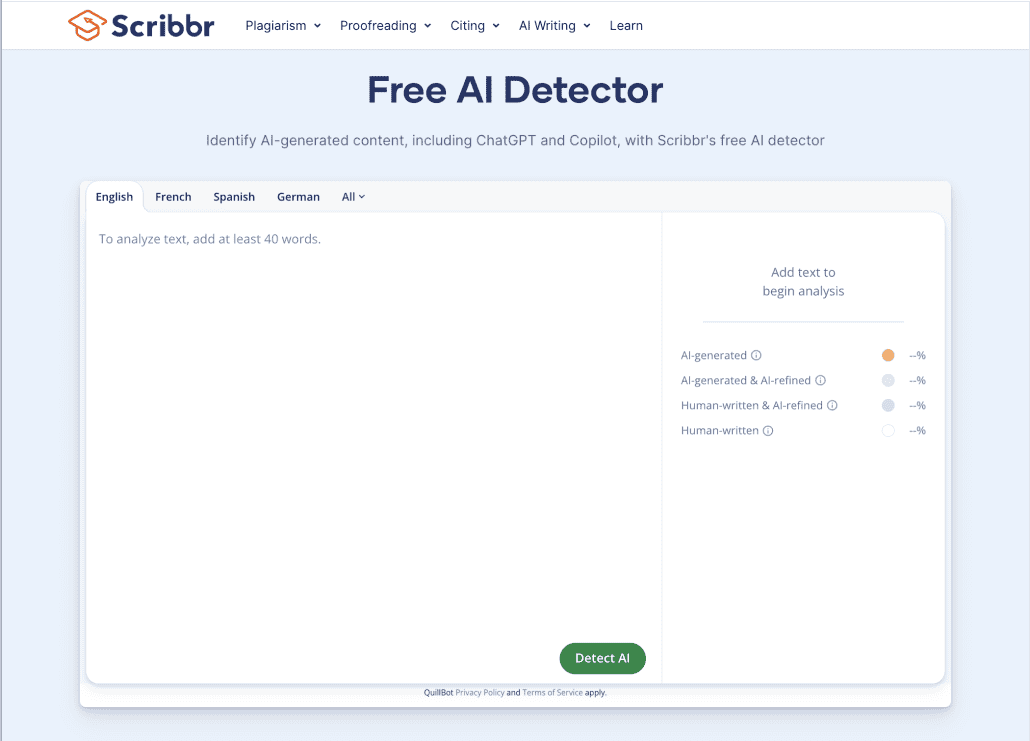
Scribbr is designed with educators, students, and researchers in mind, offering not just plagiarism and AI checks, but also proofreading and paraphrasing tools specifically tailored for academic writing. It uses the same extensive comparison database as Turnitin—including over 99 billion web pages and 8 million academic publications—allowing Scribbr to effectively detect potential plagiarism by checking student submissions against a vast array of existing texts.
One clarification that trips up a lot of students: only the plagiarism check runs on Turnitin technology. Scribbr’s free AI detector is built on technology from QuillBot and GPTZero, so a clean AI result there tells you very little about what an institutional Turnitin report will say. Scribbr’s own testing claims an 88% plagiarism detection rate against an average of 43% for free tools, but that number is self-reported and has not been independently replicated.
However, it’s worth noting that Scribbr’s AI detector has received negative reviews from students, with a number of users reporting false positive results—cases where clearly human generated content was flagged as AI. In addition, pricing may be a concern for schools and teachers working on a budget: instead of a subscription model, Scribbr uses pay-per-document pricing, now running from roughly $19.95 to $39.95 per check depending on document length, which can quickly add up if you’re checking student work regularly.
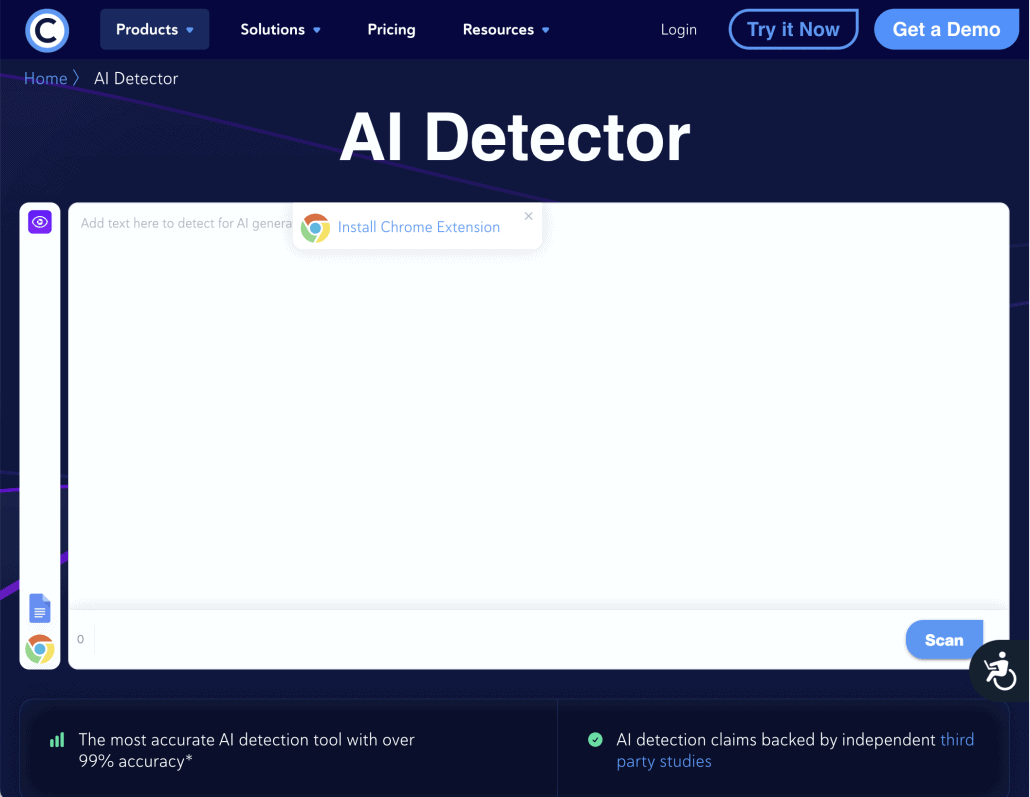
Copyleaks is a cloud-based tool that combines AI-generated content detection with advanced plagiarism checking. Its services integrate smoothly with a wide range of LMS platforms, and its functionality extends beyond standard text files—it can also scan content extracted from PDFs and images, which is especially useful for detecting issues in scanned assignments.
Copyleaks operates on a credit-based pricing model, with 1 credit covering 250 words. Subscription bundles start at $13.99 per month, providing approximately 1,200 credits, or the equivalent of around 300,000 words.
However, despite Copyleaks’ marketing claim of over 99% accuracy, user reports paint a less consistent picture. Students are receiving false accusations on AI usage, which has already led to some serious consequences. Independent 2026 testing puts real-world accuracy between 76% and 91%, with false-positive rates of 6-11% rather than the 0.2% quoted on the marketing page. Detection also collapses on rewritten or “humanized” text, falling to roughly 25% in some tests, and on passages shorter than 200 words.
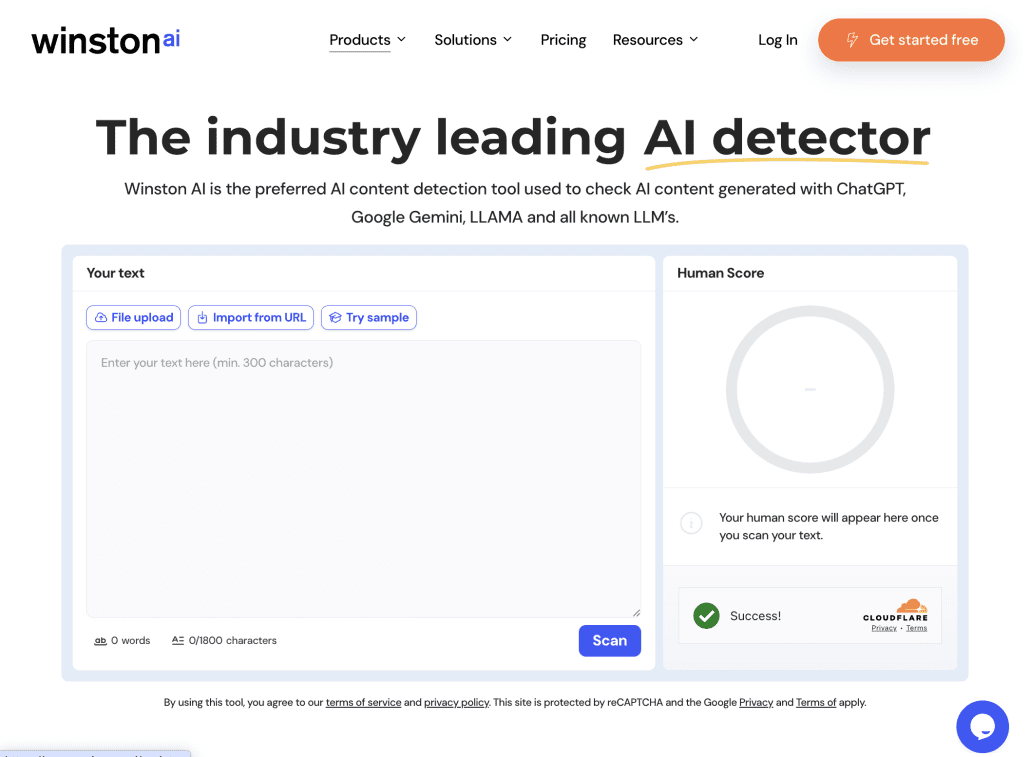
Winston AI is an AI-content detection platform that combines plagiarism scanning, OCR (Optical Character Recognition) for documents and handwritten text, readability metrics, and an AI prediction map highlighting AI-generated segments. Winston AI can also be used to detect AI-generated images and deepfakes.
A free plan for less than 2000 words is available, although it lacks the plagiarism checks. Users must upgrade to higher tiers for full functionality (starting from $12/month).
However, Winston AI’s cases of inconsistent scoring raise concerns for high-stakes academic decisions. Thus, this tool is safer to treat as a helpful first check, not definitive proof. Independent numbers support that caution: researchers at the University of Florida measured Winston’s mean accuracy on academic content at 75.9%, against 97.5% for Originality.ai on the same dataset. Performance also swings by text type – in one 2026 test a blog post scored 100% and an e-book extract just 3%, while all three samples scored 100% on the competing tool. If your students write long-form or narrative work, that variance matters more than the advertised headline figure.
While AI detectors help teachers in the educational process, Alloy Software supports the infrastructure that makes digital learning possible. Schools and universities rely on complex networks of devices, software, and support teams—and that’s where Alloy steps in.
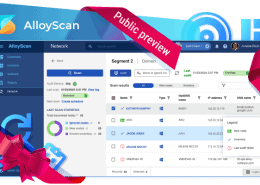
Alloy Navigator, our all-in-on ITSM and ITAM solution, allows institutions to track and manage all hardware and software assets—from student laptops and classroom smart boards to software licenses. This ensures that the teacher’s tech stack, be it AI detectors or LMSs, remains updated and renewed on time.
Explore the benefits of Alloy asset management software for educational environments:
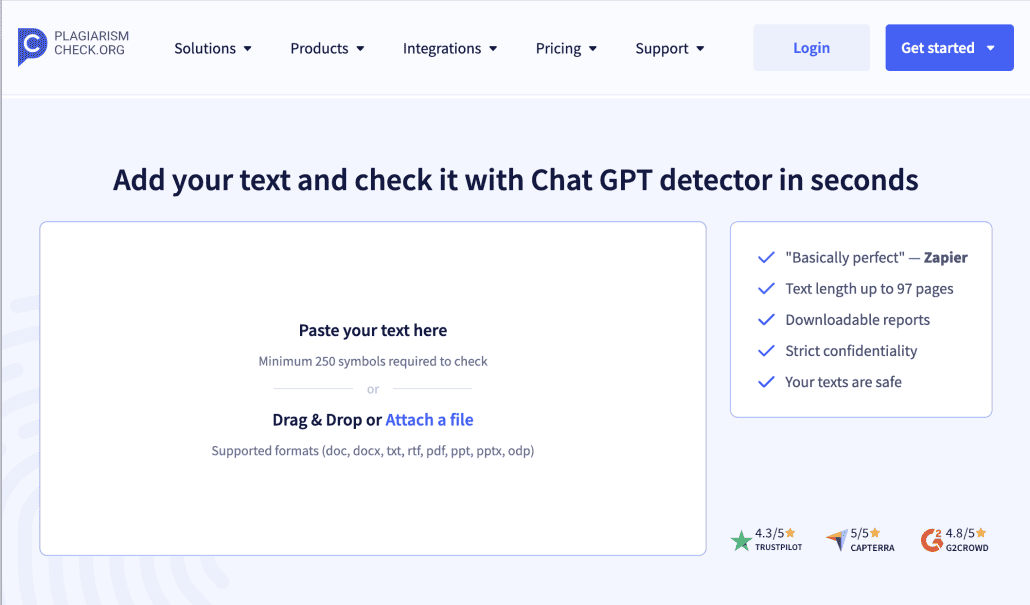
PlagiarismCheck.org is tailored specifically for academic environments. It offers a special K-12 plagiarism checker, integrated with Google Classroom and major LMS.
One of the most valuable tools offered by PlagiarismCheck.org is its stylometric “fingerprint authorship verification”. This feature analyzes a student’s individual writing style based on previously submitted work, identifying sudden shifts in tone, vocabulary, sentence structure, and syntax patterns. By building a digital “fingerprint” of the student’s voice, the system can flag assignments that significantly deviate from their usual style. The tool currently supports over 15 languages.
Additionally, PlagiarismCheck.org also offers an activity monitoring Google Chrome extension that provides an alternative method of preventing AI in student works. More on that below. Its Integrito extension has since expanded beyond Google Docs and can now analyse discussion posts inside Canvas and Brightspace as well.
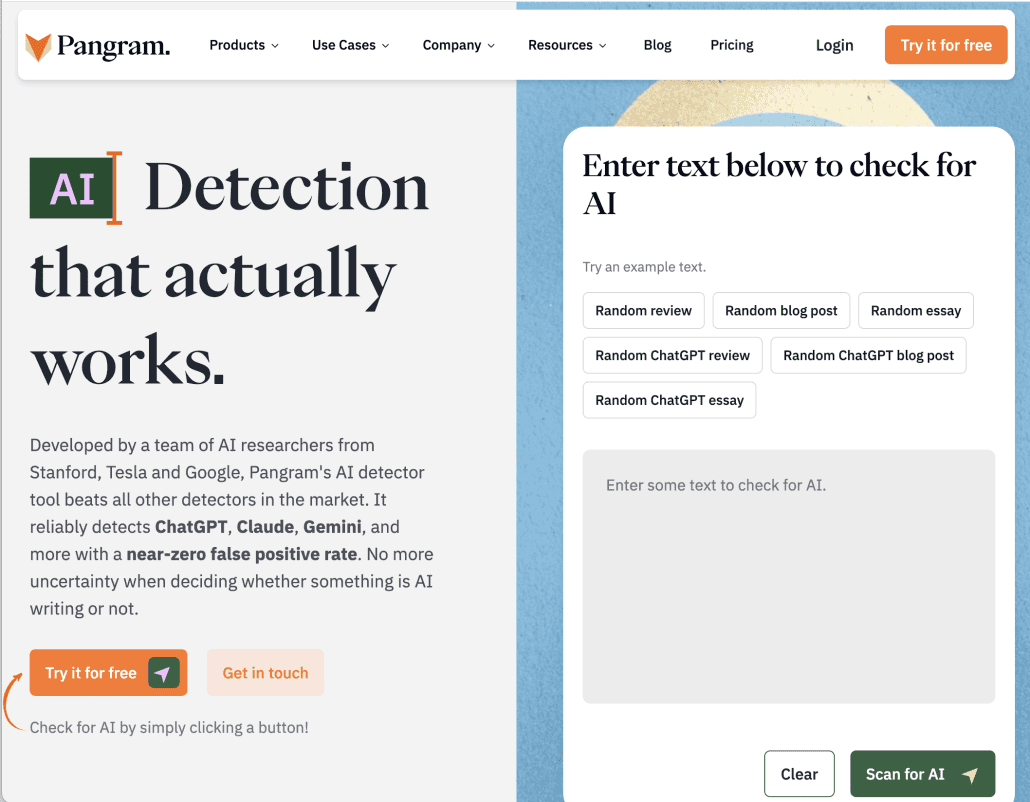
Pangram presents itself as a cutting-edge platform developed by AI researchers with backgrounds in leading tech companies. Their website is sleek and aesthetically pleasing, featuring polished animations and modern design elements aimed at appealing to K–12 educators.
Unlike most tools in this list, Pangram has independent validation. In an August 2025 working paper, Brian Jabarian and Alex Imas of the University of Chicago tested Pangram, GPTZero, Originality.ai and an open-source RoBERTa baseline against 1,992 human texts written before 2020 and 1,992 AI-generated texts across multiple genres and lengths. Pangram was the only detector that met a strict false-positive cap of 0.5% without losing the ability to catch AI text; GPTZero and Originality.ai sat near 1%, and the open-source baseline flagged between 30% and 69% of human writing. GPTZero has publicly disputed the methodology, arguing the researchers queried the wrong API field – worth knowing before you cite the study as settled.
Pangram 3.0, released in December 2025, moved the product away from a single percentage toward segment-level analysis that separates fully AI-generated passages from human ones and from co-authored text in between. The company has raised $14 million from Menlo Ventures and integrates with Canvas, Moodle, Brightspace, Google Classroom and Google Docs. Known weak spots: documents heavy with technical jargon or acronyms can trigger false positives, and scores shift with minor formatting changes.
Pangram emphasizes the high accuracy of its AI detection system but openly acknowledges that false positives or negatives can occur. Its guidance for teachers positions the score as a starting point rather than a verdict – the company describes the tool as one that “help[s] promote discussion around AI and not necessarily as a disciplinary tool”, and recommends simply talking to the student about what was flagged.
To start, Pangram offers five free AI scans per day. For educational institutions, there’s a budget-friendly plan at $5 per student annually, which also includes GDPR compliance and integration with Google Classroom and Canvas.
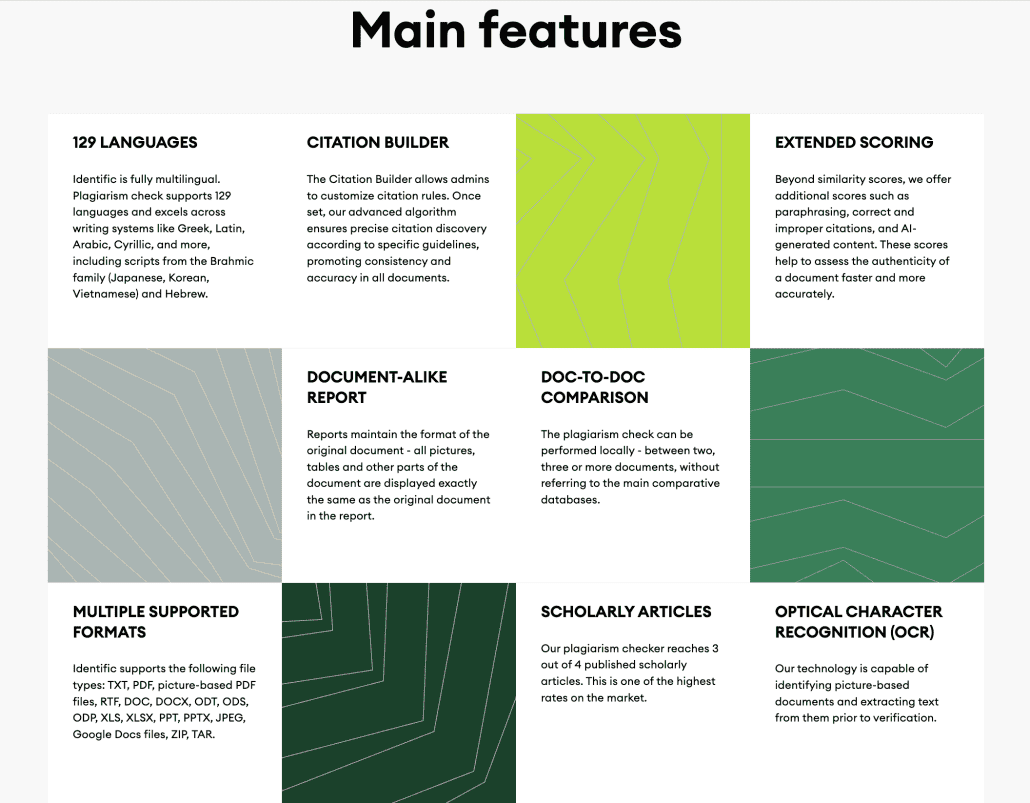
Identific is aimed at academic and scholar audiences and offers not only AI detection, but also cheating detection. The tool has a really smart analyzing system, which includes identifying character inserts from other scripts, drastic changes in writing style, comparing documents to find suspicious similarities, and other ways of academic misbehaviour.
The platform reinforces its academic credibility through its support for an impressive 129 languages (including Latin) and its ability to scan very large documents—up to 1,000 pages. This makes Identific particularly well-suited for reviewing academic papers, including the fragments in rare or ancient languages.
However, the access to these unique services is quite costly, with a customized plan for educational institutions starting at €500. For most K-12 schools that only makes sense if the multilingual coverage is a genuine requirement – in a monolingual English district, Pangram or GPTZero deliver comparable detection for a fraction of the budget.
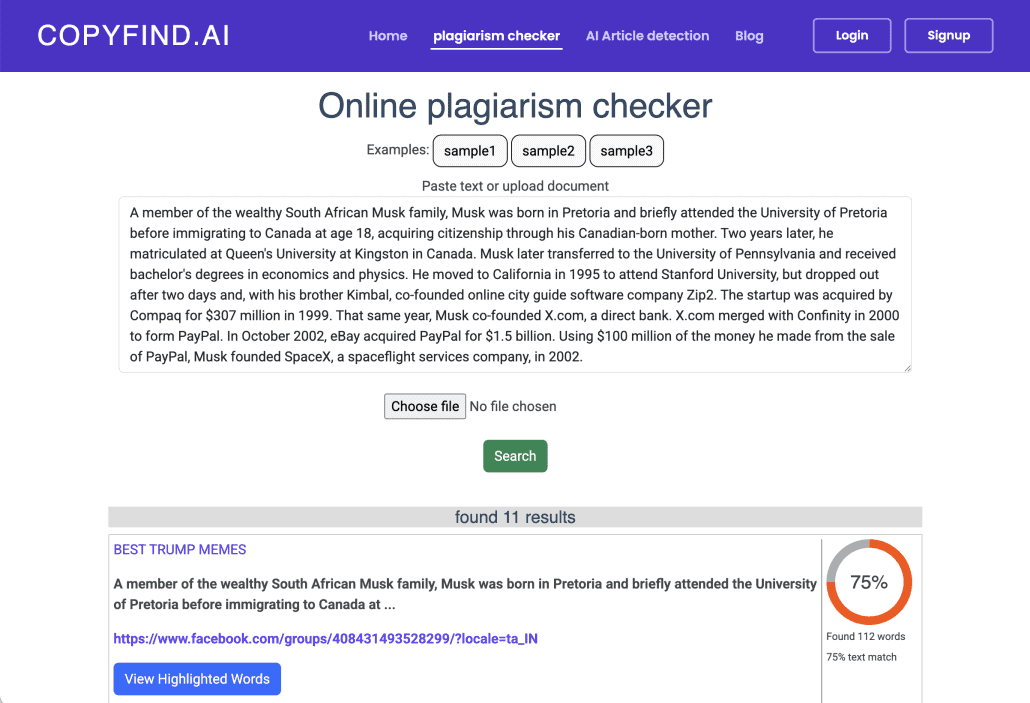
CopyFind.ai is a lightweight, accessible tool for educators who need quick and straightforward detection of both plagiarism and AI-generated content. It’s especially well-suited for low-volume or occasional use, such as spot-checking student essays or verifying suspicious passages.
The platform offers a free tier with up to 500 words per check, making it easy to try without commitment. While it doesn’t offer LMS integrations or deep analytics, its simplicity and ease of use make it a convenient option for teachers looking for fast results without the complexity of larger platforms.
Keep the word limit in mind: detection reliability drops sharply on short passages across every tool tested, so a single-paragraph check is a weak signal at best.
Follow us on LinkedIn for the latest product insights, feature previews, and more exclusive updates.
As academia has faced an unprecedented rise in the use of generative AI in recent years, a wave of countermeasures—such as AI and plagiarism detectors—was inevitable. However, the reliability of these tools is a matter of concern. While these tools can provide useful signals, they are far from foolproof.
The research has moved on considerably since the first wave of detector testing in 2023. An evaluation of 14 detection tools, summarised by Brett DeJager, Assistant Professor of Psychology and Education at the University of Wisconsin-Stout Polytechnic, recorded false-positive rates as high as 50% and false-negative rates as high as 100%, depending on the tool. Roughly 20% of AI-generated texts were misclassified as human – rising to 52% once a person lightly edited them, and 71% after machine paraphrasing. The same review cites Liang and colleagues at Stanford, who found detectors wrongly flagged essays by non-native English speakers as AI-written 61.3% of the time while classifying native-speaker essays almost perfectly. If your school serves ESL students, that is not an edge case.
On the other hand, an increasing number of students are being unfairly penalized, as their work gets falsely flagged as AI. Turnitin itself has acknowledged that their AI detection system doesn’t offer a binary answer—and that human oversight is critical in interpreting its results.
The vendors are quietly conceding the point. On 20 July 2026 Turnitin collapsed its two-colour AI report into a single highlight, dropping the visual distinction between AI-generated text and AI-generated text that was later run through a paraphraser. In its own release notes, the company explains that the signals separating those categories have become harder to interpret as models evolved, and says the change is meant to “reduce the risk of unwarranted academic misconduct reviews”.
The legal risk is now real, not theoretical. In February 2026 Adelphi University freshman Orion Newby won a lawsuit over an AI plagiarism finding, with a judge ruling the charge was without merit and the university required to strike it from his record. Turnitin’s detector had marked his World Civilizations paper on Christianity and Islam as fully AI-written; Newby ran it through two other detectors, both of which said human. Adelphi denied his appeal, and the family told Newsday they spent six figures on legal fees. Newby, now a sophomore studying history, put it plainly: “It feels incredible to finally have my name cleared.”
Institutions are drawing the same conclusion. Washington State University, which cancelled its Turnitin AI detection contract in February 2026, states in its provost’s policy that “suspicion of the use of AI is not sufficient” for a finding of responsibility, and reported that a third of its AI cases ended in “not responsible” because the detector was the only evidence. When Vanderbilt disabled the same tool, it published the arithmetic behind the decision: even at the vendor’s claimed 1% false-positive rate, its roughly 75,000 annual submissions would mean about 750 papers wrongly flagged every year.
Meanwhile the tools are in wide use. A nationally representative survey by the Center for Democracy & Technology found that 68% of US teachers in grades 6-12 use an AI detection tool, while Common Sense Media reported that about 10% of teens say their own work has been incorrectly identified as AI-generated.
Before we can judge how trustworthy AI detectors are, we need to understand the methods they use to identify AI-generated content.
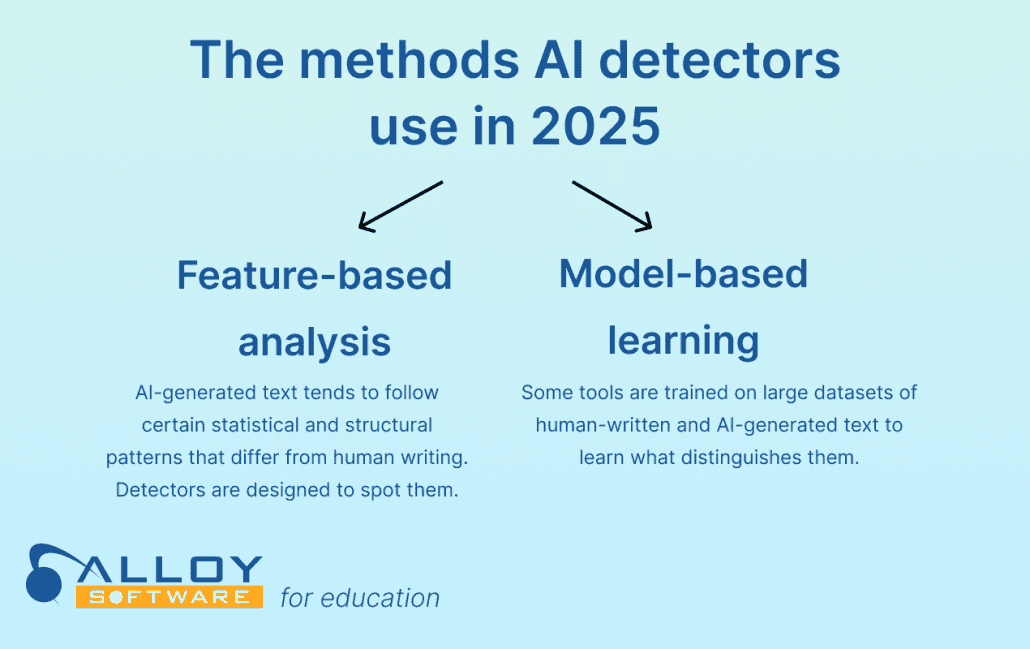
AI and plagiarism detectors use a combination of two main methods: feature-based analysis, which examines statistical properties of text, and model-based learning, where systems are trained to distinguish between human and AI-generated writing. This way, they can flag content that statistically resembles AI output or deviates from typical human writing patterns.
Coverage is narrower than most teachers assume. Turnitin’s AI writing detection currently supports English, Spanish and Japanese only, and its paraphrase and bypasser detection works on English submissions alone. Work submitted in French, German, Arabic or Ukrainian still goes through the plagiarism check, but not the AI check at all – which is the main reason multilingual schools end up on Copyleaks or Identific instead.
If you’re starting to feel the weight of academic justice on your shoulders, don’t worry! Let’s look at some plagiarism detection programs with a more subtle approach—no AI guesswork required.
This is where the market has moved. Turnitin’s Clarity add-on gives instructors version-history playback, an active-writing-time figure and flags for pasted text; since November 2025 it also runs AI detection on any pasted block longer than 300 words, and its admin data export includes fields such as Low Writing Time Flags and Pasted Text Flags. Grammarly Authorship went further in March 2026, adding attribution for specific AI agents, so a teacher can distinguish a student who used AI for research support from one who used it to generate the draft. Brisk Teaching offers a comparable Replay feature inside Google Docs as a free, FERPA- and COPPA-compliant Chrome extension. None of these produce a probability score – they show behaviour, which is far easier to discuss with a student and far harder to dispute on appeal.
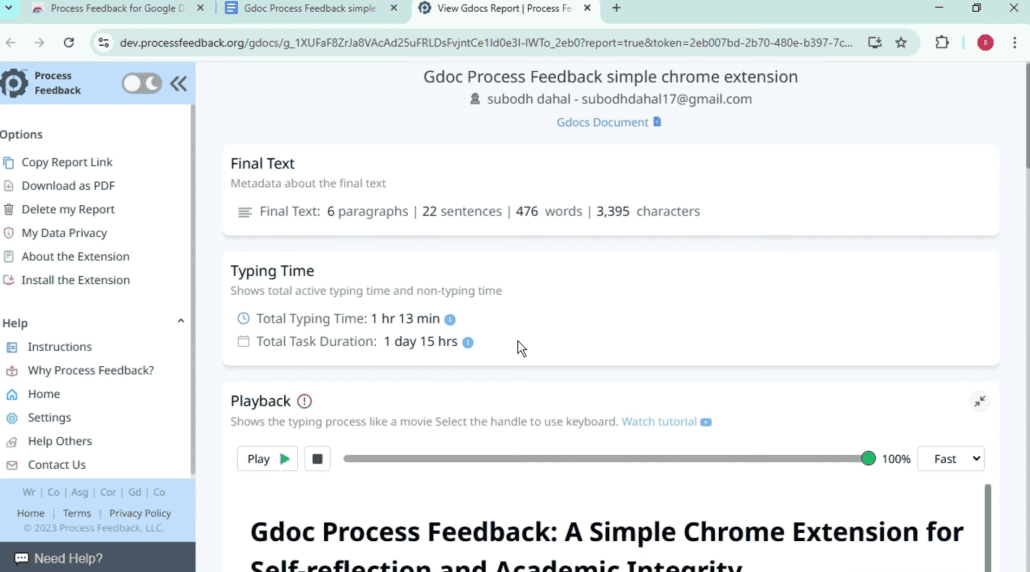
The free Chrome extension “Process Feedback” (yes, that’s the name) turns Google Docs’ version history into a structured, time-based report that shows how a student’s writing was developed—without making assumptions about AI use. Built with academic transparency in mind, it runs locally by default, protecting user privacy. Instead of estimating authorship, it highlights verifiable writing behavior, helping educators assess effort and authenticity. Teachers appreciate its evidence-first approach, especially amid rising concerns about AI-assisted work.
Process Feedback tracks:
One caveat to write into your AI policy: process data only exists if the student worked in a school-provided environment. Work drafted elsewhere and pasted in produces a single large paste event and nothing else. That is a signal worth a conversation, not proof of misconduct.
Taskmaster is designed for Google Workspace, so it integrates directly with Google Docs and Classroom. Pricing is on request, and you can book a demo based on your school size and checking goals.
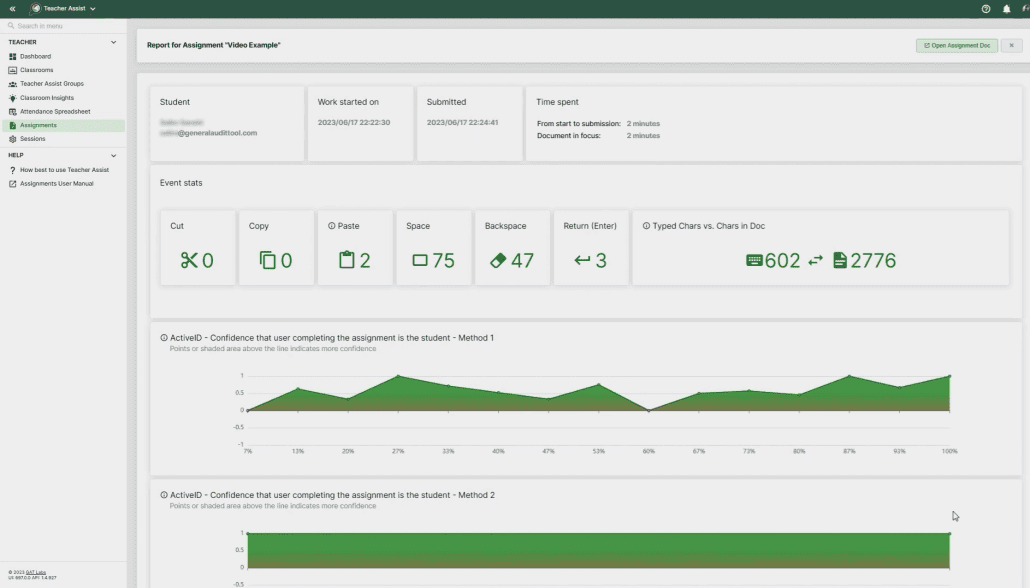
Here is how Taskmaster works:
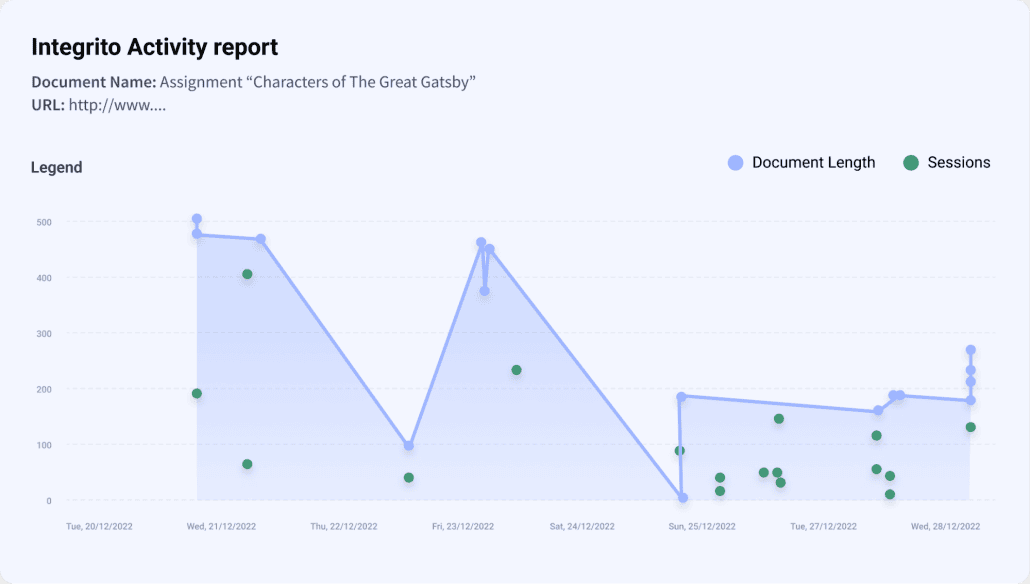
Integrito is a Chrome extension developed by PlagiarismCheck.org that enhances academic integrity by providing a transparent look into how a Google Doc was created. It tracks key writing events—such as when text is typed, pasted, or deleted—and presents them in a clear timeline. Designed to complement plagiarism detection, Integrito helps teachers evaluate whether a document was written gradually or inserted all at once, making it easier to spot rushed or inauthentic submissions. Its seamless integration with Google Docs makes it a valuable tool for classroom assessment.
It has since expanded beyond Google Docs: Integrito can now check discussion posts inside Canvas and Brightspace, and run plagiarism and AI checks on any selected text in the browser with a downloadable PDF report. Telling detail – when students contact PlagiarismCheck.org about a false AI flag, the company’s own support team points them to Integrito’s activity report as evidence of authorship. The vendor trusts its process data more than its detection score.
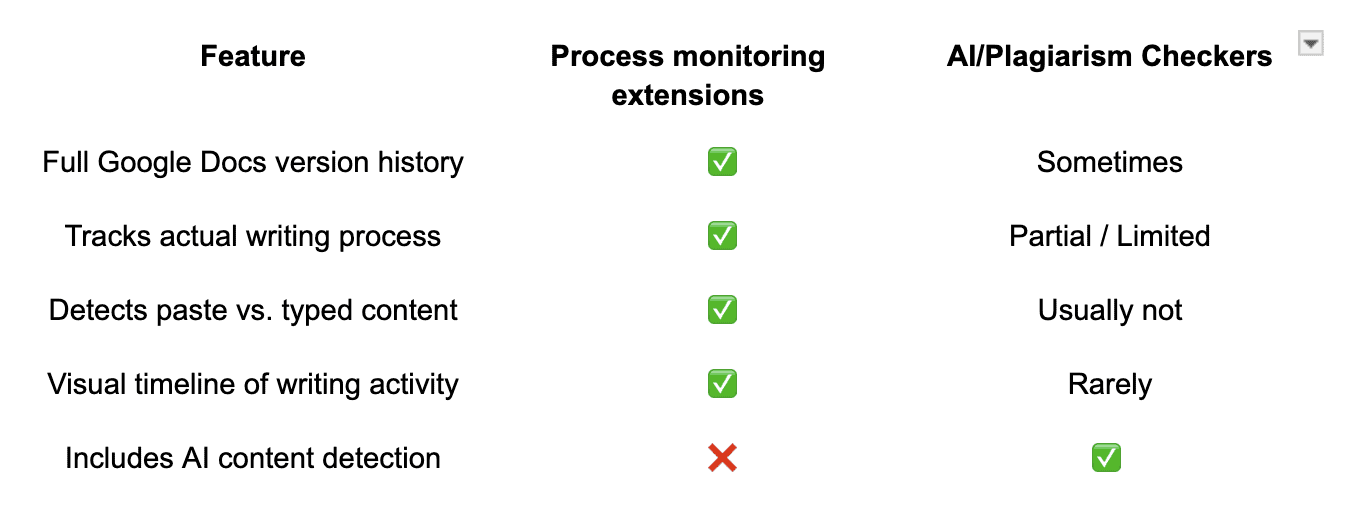
Now that we’ve explored the limitations of AI detectors and examined alternative methods for assessing originality, it’s time to look at how these resources can be implemented effectively in the educational workflow.
As classrooms continue to evolve in the age of AI, plagiarism and authorship detection tools have become essential—not to punish, but to support fairness, transparency, and student growth. Whether you’re using a plagiarism-checking platform like Copyleaks or Identific, or process-oriented tools like Process Feedback or Integrito, the key is not just in detecting violations, but in understanding how work was created.
No tool is perfect, and none should be used in isolation. Pairing detection tools with thoughtful teaching practices, revision tracking, and open conversations about academic integrity can help students not only meet expectations but also develop genuine writing skills. The best checker is the one that aligns with your school’s values, resources, and learning goals—and the one that treats students as learners, not suspects.
This article was refreshed in August 2026 with current detection research, vendor and ownership changes, court rulings on false positives, and new state AI-policy requirements.