How to Reduce Vendor Sprawl: A Practical Guide for IT Teams



To reduce vendor sprawl, start with inventorying what your tools do, who depends on them, and where their capabilities overlap. Then decide which tools to retain, connect, or replace.
When going away from tool sprawl, you need to aim for a smaller toolset that your team can manage while still supporting the work your organization needs. This guide walks through spotting unnecessary fragmentation, assessing whether consolidating makes sense or not, and transitioning to it. Without throwing the baby out with the bathwater.
IT vendor sprawl develops when organizations accumulate suppliers and tools that create unnecessary overlap, administrative work, or fragmentation across IT operations.
A new hire signs up for a tool from some flashy Silicon Valley startup, then leaves the company two months later — the subscription doesn’t. Another employee pays out of pocket for a tool just to skip the approval workflow. An old system never quite gets switched off after its replacement arrives. Sounds familiar?
Having several vendors does not automatically mean you have sprawl (and problems). A service desk, endpoint management tool, and identity provider may serve distinct purposes. The problem starts when nobody can say why two overlapping tools are both still there (“Well, Marc needs this, I guess? I don’t use it!”), or when maintaining their separate records and workflows consumes avoidable effort. And the invoices keep arriving.
Look for overlapping capabilities, gaps between systems, and subscriptions that are difficult to manage. Here are possible “symptoms” of tool sprawl:
Similar tools remain in use without a clear distinction. Your organization pays for two applications that employees use for the same purpose—for example, two tools for tracking IT equipment. How to spot unnecessary ones? Pay attention to the licenses you know are purchased, which however never get mentioned in team conversations. Not mentioned? Likely not used. We’re giving more advice for inventorying unused licenses down below.
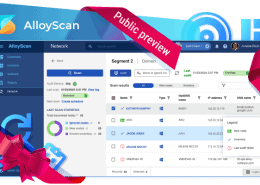
Need to see what’s installed across your devices? AlloyScan brings discovered software into one catalog and shows where each application is installed. Use that inventory to investigate overlapping tools, then check with their owners before deciding what to keep.
Connect with our sales team to learn more!
The team struggles to collect the context behind a technical issue. For one of our customers, a mix of two asset management tools and a separate help desk system led to the need for consolidation. Tracking ticket history and assets was difficult, as was understanding what work contractors had completed, because information was scattered across different places. Can your team connect an incoming request to the affected device, previous work, and current owner? Or does someone have to search through separate records first?
Work is coordinated outside the tools intended to manage it. Using the expensive new asset health monitor requires connecting to another VPN, while the old homegrown tool does the job without additional hassle? It’s hard to blame your team for choosing the quickest path to achieving the same results. Investigate these workarounds, as they are primary candidates for cost cutting.
Renewal decisions happen without reviewing alternatives already in use. When nobody checks usage, dependencies, and overlapping capabilities before renewing, unnecessary subscriptions survive another contract cycle.
These signs tell you where to investigate, but keep in mind that poor process design can be a reason, too.
Compare the current toolset and its replacement over the same period. Include subscriptions, support, administration, and integration maintenance. Then add the cost of switching: data cleanup, configuration, training, professional services, contract termination, and running both systems during the transition.
In one documented customer experience, bringing ticketing, purchasing, contracts, and software licensing into one application allowed the organization to discontinue other software. The customer also reported easier collaboration between teams. Notice that those are two separate wins.
Track them separately. Freeing technicians for other work does not automatically reduce payroll costs. Likewise, a cheaper subscription offers little benefit if it takes substantially more work to maintain.
Consolidate when the benefits justify those costs without sacrificing necessary functions.
Integrate when a tool does its specialized job well but its information is missing from another workflow.
For example, one team evaluating a service and asset management platform wanted it to work with the system already managing its Apple devices. The relevant question was whether those systems could exchange the information the team needed.
Replace overlapping functions where a shared platform fits. Connect distinct tools that need to exchange data, and leave independent systems separate where integration adds little value.
Check which data moves, synchronization direction, permissions, maintenance, and who handles failures. If you consolidate, also check how to export your data and move again.
Build an inventory from invoices, purchasing records, software inventories, and conversations with department owners. Include tools outside the approved list.
Record each tool’s purpose, owner, users, costs, contract dates, data, and dependencies. Include spreadsheets, shared inboxes, and homegrown databases supporting IT processes: a replacement may need their information.
Verify actual usage through activity records and the owner. A quiet application might run an important background task.
Finally, check the agreements. The renewal date and cancellation deadline are not necessarily the same.
Compare actual functions, not product labels. Two “asset management” tools might meet different needs; differently labelled products might duplicate work.
Trace a hardware issue, laptop replacement, or onboarding request. Note who acts, where they find information, and where they record the result. Look for repeated entry, conflicting records, and handoffs dependent on someone remembering to send a message.
What happens when that person is away?
For each problem, decide whether to replace a tool, connect systems, or fix the process.
Review each tool with its owner and users. Establish what it contributes, what it costs, and what would break if you removed it.
Separate immediate needs from future ambitions. In one evaluation, a team treated service desk coordination and email integration as immediate needs, while asset management and a self-service portal were capabilities to grow into. Another needed service management, asset tracking, and workflows from the outset. Their replacement criteria would differ.
Document a decision for each tool. Before retiring anything, verify that its replacement handles the actual work and that necessary data and dependencies are preserved.
Ask vendors to demonstrate your workflows, then test them with representative users and data.
For combined ITSM and ITAM, follow a request through the system: identify the requester, find the asset, review its history, and hand over the work without losing context. Check email intake, directory synchronization, permissions, reporting, and retained integrations.
One team described abandoning its previous service desk after struggling to connect it to its directory environment. Test essential integrations before committing.
Define what the pilot must demonstrate. Record what works as supplied and what requires configuration, development, or services. Budget and schedule accordingly.
Customer evaluations illustrate the competing dates involved: an existing system reaching end of life, an asset tool that has already been renewed, a budget becoming available in a new fiscal period, or a rollout waiting until the school year ends. There’s always something.
For each phase, define scope, owner, budget, dependencies, acceptance criteria, and the old tool’s retirement date. Identify who approves the purchase and who implements it.
Start with manageable functions. Allow time for configuration, data checks, training, and user acceptance. A renewal deadline does not prove you are ready to switch.
Decide which records, attachments, relationships, and history to migrate. Clean up inconsistent data and establish access to retained history.
One documented rollout began by validating inventory data at a single location before expanding to others. That approach gave the team an opportunity to check the information before relying on it more widely.
Test complete workflows, including assignments, approvals, notifications, and permissions. Train staff and designate support during the transition.
Set a cutover point and rollback plan. Keep the old system accessible as needed, then remove obsolete integrations and accounts, cancel subscriptions, and confirm retirement is complete.
Before buying another tool, check whether something you own meets the need.
Ask requesters to explain the purpose, users, integrations, and data involved. Route requests to budget, technical, and relevant security reviewers. Automate reminders and record decisions, but leave the assessment with accountable people.
Assign every tool an owner. Review usage, costs, overlapping functions, and changing requirements before cancellation deadlines.
When the renewal arrives, its owner should already know whether to keep the subscription, change it, or prepare to leave.
Record your starting point before making changes. One customer who reported substantial improvements after centralizing IT management acknowledged that the previous costs had not been quantified. That made the financial benefit harder to demonstrate. Don’t repeat that mistake.
Match measures to your objectives:
| Objective | What to compare |
|---|---|
| Reduce spending | Discontinued payments, new recurring costs, and transition costs |
| Reduce fragmented support work | Time spent collecting context for comparable requests |
| Improve coordination | Unassigned requests, duplicate effort, and delayed handoffs |
| Improve asset visibility | Completeness of ownership and service-history records |
| Establish the new workflow | Adoption and work handled outside the platform |
Track retired tools and vendors alongside these measures. Fewer applications achieve little if staff rebuild the old workflow in spreadsheets.
Compare similar workloads, allow for the learning period, and separate verified financial savings from estimated time savings. Investigate any decline in service.
Vendor consolidation reduces suppliers; tool consolidation reduces applications. Buying several products from one supplier does not necessarily eliminate disconnected systems or duplicate work.
No. A shared workspace can combine information from retained tools and, depending on the platform, support actions across them. Define what people need to see and do before deciding what to replace or connect.
We’re trusted by IT teams in healthcare, public sector, manufacturing, and education across 50+ countries.
→ Book a 15-minute demo tailored to your team size and industry