
Enterprise Service Management
Extend long-established IT Service Management best practices to HR, finance, and other non-IT departments.

Trusted by industry leaders







What is Enterprise Service Management?
Enterprise service management, or ESM, is the practice of applying a service-oriented business model used in IT service management (ITSM) to the way your organization works internally. Service management is about delivering services—any services— in the most efficient way. When your ITSM processes are already implemented, ESM is a logical, low- or even no-cost step toward improved performance across the whole organization, enhanced service culture, and higher ROI.
ESM takes what works well in ITSM—service catalogs, incident management, self-service, automation—and applies it to non-IT departments, enabling the entire enterprise to work together as a single unit for a common business goal.
What are the benefits of ESM?

Increased productivity
Implementing easy-to-use ticket tracking processes helps teams move from fighting fires to providing services. Responding to service requests in accordance with OLAs and SLAs creates more value for the business, decluttering your employees’ inboxes and minds.
Better visibility
ESM metrics, KPIs, and reports give you a higher level of visibility to identify bottlenecks and areas of inefficiencies. Measuring user satisfaction levels and collecting user feedback helps you continually improve your internal services and let all teams feel appreciated.
Less unnecessary costs
ESM helps you understand the value that each department and its services add to the business. That knowledge enables you to eliminate costs for low-value activities and evolve your business processes for long-term improvement and optimization.
Streamlined collaboration
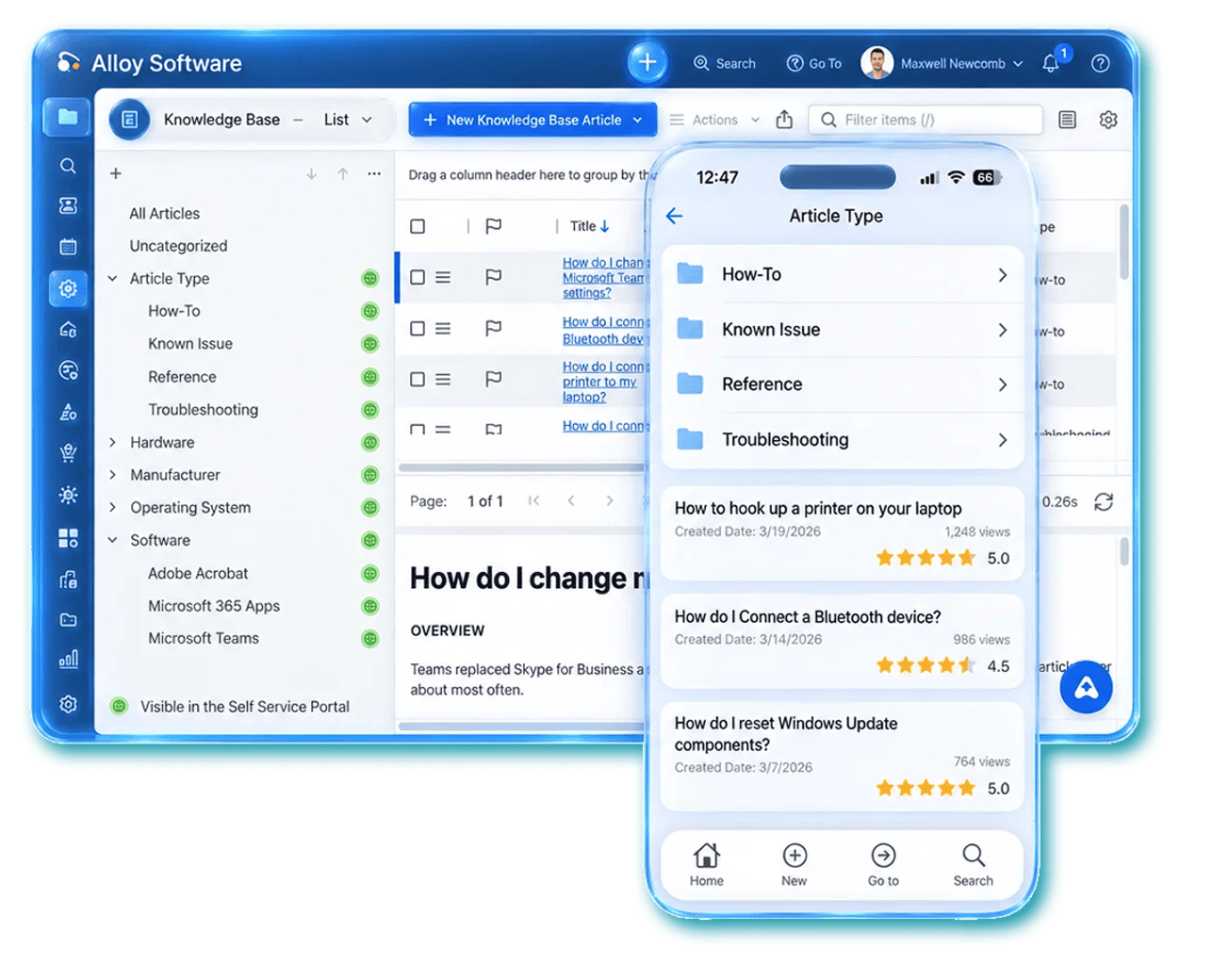
Save time for everyone involved by providing your employees with self-service, searchable knowledge base, and collaboration with colleagues from other teams anytime, anywhere.
Increased user satisfaction
Employees deliver better customer service when they have been served well themselves. Provide your people with well-organized internal services available 24/7 via the web or mobile app, let them monitor the progress, and get notified when everything is ready. ESM practices help your staff feel more satisfied with their work, spreading good vibes to the customers.
Higher ROI on ITSM software
Instead of acquiring a separate ESM system, leverage your existing ITSM solution and let your employees submit requests in the same place where they submit Service Desk tickets. This will get even more use out of your already useful ITSM solution and lower the learning curve because your people will be using something they already know. The more business units use the same ITSN/ESM solution, the higher ROI on your software you will see.


Departments
Who can benefit from enterprise service management?
ESM adepts say that any department who provides an internal service to the company can benefit from ESM practices. For starters, think about any business units that:
- Face plenty of similar requests
- Deliver services that are time-sensitive and must be tracked
- Provide authorization or approval or conduct reviews
- Deliver standard reports
Enterprise service management examples
See where different departments can implement the ESM approach to benefit from digital transformation.

Human resources
Employee onboarding, managing requests for leave, training, or relocation, changes to health plans, requests on removing personal data under the GDPR’s “Right to be Forgotten.”

Customer service
Processing a large number of requests received through multiple channels, dealing with different requests, from standard and easy-to-resolve to those that claim advanced expertise.

Marketing
Planning projects, tracking milestones and deadlines, applying changes.

Legal
Reviewing and approving documents, processing contract renewal requests.

Purchasing and procurement
Processing purchase orders, building quotes, authorizing discounts and price adjustments.

Accounting and finance
Approving expenses, handling payment requests, tracking payments.

Security
Performing audits and security check-ups.

Logistics
Freight management, coordination of physical and information flows.

General administration
Requesting consumables and office supplies, equipment checkout, managing printing services, meeting room booking.

Facilities
Processing requests for repairs, equipment needs, office relocation requests.
Alloy Software
Alloy Software ITSM platform for ESM
Alloy Software, a leading ITSM software provider, comes with ESM-enabled solutions, making it easier for IT and other business units to align. Our approach enables organizations to adopt proven ITSM practices to run departments outside of IT to improve efficiency, effectiveness, control, and insight.
Our superpowers include:
- Alloy workflow automation engine converts any business processes into easy-to-follow digital workflows for automated service delivery for IT and non-IT departments.
- Data Segmentation separates department-specific data and workflows while encouraging collaboration between business units for common goals.
- Service catalogs provide separate sets of services to different service receivers, which could be departments within the same organization.
- Automated approvals streamline approval, authorization, and review processes of any complexity.
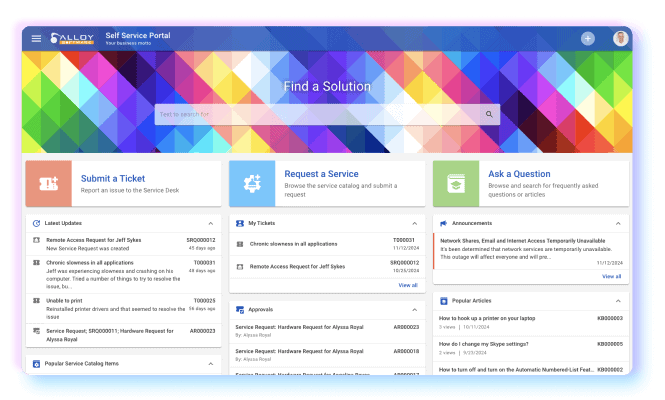
- Self Service Portal delivers a modern user experience and consistent support, 24/7/365.
- Native iOS and Android mobile apps allow your people to manage requests and approvals on the go and perform mobile asset inventory.
- A comprehensive REST API integrates Alloy solutions into your existing infrastructure.

The flexibility is endless, this product is capable of doing anything you design. It can output to batch files, automate tasks and digitize forms. The only limitation is your imagination.

Mike Gates
Infrastructure Manager, Ibstock PLC
Customer service is an art form of sorts, and Alloy knows the meaning of that. Alloy Software goes above and beyond in support of their product.

Alex Oliva
IT Director, Makita USA
It’s been instrumental in the growth and support of our clients. Ease of use, customization and fantastic support – no matter the request – make Alloy invaluable

Stephen Mullens
Managing Director, SNC Solutions
The team has outstanding product knowledge and throughout the process they have always provided me with the right answers.

Jon Howson
IT Operations Manager, SA Water
I recommend Alloy Software to all my suppliers and clients and feel this is well suited to many companies no matter how large of small.

Graham Hilton
Managing Director, Rivertech Limited
Explore related features
-

Self-Service Portal
Let users request services and find answers in a browser, anytime and anywhere.
-

Self-Service mobile app
Let users ask for help and follow their requests from a phone or tablet.
-

Email ticketing
Turn incoming email into requests and incidents routed to the right people.
-

Email notifications
Keep everyone in the process informed with automated email notifications.



Start your trial with Alloy Software today
Start a free trial or book a personal demo to see how Alloy Navigator fits your IT team.
Transparent pricing
Clear pricing per technician and per device, in the cloud or on-premises.
Get to know us
Connect with our sales team, share your requirements, and we’ll find a solution for you.