
IT Equipment Check Out
Facilitate IT equipment reservations, simplify the check out process, and ensure timely returns with Alloy automated workflows.

Trusted by industry leaders







Do your employees borrow equipment for working remotely?
Does your IT department provide loaner laptops to employees—or to students, if you are a school or college? Do you have meeting rooms, temporary offices, or other facilities available for reservation? Whatever type of equipment or facilities your company is providing for temporary use, you can streamline your reservation process and track checked out items with our easy-to-use, online equipment lending library.
Streamline the reservation process
- Empower your users to use Self-Service Portal and reserve equipment online by themselves, 24/7/365.
- Give your employees quick and easy access to all computer equipment, devices, and facilities available for temporary use.
- Make the process of equipment reservation as simple and intuitive as online shopping.
- Improve customer satisfaction by preventing double-bookings.

Check out and check in
Easy and accurate equipment check out and check in
- Take advantage of our ready-to-use Check In & Check Out workflow for easy data entry, or tailor them to your needs with custom forms, fields, and operations.
- Improve the accuracy of your check-out and check-in operation with QR code or barcode readers.
- Print out QR code or barcode labels for all IT assets in your lending library with only a couple of clicks.
Tracking
Track your IT equipment
- Boost control over your IT assets and gain a clear understanding of where all borrowed items are and when they will be returned.
- Track your current inventory as users check library items in and out.
- Reduce late returns with automated notifications and reminders to your borrowers.
- Mitigate the risk of having IT assets lost or stolen.


Equipment out history
Understand the demand with equipment out history
- Understand the demand for equipment in your company per department and employee.
- Know the most and least frequently requested items to increase the effectiveness of your equipment lending library.
- Make informed decisions on purchasing additional items and replacement of worn equipment.
The flexibility is endless, this product is capable of doing anything you design. It can output to batch files, automate tasks and digitize forms. The only limitation is your imagination.

Mike Gates
Infrastructure Manager, Ibstock PLC
Customer service is an art form of sorts, and Alloy knows the meaning of that. Alloy Software goes above and beyond in support of their product.

Alex Oliva
IT Director, Makita USA
It’s been instrumental in the growth and support of our clients. Ease of use, customization and fantastic support – no matter the request – make Alloy invaluable

Stephen Mullens
Managing Director, SNC Solutions
The team has outstanding product knowledge and throughout the process they have always provided me with the right answers.

Jon Howson
IT Operations Manager, SA Water
I recommend Alloy Software to all my suppliers and clients and feel this is well suited to many companies no matter how large of small.

Graham Hilton
Managing Director, Rivertech Limited
Explore related features
-

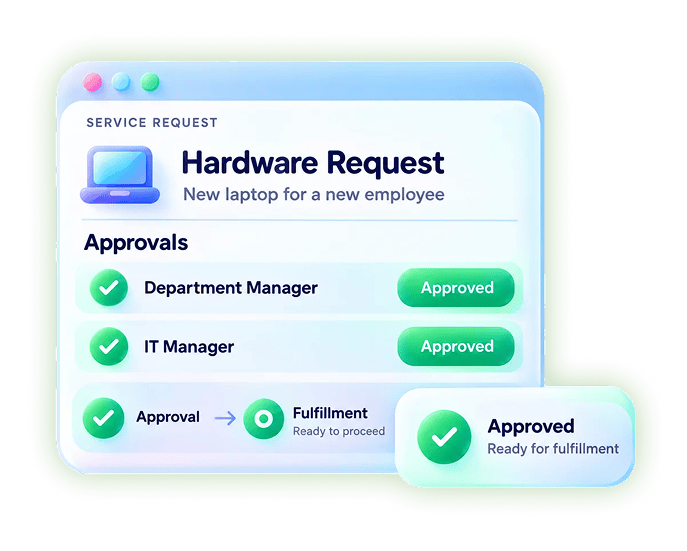
Automated approvals
Route requests for approval automatically and keep every decision on record.
-

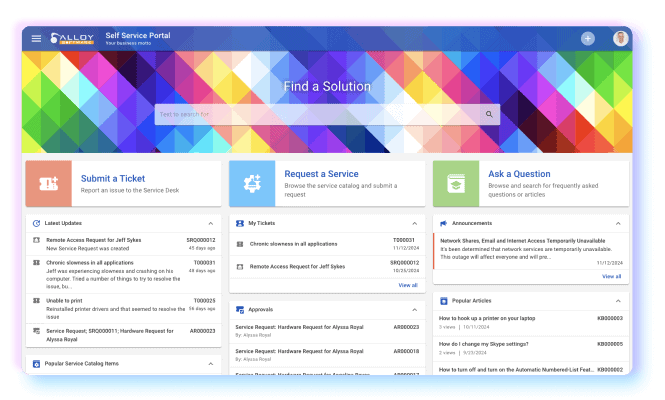
Self-Service Portal
Let users request services and find answers in a browser, anytime and anywhere.
-

Universal relationships
See how services, processes, and IT components depend on each other.
-

Performance analytics
Improve service delivery with flexible dashboards and customizable reports.



Start your trial with Alloy Software today
Start a free trial or book a personal demo to see how Alloy Navigator fits your IT team.
Transparent pricing
Clear pricing per technician and per device, in the cloud or on-premises.
Get to know us
Connect with our sales team, share your requirements, and we’ll find a solution for you.