Connect Your IT Systems with Alloy REST APIs
Connect Alloy with your business applications to share data, streamline workflows, and get more from the tools you already use.


Connect Alloy with your business applications to share data, streamline workflows, and get more from the tools you already use.
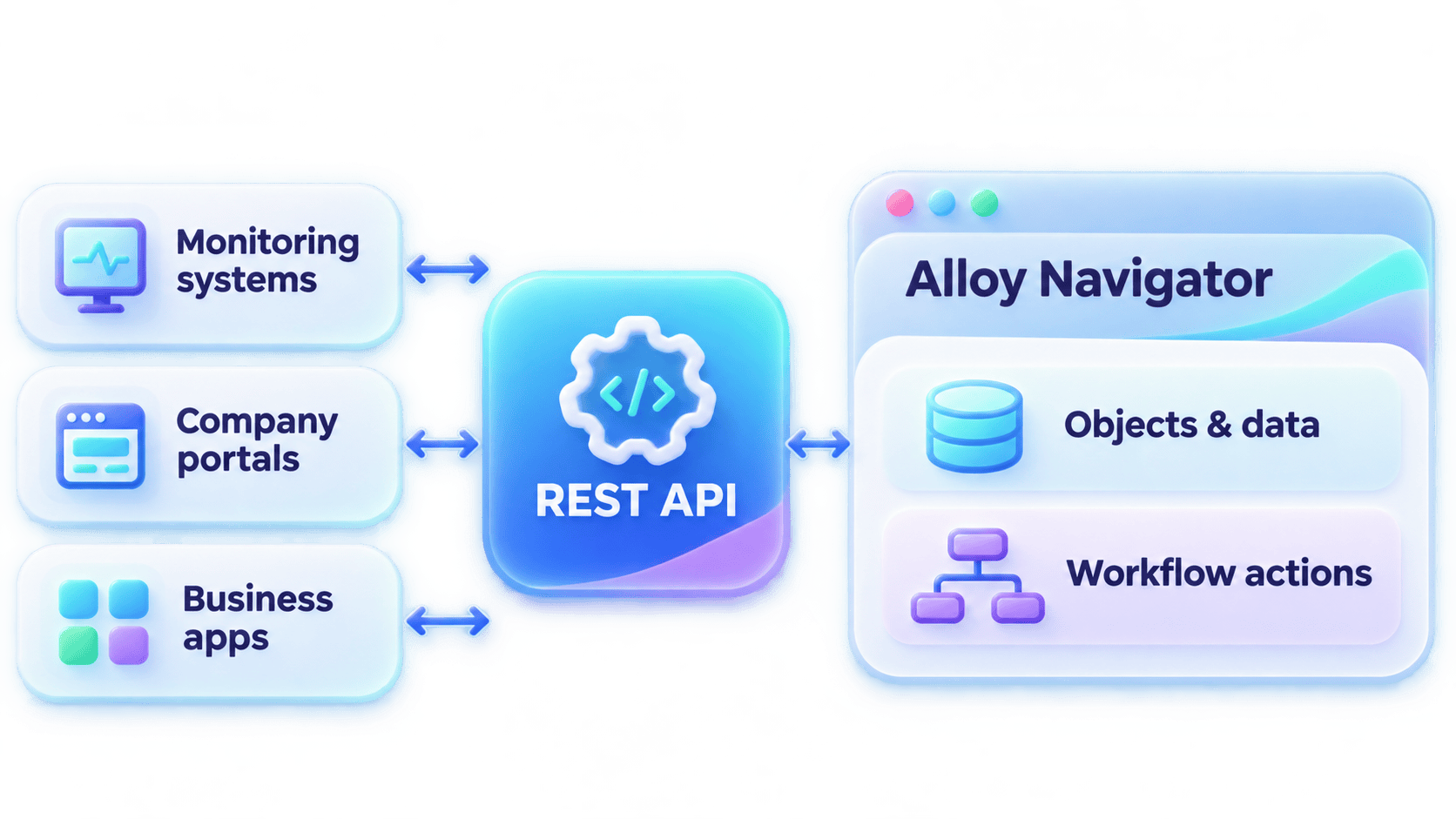
Turn disconnected systems into a smoother service management experience. Alloy Navigator’s REST API helps you integrate your service desk with monitoring solutions, company portals, and other business systems.

Turn monitoring alerts into incidents or let employees submit service requests through company portals.

Automatically add comments, documents, files, and links from other systems.

Bring service desk details into custom dashboards, reports, and other applications.
Find integrations for the tools you already use, or connect your systems with Alloy REST APIs.

Get more value from your IT assets by connecting Alloy Navigator with purchasing, finance, and other business systems. Bring new purchase details into your asset records, share information across departments, and trigger asset management actions from external applications.
Keep asset information consistent and accessible throughout its lifecycle, from purchase to retirement.


Put network discovery information to work with the AlloyScan REST API. Access detailed device, hardware, and software attributes to enrich external systems or build custom inventory reports.
Keep inventory records organized by updating asset tags, device ownership, and custom fields. Group devices by location, department, or other criteria for easier tracking.
Know what’s installed across your environment and keep your software policies on track. With the AlloyScan API, you can retrieve software details, review installations, and share inventory information with reporting and compliance solutions.
You can also classify software as Required, Forbidden, or Regular to keep your inventory aligned with company policies.

Free your IT team from routine tasks with Alloy Navigator’s workflow engine. Trigger actions from external systems or run global functions to handle recurring maintenance, such as closing incidents that have been resolved for more than 30 days.
With the AlloyScan API, you can manage inventory operations, too. Create and update network segments, launch scans on demand, and refresh discovery information whenever you need it.


