Asset Tagging: A Complete Guide for IT Asset Management
How asset tags help track equipment, reduce losses, and improve asset management across your organization.


How asset tags help track equipment, reduce losses, and improve asset management across your organization.
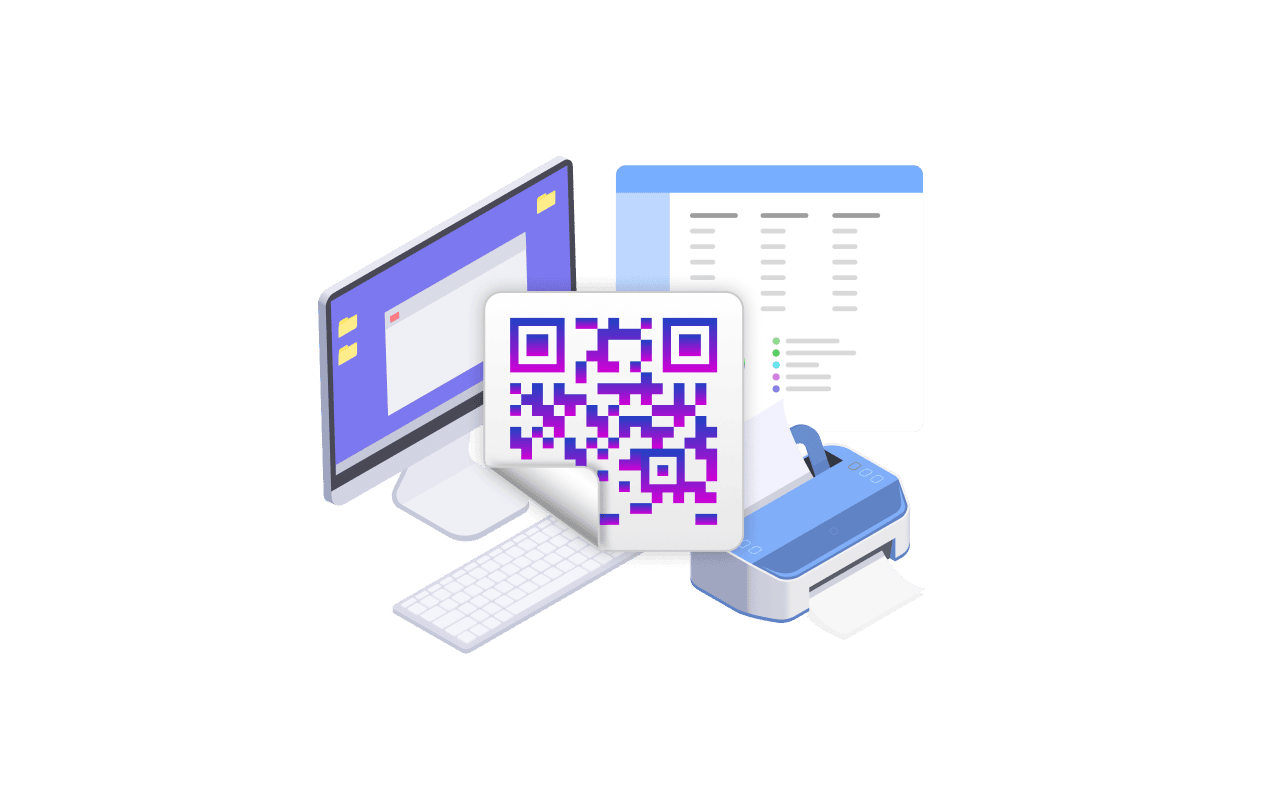
Asset tagging is the process of assigning unique identifiers to physical assets so each one can be located, tracked, and managed across its life. In short, every asset receives a unique label that machines can read instantly.
A tag links a real object to its entry in your asset management software. When a technician scans the asset, the system returns the owner, location, and warranty details. Asset tags provide identity to otherwise anonymous hardware.
Asset tagging is the foundation of effective asset management. Asset tagging gives organizations one accurate source of truth, replacing scattered spreadsheets with reliable asset data.
These three identifiers are easy to confuse, yet they serve different jobs. The table below shows how an asset tag, a serial number, and an inventory tag compare at a glance.
| Attribute | Asset Tag | Serial Number | Inventory Tag |
|---|---|---|---|
| Assigned by | Your organization | The manufacturer | Your organization |
| Can it change? | Yes, you control the scheme | No, fixed for the unit’s life | Yes, reused per batch |
| Format | Your own asset ID, for example a 9-digit number | Varies widely by vendor | Often SKU or batch based |
| What it identifies | One specific managed asset | A model and individual unit | Consumable or bulk stock |
| Primary use | Track and manage assets across their lifecycle | Warranty and manufacturer support | Stock counts and reordering |
In short, a serial number is assigned by the manufacturer, while an asset tag is assigned by your organization. Asset tags and asset records are typically used for durable items you retain, manage, and depreciate, such as fixed assets recorded on the books.
The role of asset tagging goes beyond labeling. A consistent asset tagging system allows organizations to control cost, risk, and compliance at once. Here is why asset tagging matters day to day.
When every device carries a scannable asset tag, technicians can scan it and pull up the asset record instantly instead of searching through spreadsheets or guessing from hardware details. A mobile reader can verify hundreds of items a day, making faster field checks one of the clearest benefits of asset tagging across distributed sites.
The same tag helps reduce loss and theft by making ownership visible and making each device easier to verify during a physical inventory. When technicians scan tagged assets, they can quickly compare what was found against what the asset register says should be there. Missing, misplaced, or unassigned items become easier to spot, which helps keep the asset register accurate.
Regulated teams in healthcare, the public sector, and finance must prove control over every physical asset that holds sensitive data. Asset tagging ensures each device traces back to an owner, location, and disposal record, which simplifies audits and reduces the probability of fines.
A tag also connects a device to its full asset lifecycle. With scan history attached, you can schedule maintenance, plan refresh cycles, and identify models that show premature failure patterns. This helps teams decide when to keep an asset longer and when to replace it. Which, in turn, reduces total asset spend by avoiding early replacements and retiring unreliable assets before they become too costly.
Different assets need different labels. The best choice depends on where the item is used, how long the label needs to last, how it will be scanned, and how much the organization wants to spend. Most asset tags fall into three main groups.
Barcode labels are the most common and economical type of asset tracking labels. A linear barcode encodes the asset ID in lines of varying width. When someone scans the barcode with a scanner or phone camera, the system identifies the asset. Barcodes suit indoor equipment with clear line of sight. Common barcode formats include Code 128 and Code 39.
QR codes are two-dimensional, so they hold more asset data in a smaller space. One phone scan opens a full asset profile, which works well for self-service requests and field work.
An RFID tag uses radio waves and needs no line of sight, so one reader captures many tags at once. That makes the RFID tag a solid option for bulk audits of server rooms and warehouses. NFC tags are short-range RFID read by a phone tap, pricier per tag but far faster. RFID tags work well high value or fast moving environments.
GPS tags report real time location for high value or mobile equipment such as vehicles and field kits, at the highest cost per unit.
BLE tags use Bluetooth beacons for indoor positioning. Choose either only when continuous location, not periodic scanning, is essential to track assets.
A tag is only useful if it survives its surroundings. Office labels can be polyester, but harsh sites demand stronger, hard wearing material.
Metal asset tags suit manufacturing floors and outdoor equipment, while anodized aluminum and foil labels handle temperature swings. Match tag durability to the asset type and its working conditions.
For data center or medical hardware, choose tamper evident tags that reveal if a label has been moved. The right asset tagging material protects the link between object and record for years.
A repeatable asset tagging process keeps data clean as the asset inventory grows. The four steps below show how asset tagging works end to end and how to tag assets consistently across teams.
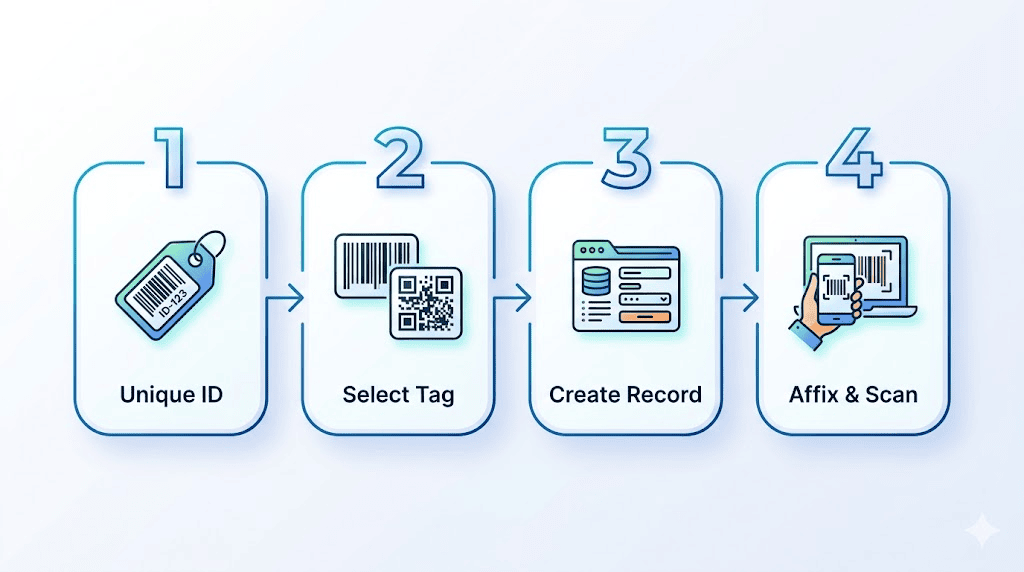
Tagging is the first step toward control, and it begins with identity. Every asset receives a unique number from your scheme, so good asset identification avoids reused or ambiguous values.
Many platforms automate this, generating sequential numbers so two assets never collide.
Pick the tag type that fits the device and the setting, using the guidance above. Standardize one or two formats instead of mixing many, which keeps scanning fast and your asset tagging method predictable.
Each tag must map to an asset record holding owner, location, cost, and warranty. Capture enough detail at creation to support reporting later, because this is where tagging and tracking become a single workflow.
Place the tag on a consistent, visible spot so future scans stay quick. Then scan it into your asset management system to confirm the record is live and linked.
This final scan closes the loop, turning a printed label into trusted asset tracking data your team can rely on.
Strong asset tagging best practices help lower total asset spend and strengthen audit readiness. Document a clear procedure so every technician tags assets the same way, then audit a sample of records each quarter.
Place tags in standard locations and train new staff on the asset tagging strategy before they touch hardware. To achieve greater adoption of asset tagging, make the right IT asset tagging tools simple to use.
Integrate scanners with a central tracking system so scans update records automatically. A successful asset tagging rollout treats the tag and the database as one system. These asset management practices keep records trustworthy at any size.

A tag delivers value only when it is connected to a capable platform. This is where asset tagging and tracking turn into genuine asset management, linking each scan to tickets, contracts, and lifecycle data.
Alloy Navigator by Alloy Software connects asset tags with the asset records, service history, and lifecycle data behind them. The system can automatically generate numeric asset barcodes, and teams can print standard Asset QR Code Labels or Asset Barcode Labels using QR codes, Code 128, or Code 39 formats.
For physical inventory, the Alloy Inventory Scanner mobile app lets technicians scan barcode or QR code labels on computers, hardware, and software licenses. The app works on iOS and Android devices, supports online and offline inventory, and stores offline scan results until the device is connected again. After inventory is submitted, Alloy Navigator updates the asset record with inventory details such as last inventory date, inventoried by, location changes, and activity notes.
We’re trusted by IT teams in healthcare, public sector, manufacturing, and education across 50+ countries.
A connected tracking solution removes the gap between the stockroom and help desk. When tags, tickets, and contracts share one asset management strategy, IT gains visibility no spreadsheet can match.
The right asset tracking software does more than just storing numbers. It transforms asset management by tying each scan to maintenance and purchasing, which supports efficient asset management for lean teams.
A tagging program is only as good as its results. Define metrics before you scale, then review them on a fixed schedule.
Track tag coverage, the share of assets carrying a valid tag, plus scan accuracy and the time to locate any item. These KPIs reveal whether your asset tagging program is improving.
Compare audit pass rates before and after rollout. Falling loss and faster audits prove that using an asset tagging discipline pays back. A fixed asset tagging system with consistent asset tracking tags gives finance and IT a shared, audit ready view.
The future of asset tagging adds automation and AI driven discovery, yet tags remain the base.
Asset tagging works best when every scan leads somewhere useful. Alloy Navigator gives IT teams that connected foundation by tying asset tags, asset records, service tickets, lifecycle history, software data, contracts, and reporting into one ITAM and ITSM platform. Instead of managing labels in one place and support activity in another, teams can track what they own, where each asset is, who uses it, and how it has been supported over time.
For organizations moving away from spreadsheets, manual audits, or disconnected tools, Alloy Navigator turns asset tagging into a practical system for visibility, accountability, and better IT operations.
Ready to build a more reliable asset tagging process? Connect with our sales team to see how Alloy Navigator can help you track assets, simplify inventory, and manage IT work from one connected platform.
Connect with our sales team today to learn more about the setup that suits your asset tagging needs best.