SysAid vs Freshservice: Full Comparison for IT Teams
Compare SysAid and Freshservice side by side, then see how Alloy Navigator approaches ITSM, ITAM, and workflow automation differently.


Compare SysAid and Freshservice side by side, then see how Alloy Navigator approaches ITSM, ITAM, and workflow automation differently.
If you’re comparing SysAid vs Freshservice, you’re probably looking for more than a basic help desk. Most IT teams evaluating Freshservice and SysAid are trying to decide which platform can handle growing service operations, asset management, automation, reporting, and long-term process maturity without becoming difficult to manage or too expensive to scale.
This guide compares SysAid vs Freshservice across core ITSM capabilities, usability, customization, pricing, and IT asset management to help IT leaders make a more informed purchasing decision.
We’ll also introduce Alloy Navigator as an alternative for organizations seeking a different approach to IT service and asset management, particularly those that need deeper workflow flexibility, integrated ITAM capabilities, and greater control over how the platform is deployed and customized.
| If your priority is… | Better fit | |
| Fast setup and modern cloud UX | Freshservice | See more |
| Deep ITSM administration and integrated operations | SysAid | See more |
| Flexible ITSM + ITAM with strong workflow customization | Alloy Navigator | See more |
Freshservice is useful for organizations prioritizing modern UX, fast onboarding, and cloud simplicity, but teams with more complex operational needs sometimes cite rising costs, modular limitations, and less flexibility outside standardized workflows.
SysAid is useful for IT teams that want built-in ITSM functionality, automation, and a relatively mature feature set without enterprise-level complexity, but some users point to an aging interface, slower UX, and customization limitations.
Alloy Navigator stands out with deeply configurable workflows, tightly integrated ITSM and ITAM, flexible deployment options, and an all-in-one approach built for teams that want long-term adaptability rather than rigid process boundaries.

Freshservice is a cloud-based IT service management (ITSM) platform developed by Freshworks. Designed for IT and support teams, it helps organizations manage incidents, service requests, assets, and workflows through an intuitive help desk and automation-focused solution.
Freshservice positions itself as a modern SaaS alternative to older, heavier ITSM platforms. It delivers a polished agent experience with a clean UI, quick onboarding, and solid built-in automation and ticket routing. For teams moving away from spreadsheets or shared inboxes, the improvement is immediate.
Its core ITSM capabilities — Incident, Problem, Change, and Service Catalog — cover most standard service desk needs well, and deployment is relatively fast.
ITAM and discovery. Asset management exists, but it’s lighter than dedicated ITAM platforms. Discovery depends heavily on agents and integrations rather than deep native agentless auditing, so organizations with serious asset management needs may need additional tooling.
Cloud-only deployment. Freshservice does not offer an on-premises option, which can be limiting for healthcare, government, or security-sensitive environments.
Technician-based pricing. Costs rise as more IT staff need access, which can become expensive for larger support teams.
Workflow limitations. Standard automation is strong, but highly customized or cross-system workflows often require workarounds.
Best for: Cloud-first organizations focused primarily on help desk operations, fast deployment, and user-friendly service management.

SysAid takes a different approach from Freshservice. Instead of emphasizing lightweight SaaS simplicity, it focuses on delivering a broad set of ITSM capabilities in one platform — including service management, automation, asset management, remote control, and workflow tools. For organizations that want more built-in operational depth without moving into ServiceNow territory, that can be appealing.
Its automation and workflow capabilities are stronger than many mid-market ITSM platforms, particularly for teams that need structured processes and more control over how tickets move across departments.
SysAid also supports both cloud and on-premises deployment, which remains important for regulated industries and organizations with stricter infrastructure requirements.
User experience. SysAid’s interface is often described as functional rather than modern. Compared to Freshservice especially, the UX can feel dated and less intuitive for technicians and end users alike.
Quote-based pricing. SysAid’s quote-based pricing lacks transparency, making it difficult for prospects to self-qualify or compare costs upfront—unlike competitors like Freshservice, and Alloy Navigator, which publish clear per-agent pricing.
Best for: Organizations that need broader built-in ITSM functionality and deployment flexibility than many SaaS-first tools provide, especially when workflow automation matters more than polished UX.
According to customer reviews on platforms like Capterra and reviews on external websites Freshservice delivers one of the cleaner ticketing experiences in the mid-market ITSM space:
SLA handling, automation templates, and ticket routing are all presented in a way that feels accessible even to smaller IT teams without dedicated administrators.
For many organizations, that ease of use becomes the primary reason to adopt the platform.
The tradeoff appears when workflows become more specialized. Organizations with unusual approval structures, cross-functional operational requirements, or highly customized service processes sometimes discover that Freshservice’s simplicity also creates limitations.
SysAid offers broader operational control over ticket management. Its workflow automation, escalation logic, and service configuration capabilities are generally more extensive than Freshservice’s.
This is one of the clearest differences between the platforms.
Freshservice includes asset management functionality, but ITAM is not really the product’s strongest area. The platform works well for organizations with relatively straightforward cloud-oriented inventory needs, especially those focused primarily on SaaS applications and standard endpoint management.
However, organizations requiring deeper infrastructure visibility or more sophisticated discovery capabilities may eventually outgrow it.
SysAid performs considerably better here. Its integrated asset management and CMDB capabilities provide stronger operational visibility than Freshservice typically offers. SysAid is generally the stronger choice for organizations where infrastructure management is already a major operational priority.
Freshservice approaches workflow automation through simplicity. The platform provides low-code automation, accessible workflow builders, and templates that make common ITSM processes relatively easy to deploy.
But highly customized operational structures can become difficult to model cleanly. Organizations with more advanced approval chains, infrastructure-driven automation, or heavily interconnected operational processes may eventually find the workflow engine restrictive.
SysAid supports more advanced workflow logic and broader operational automation. Its process management capabilities are more mature than Freshservice’s, especially for organizations already operating structured ITIL environments.
Both Freshservice and SysAid are investing heavily in AI positioning.
Freshservice focuses on AI-driven productivity and employee experience, including conversational assistance, ticket categorization, and workflow suggestions. Its AI strategy aligns closely with the platform’s broader emphasis on simplicity and usability.
SysAid has invested aggressively in AI branding around SysAid Copilot and AI-assisted workflows. The company positions AI as a major operational efficiency driver and increasingly centers its messaging around automation and intelligent service operations.
Freshservice has a clear advantage in user experience. The platform feels modern, approachable, and heavily optimized for employee interaction. Self-service portals, knowledge base access, and ticket submission all feel intuitive even for non-technical users.
That ease of adoption matters because employee self-service only works when employees actually want to use it.
SysAid’s self-service experience is more mixed. The platform is functional, but many users describe the interface as inconsistent or dated compared to newer SaaS competitors. For companies prioritizing employee experience, the difference becomes much more noticeable.
Although Freshservice and Sysaid are widely recognized names in the ITSM market, it’s worth looking beyond the most established platforms to find a solution that better aligns with your organization’s goals.
One alternative that stands out is Alloy Navigator by Alloy Software. The platform offers a distinct approach to ITSM. It’s a strong option for organizations seeking flexibility, efficiency, and a more tailored service management experience.
Let’s take a closer look at the capabilities that make Alloy Navigator a noteworthy contender in this comparison.
Alloy Navigator combines ITSM with detailed network discovery and asset intelligence in a way both SysAid and Freshservice struggle to match.
Alloy’s network discovery capabilities let you gather extensive hardware, software, BIOS, registry, and network-level data across Windows, Linux, macOS, and network devices, with flexible discovery methods.
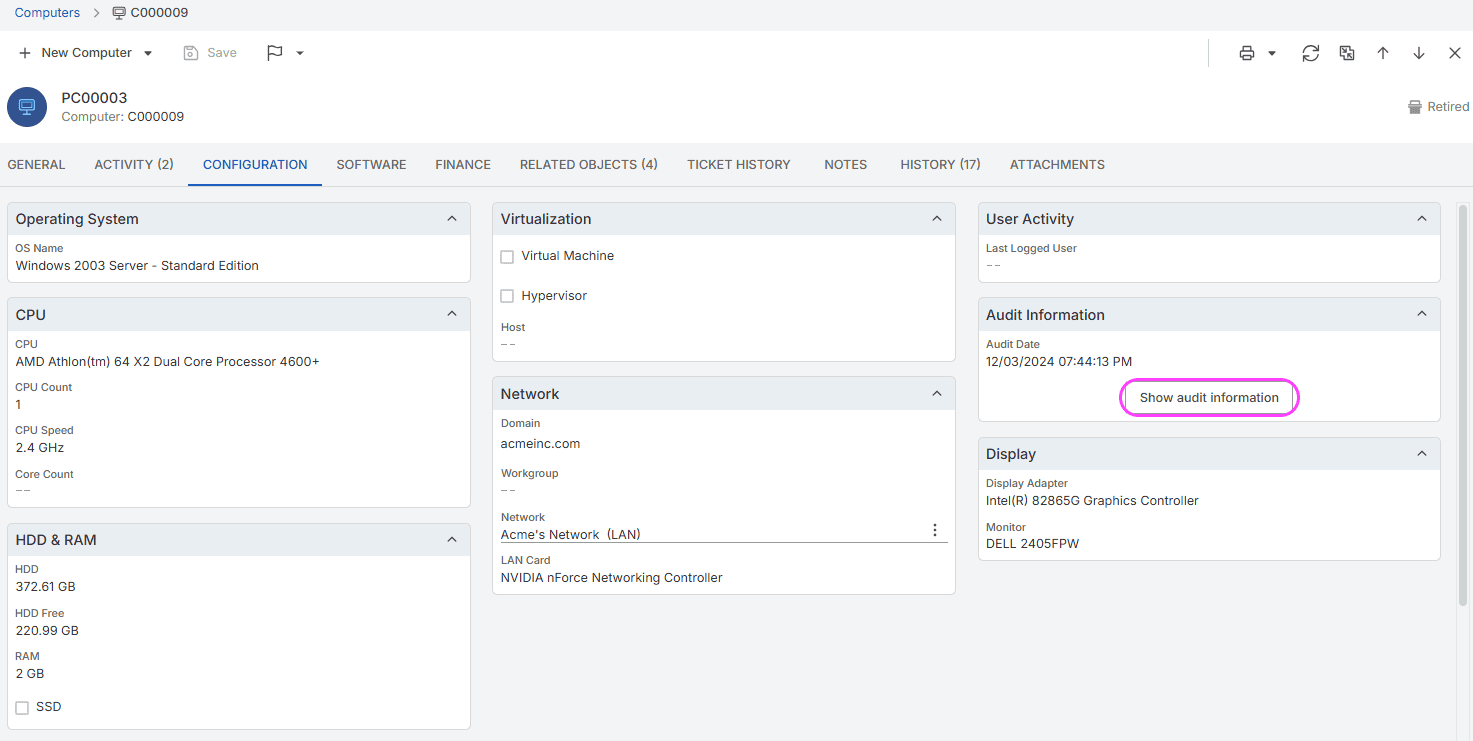
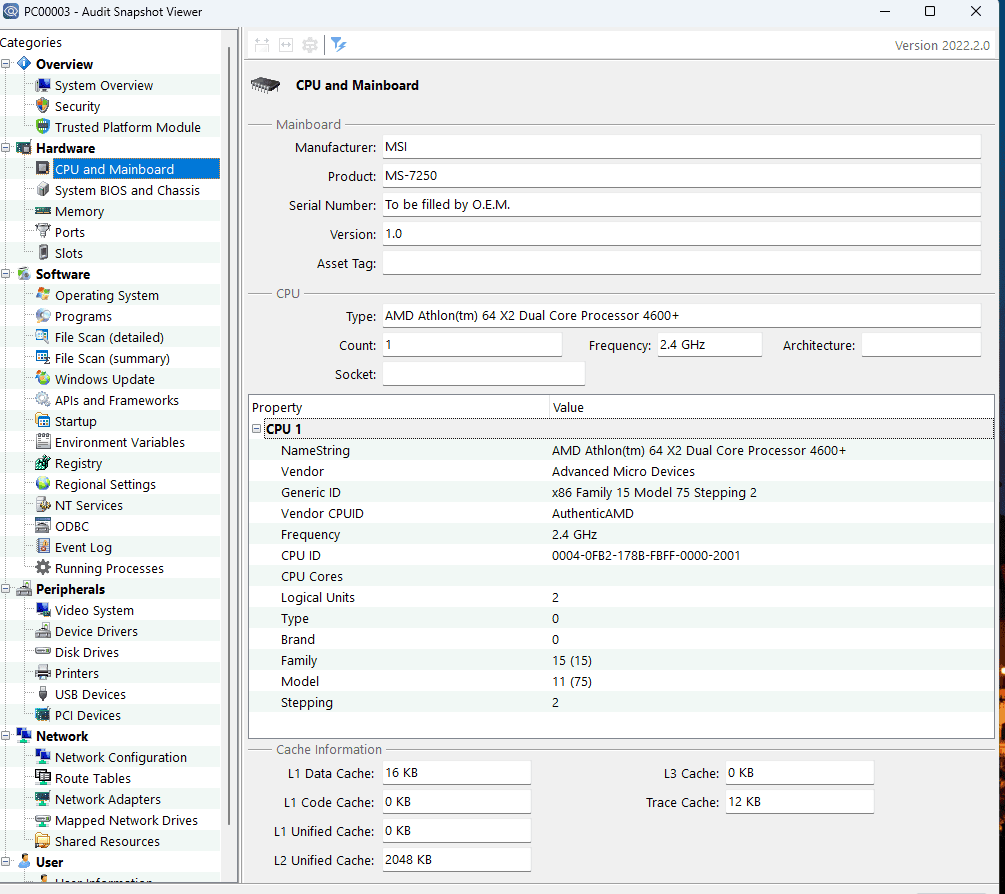
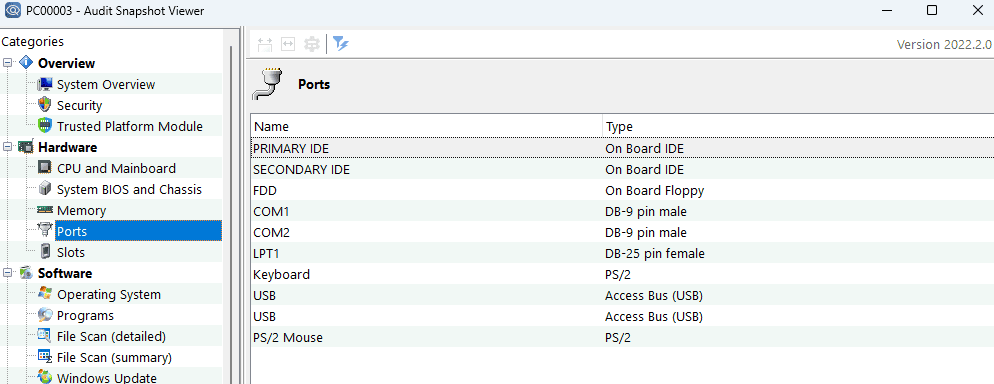
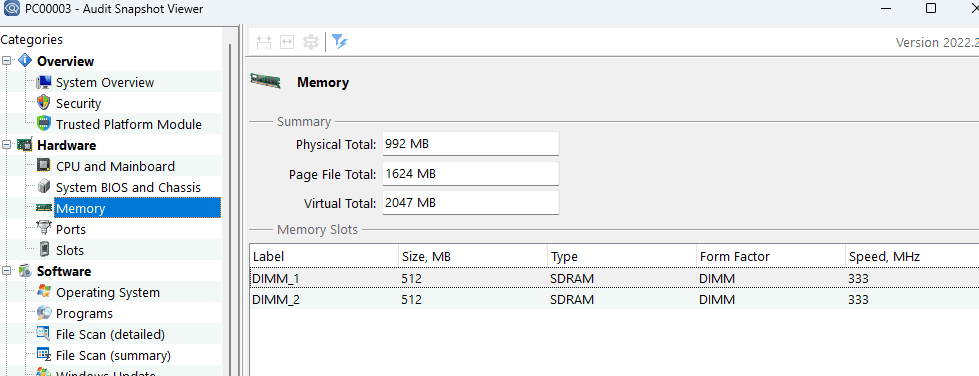
Alloy Navigator was built as a unified ITSM + ITAM platform from the start. User requests, assets, users, locations, and contracts exist in the same data model. When a technician opens an incident, the asset history, software inventory, and change log are already there — no separate tool to enable, no integration to maintain.
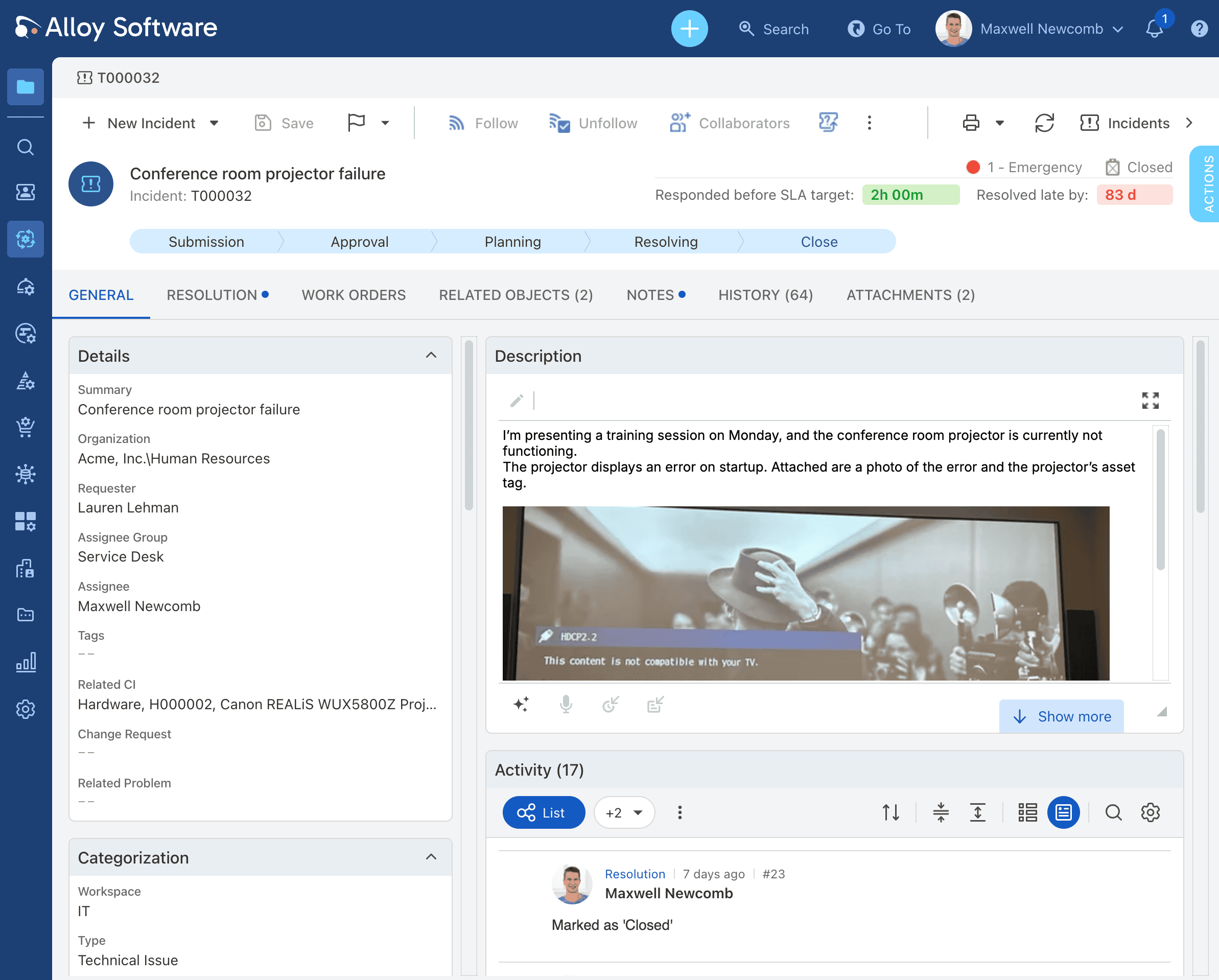
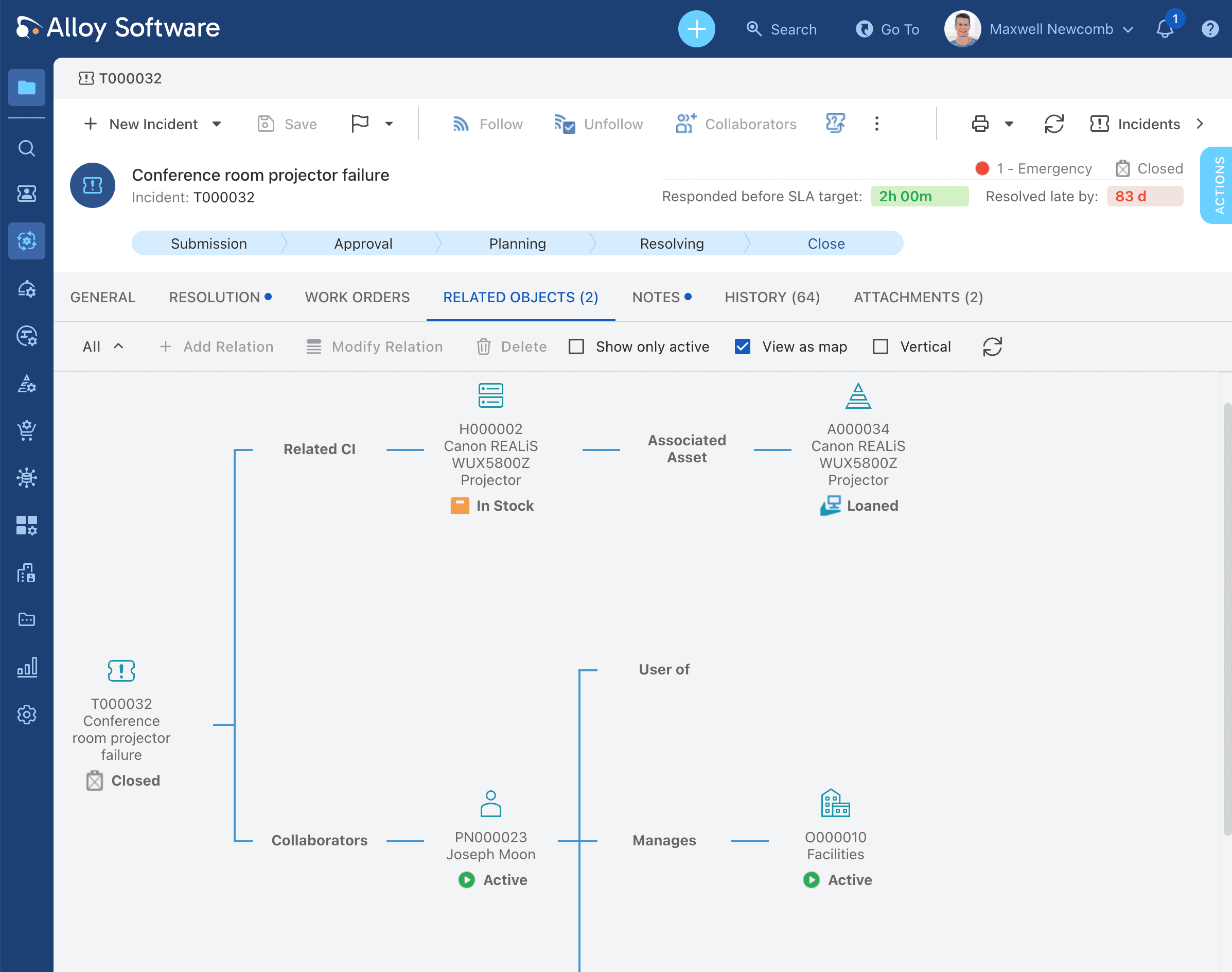
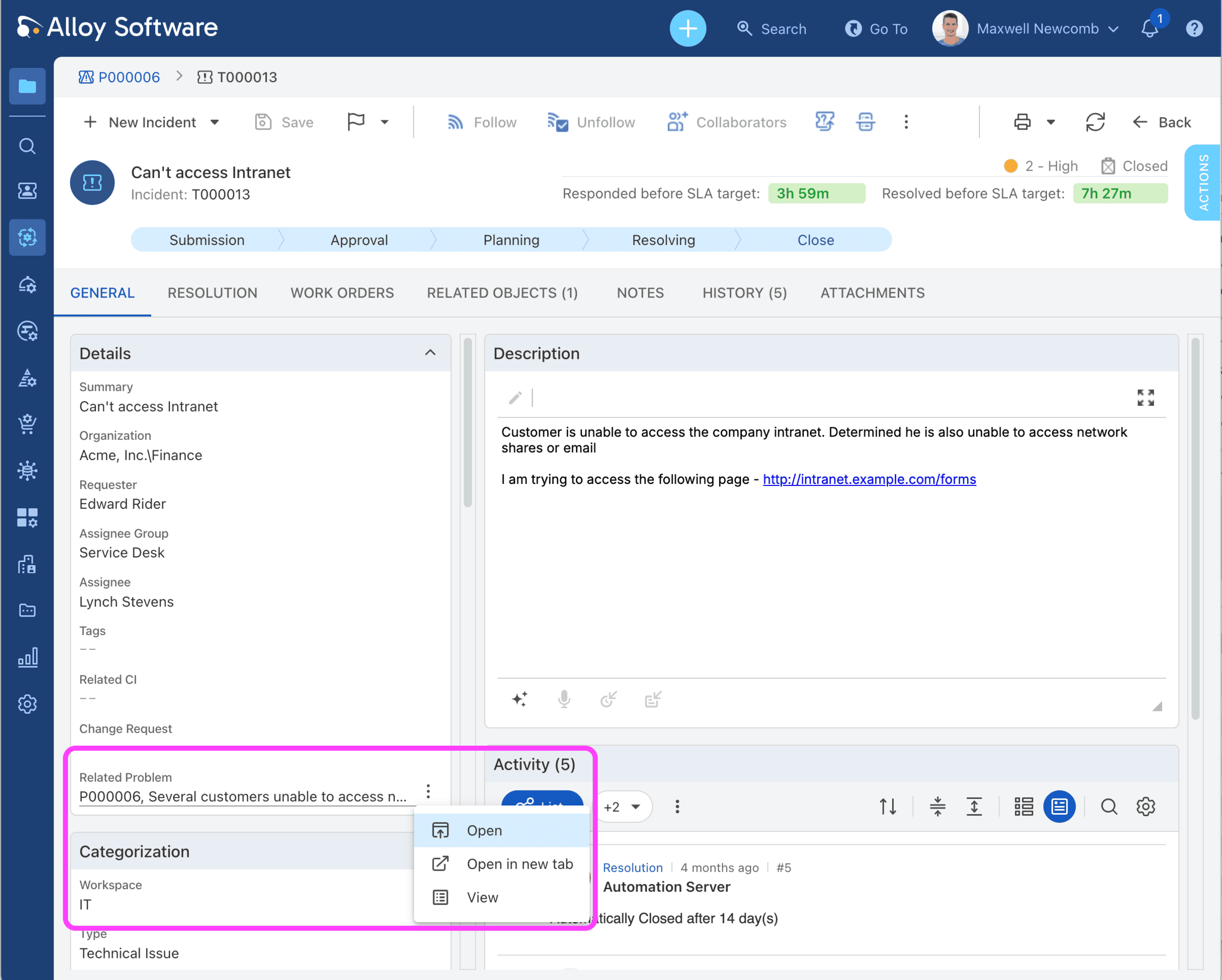
Freshservice prioritizes ease-of-use but becomes limiting for highly customized workflows. SysAid is configurable, but customers report complexity and friction.
Alloy Navigator’s workflow approach is more flexible long-term: simple processes can be configured with the default workflow setup, while advanced processes can incorporate database actions, PowerShell scripts, external applications, approvals, and custom logic.
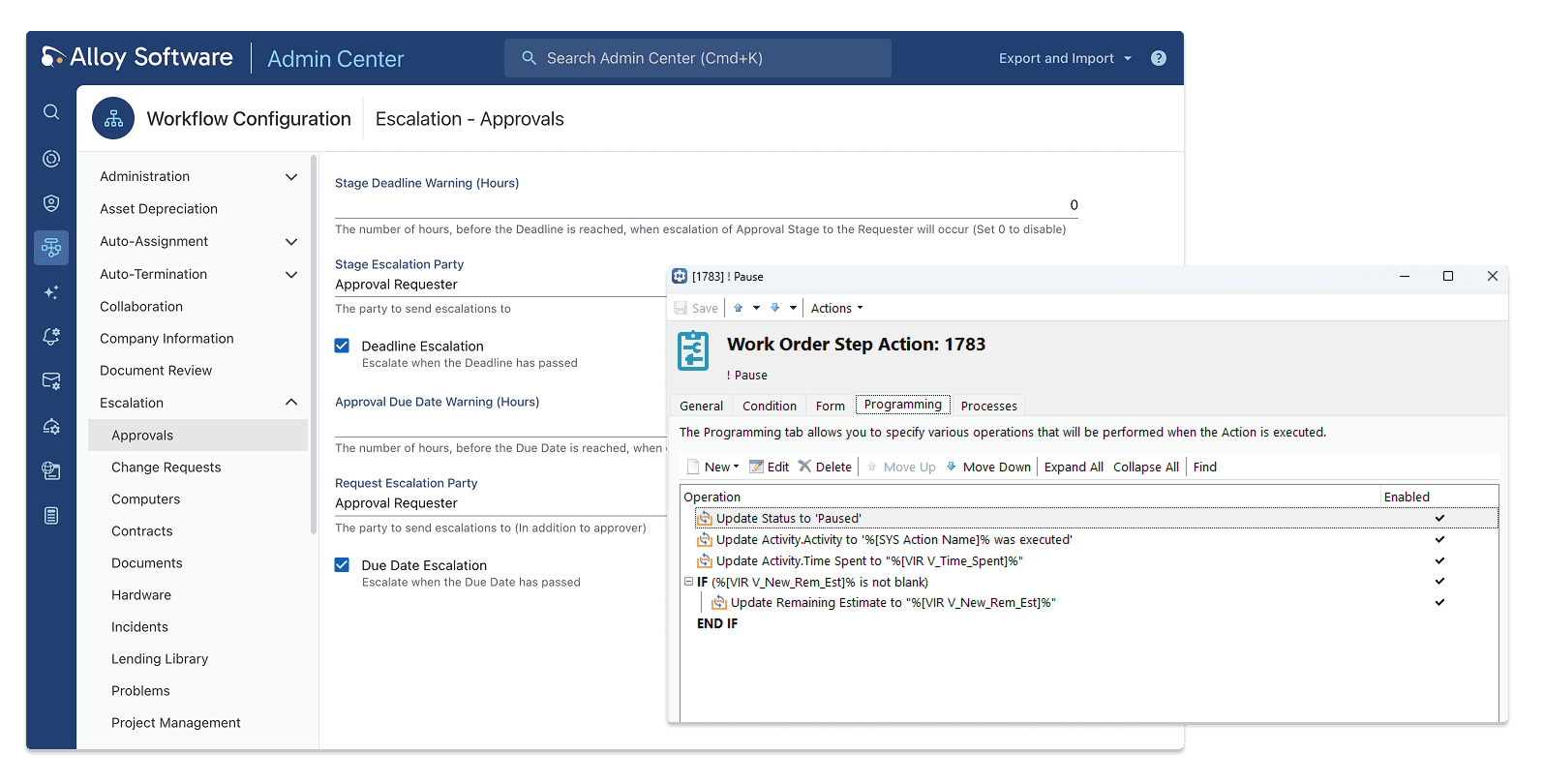
Freshservice and SysAid both rely more heavily on tiering, add-ons, or separated functionality. Alloy’s philosophy is to provide ITSM and ITAM capabilities together from the start: Incident, Change, Asset, Contract, Purchase, Project, Software License, Loaner/Lending Library, CMDB-style relationships, and workflow automation already integrated into one platform.
Freshservice is fundamentally cloud-first. SysAid supports on-prem, but Alloy has a particularly strong fit in healthcare, government, aviation, utilities, and security-sensitive organizations that require completely or partially air-gapped environments.
A major Alloy differentiator is that organizations do not need to reshape their operational processes around rigid software assumptions. The software adapts to the organization, rather than the organization adapting to the software.
Alloy Software’s client Leo Burnett customized multi-level ticket routing to support its fast-growing regional operations, while The Juilliard School and North Cumbria NHS used Alloy Navigator’s workflow flexibility to shape processes around their existing teams, approvals, and service structures.
Customers repeatedly describe the platform as configurable enough to “fit the way we work,” even as their organizations evolve.
Alloy is unusually strong at connecting operational objects together: tickets, assets, users, contracts, purchases, locations, loaned equipment, software licenses, and workflows exist in one relational environment.
This creates stronger operational context for troubleshooting, audits, budgeting, lifecycle planning, and compliance management than what Freshservice typically offers, and often with more flexibility than SysAid.
At Alloy, customer support is viewed as an extension of the product itself, not a separate function that begins after the sale. Feedback from support interactions is treated with the same importance as product feedback and helps shape ongoing development priorities.
This approach is reflected repeatedly in customer stories. Juilliard describes Alloy’s service as an “extremely rare find,” Wolters Kluwer highlights support as a “value-added benefit,” and SCCO notes that the team “followed up on numerous occasions to ensure the technology was working properly.”
What stands out is that customers bring up support on their own when discussing their experience with the product, suggesting it is a meaningful part of the overall value they receive rather than a standard expectation.
If Alloy Navigator sounds like the right fit, connect with us.
Alloy Navigator offers a transparent and flexible pricing model designed for organizations that need both IT Service Management and IT Asset Management in a single platform.
Rather than separating critical capabilities across multiple add-ons, Alloy Navigator includes a broad range of integrated ITSM and ITAM functionality at each pricing tier, helping organizations avoid the growing costs and complexity often associated with larger SaaS ecosystems.
Explorer: Starts at $19 per technician/month. Designed for smaller teams that need IT Help Desk, Asset Management, Network Discovery, Knowledge Base, and automation capabilities.
Express: Starts at $49 per technician/month. Adds Change Management, approvals, software licensing, consumables management, and broader deployment flexibility.
Enterprise: Starts at approximately $83–89 per technician/month. Includes advanced workflow automation, ITIL processes, CMDB functionality, project management, service catalog capabilities, and expanded operational customization.
All plans include a free trial on a demo instance with full support from our Professional Services team to test all the needed capabilities. Alloy Navigator supports both cloud and on-premises deployment options.
All prices are subject to change and are provided for informational purposes only. Final pricing may vary depending on deployment model, infrastructure requirements, technician count, and licensing scope.
Choosing between SysAid and Freshservice ultimately comes down to what your organization values most.
Freshservice is often the better fit for teams that prioritize a modern user experience, fast deployment, and cloud simplicity. SysAid may be more appealing to organizations that need broader built-in ITSM functionality, stronger workflow automation, and the flexibility of both cloud and on-premises deployment.
But for organizations that view IT service management and IT asset management as closely connected disciplines, it may be worth expanding the evaluation beyond these two platforms.
Alloy Navigator offers a different approach. With deeply integrated ITSM and ITAM capabilities, extensive asset discovery, flexible workflow automation, and support for both cloud and on-premises environments, it is designed for teams that need long-term adaptability rather than standardized workflows.
The right ITSM platform is the one that fits not only your current requirements, but also the way your organization will operate three, five, or even ten years from now.
To help you evaluate your options more effectively, connect with our Sales Team. We’ll discuss your needs and goals, and come up with the right technology solution for your organization.
Is SysAid better than Freshservice?
It depends on your priorities. SysAid generally offers deeper workflow automation, stronger built-in ITSM functionality, and more deployment flexibility, including on-premises options. Freshservice focuses more on ease of use, modern design, and fast cloud deployment.
Which platform has better IT asset management: SysAid or Freshservice?
SysAid typically provides more extensive IT asset management capabilities, including stronger CMDB functionality and broader infrastructure visibility. Freshservice includes asset management, but its strengths are generally centered around service desk operations rather than deep ITAM.
Is Alloy Navigator a good alternative to Freshservice and Sysaid?
Alloy Navigator is a strong alternative for organizations that need integrated IT Service Management and IT Asset Management, advanced workflow flexibility, detailed network discovery, and support for both cloud and on-premises deployments.
Which of these tools is best for healthcare or government IT teams?
For regulated industries with on-premises requirements — healthcare (HIPAA), government (security policy mandates), aviation (air-gapped infrastructure) — Freshservice is disqualified by its cloud-only architecture. Sysaid supports on-prem. Alloy Navigator supports on-prem and cloud equally, and has confirmed deployments in healthcare, public sector, and aviation environments. If data residency or infrastructure control is a requirement, focus your evaluation on Sysaid and Alloy Navigator, then compare on ITAM depth, workflow flexibility, and support quality.
We’re trusted by IT teams in healthcare, public sector, manufacturing, and education across 50+ countries.
→ Book a 15-minute demo tailored to your team size and industry