IT Operations Management Software: How to Choose the Right Solution


A monitoring dashboard can tell you a server is down. It may not tell you which services depend on it, what changed before the failure, or who should take the next step. Those gaps between systems, people, and processes are often what makes day-to-day IT operations difficult to manage.
IT operations management software can help close those gaps, but the label covers very different kinds of products. Some specialize in performance monitoring; others focus on asset discovery, configuration data, or coordinating operational work. This guide compares six solutions, explains where each fits, and gives you a practical framework for choosing one based on your infrastructure, priorities, and budget.
ITOM stands for IT operations management. It describes the software and practices used to discover, monitor, maintain, and manage the IT infrastructure supporting business services. Depending on the product, ITOM solutions may cover network management, server performance monitoring, asset inventory, configuration records, event management, and operational automation.
In the offerings of different vendors, there is no universal feature bundle. Monitoring software identifies a failing server; asset management supplies info on its ownership and history; service management coordinates repairs. Some vendors combine these capabilities, while others specialize on one of them.
But how do we choose the right tool/tools for us? What operational problems do ITOM tools solve?
ITOM tools shine when your organization is facing one of these problems:
Problem: Unknown infrastructure. Devices, virtual machines, and installed applications appear or change without being reflected in inventory.
ITOM solution: Discovery and auditing tools create records that technicians can investigate and maintain.
Problem: Late incident detection. A network failure is noticed only when users start calling.
ITOM solution: Infrastructure monitoring checks availability and performance; a meaningful alert helps the responsible team act before more users are affected.
Problem: Slow investigation. An alert shows symptoms, but no one knows the device’s owner, location, configuration, or recent changes.
ITOM solution: Asset relationships, topology, and service context shorten investigation.
Problem: Uncontrolled follow-through. Technicians identify the issue but lose track of assignments, approvals, repairs, or recurring failures.
ITOM solution: Ticketing, change records, and workflow automation organize the response and preserve a history.
These capabilities bring significant benefits depending on their coverage and data quality. Proactive operations require trustworthy information: unmonitored devices generate no warnings when they fail, and outdated records can misdirect technicians and automated workflows.
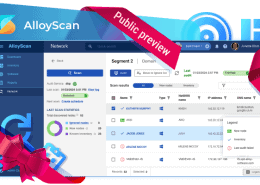
AlloyScan discovers and audits on-premises, remote, and cloud assets, tracks configuration changes, and maintains a searchable hardware and software inventory.
Alloy Navigator connects asset and CMDB data with incident, problem, change, request, and workflow management for medium and large organizations.
AlloyScan can synchronize inventory data with Alloy Navigator, giving technicians current device context inside service workflows. Dedicated monitoring tools can also feed alerts into Alloy, where they become actionable incidents or work orders.
Interested in these capabilities?
A dedicated system becomes useful when manually tracking existing IT infrastructure or coordinating responses takes more effort than maintaining the tool itself. Complexity and continuity requirements matter more than headcount.
Schools and universities often support faculty, students, labs, classrooms, and equipment that moves between users. IT needs visibility into which device is assigned where, whether its software is licensed, and what previous repairs it received.
Hospitals and clinics need dependable access to clinical applications, workstations, and supporting networks. The teams in this industry may also face strict internal requirements for access controls, endpoint security, hosting, and documentation. Monitoring is important, but so are understanding which equipment is affected and coordinating repairs without losing an audit trail.
Companies consider ITOM after expanding locations, inheriting tools, or outgrowing spreadsheets. Recurring incidents, audits, and vendor renewals can also trigger a purchase.
For small teams, inventory plus ticketing may come first; cloud-intensive engineers may prioritize observability. A large suite can create more administration than value.
Alloy Software is trusted by IT teams in healthcare, public sector, manufacturing, and education across 50+ countries.
Discover how our solutions are used in different industries.
Healthcare ITSM and ITAM | ITSM and ITAM solutions for Higher Ed | ITSM and ITAM for small businesses
Assess capabilities separately; no single management platform necessarily provides them all.
Discovery and inventory. Identify physical and virtual assets, collect hardware and software details, and refresh records on a schedule. Test off-network laptops and restricted segments. Do not confuse inventory with endpoint management or patch management: detecting an outdated application is not the same as deploying its update.
Infrastructure monitoring. Track availability, utilization, and performance of networks, servers, or applications. Ask which metrics are collected, how frequently, and how notifications reach the right technicians.
Configuration management. A configuration management database (CMDB) connects devices to users, locations, business services, and dependencies. It is useful only when its relationships remain accurate.
Incident and change management. Incident management coordinates restoration, problem management investigates recurring causes, and change management records approvals for planned modifications. Check whether a monitoring signal can create or enrich a ticket through a supported integration.
Automation and analytics. Automate scheduled audits, ticket routing, and routine follow-ups; use dashboards and reports to assess workload, service performance, and asset lifecycle. Look for editable workflows and reports managers can understand without exporting several datasets.
Security and administrative control. To secure IT operations, evaluate role-based access, audit history, data separation, and hosting choices. These support compliance evidence, but cannot guarantee compliance.
Ask vendors to demonstrate the complete chain: detect a device, identify its context, receive a warning, assign work, record a change, and report on the outcome. If the chain crosses several products, include integration and maintenance in your assessment.
These terms overlap but address different operational questions.
| Term | Primary question | Typical capabilities |
|---|---|---|
| ITOM | What is happening in our technical environment, and how do we keep it operating? | Discovery, monitoring, configuration, operational automation |
| ITSM | How do we deliver and support IT services for users? | Incident, service request management, problem, change, and service levels |
| Observability | Why is a system behaving this way? | Metrics, logs, traces, and correlated diagnostics |
| AIOps | Which operational signals deserve attention, and what action may help? | Anomaly detection, event correlation, assisted investigation, selected automated responses |
Observability might reveal latency, asset records identify affected systems, and ITSM tracks resolution. AIOps uses AI to correlate events and suggest actions, although results depend on reliable data and human oversight.
For a deeper conceptual comparison, see our separate guide to ITSM vs. ITOM.
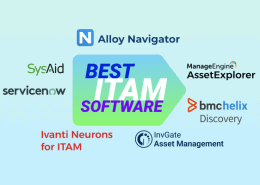
These seven products are not interchangeable suites. ITOM systems vary from infrastructure monitoring to integrated service and asset management. Prices are published starting points rather than comparable quotes; licensing units differ.
| Product | Core functions and best fit | Deployment | Published starting price or pricing model | Main limitation to consider |
|---|---|---|---|---|
| Alloy Navigator | Discovery, ITAM, ticketing, workflows; teams wanting assets and service to work together | Cloud or on-premises | Explorer $19/technician/month; Enterprise $89/technician/month, billed annually | Not a replacement for specialized real-time infrastructure observability; audited computers and cloud hosting may add cost |
| ServiceNow ITOM | Discovery, service mapping, event management, AIOps; complex enterprise environments | SaaS platform, with discovery components connecting to managed environments | Custom quote | Implementation, governance, and packaging require careful scoping |
| Jira Service Management | Incident response, alert management, on-call scheduling, CMDB/Assets, service mapping, and ITSM workflows; Atlassian users | Cloud for new customers; existing Data Centerdeployments supported until March 28, 2029 | Service Collection: free for up to 3 agents; Standard from $21.50/agent/month, Premium from $55.28/agent/month (monthly billing) | Advanced problem/change management requires Premium or Enterprise; Standard includes Assets with lower object limits; dedicated infrastructure monitoring requires integrations |
| SolarWinds Observability Self-Hosted | Network, server, application, and hybrid infrastructure monitoring | Self-hosted | Essentials from $8/node/month, under multi-year terms billed annually | Operational ticketing and asset lifecycle workflows may require other tools |
| ManageEngine OpManager | Network/server availability, alerts, discovery; infrastructure-first teams | Self-hosted | Standard from $95 annually for 10 devices | Full service management and asset lifecycle processes are separate requirements |
| Datadog Infrastructure Monitoring | Cloud/hybrid telemetry, infrastructure metrics, integrations; engineering and DevOps teams | SaaS-based platform monitoring cloud and on-premises resources | Infrastructure Pro from $15/host/month, billed annually | Additional telemetry and monitoring products can change total spend; not an IT asset lifecycle system |
| Lansweeper | IT/OT/cloud asset discovery and inventory; organizations with visibility gaps | Cloud-connected platform with local discovery components | Free up to 100 assets; paid asset-based plans | Service desk functionality focuses on integrations and ticket enrichment rather than replacing a full ITSM platform |
*Pricing and editions checked against vendor pages in October 2026. Jira prices above use Atlassian’s published monthly Service Collection rates; other vendors may quote annual or multi-year commitments. Confirm regional currency, minimum commitments, add-ons, and current availability before purchasing.
Choose monitoring-first tools such as SolarWinds Observability Self-Hosted or ManageEngine OpManager when networks, servers, or infrastructure performance are the immediate concern. Datadog is relevant to cloud applications and modern engineering environments. Verify coverage before purchasing.
Consider ServiceNow ITOM when service topology, discovery, event correlation, and enterprise-scale orchestration are central requirements and your organization has resources to implement and maintain the platform. Obtain a scoped quote rather than treating ITOM as a single fixed-price module.
Consider Lansweeper when finding and maintaining accurate asset information is the first priority, especially across heterogeneous environments. Budget for the ITSM or monitoring systems that must act on its data.
Consider Jira Service Management for alert handling, on-call coordination, incident response, service mapping, and ITSM workflows linked to asset records. However, infrastructure performance monitoring will require integrations.
Consider Alloy Navigator when a lean IT team needs discovery and asset records tightly connected to support tickets, change approvals, equipment lifecycle, and reporting. Its value lies in reducing handoffs between inventory and service processes. If application performance monitoring is essential, assess how Alloy will integrate with a dedicated monitoring product rather than expecting it to replace one.
Start by defining what your IT team actually needs from a new platform. Even the best IT management software for another organization may be wrong for you if it duplicates existing tools, violates hosting requirements, or demands too much administration.
Use the following criteria to filter your shortlist:
These criteria should help you identify two or three suitable products, not necessarily a final winner. The next step is to verify that their promised capabilities work in your environment.
A proof of concept (PoC) allows hands-on testing of ITOM products rather than relying solely on feature descriptions and sales demonstrations. Apply the same tests and success criteria to each candidate to discover their best features.
For a small IT team, a solution that performs essential tasks reliably and is easy to maintain may deliver more value than a feature-rich platform that demands constant monitoring and management.
No. Network monitoring measures availability and performance, while ITOM covers discovery, configuration, device management, event response, infrastructure automation, and links to service workflows.
Yes, if it has a specific problem worth solving. A small school or business may gain immediate value from automated inventory and organized support requests without adopting enterprise AIOps or complex orchestration. Start with the smallest functional scope that removes repetitive manual work.
Not necessarily. Some suites cover multiple domains, but many specialize. ITAM manages asset ownership and lifecycle, ITSM structures service delivery, and ITOM supports operational control of technology. Confirm whether the product actually performs each required task or merely integrates with another tool.
Choose according to security policies, infrastructure, staffing, and operational costs. SaaS reduces some hosting responsibilities, while on-premises can provide more direct control. Neither deployment model guarantees compliance or security without appropriate configuration and processes.
Compare baseline and post-launch measures tied to the buying problem: time spent identifying affected devices, completeness of inventory, response and resolution times, recurring incidents, audit preparation effort, or time spent producing management reports. Count software and maintenance costs as well as improvements; avoid claiming savings before you measure them.
The right IT operations management software depends on where your team needs the most support. If your priorities include accurate asset inventory, integrated service management, configurable workflows, and flexible hosting, explore Alloy Navigator. Request a demonstration based on your actual devices, tickets, and reporting needs to see how the platform would fit your operations.
→ Book a 15-minute demo with Alloy Software
Ultimately, the best choice isn’t the software with the longest feature list, but the one your team can use effectively to solve its most pressing operational problems.