Best Help Desk Software in 2026: Tested, Ranked & Compared



We evaluated the 10 best help desk software platforms of 2026 on features, pricing, deployment, and real-world fit, from unified IT asset-and-service tools to free and customer-facing options. Alloy Navigator leads for teams that need assets and the service desk in one place.
The right pick depends on your users, compliance needs, and true budget, not the longest feature list. All prices below were verified in July 2026 and are list prices; add-ons and renewals often raise the real total.
Start with the use case that matches your team, then read the full review below. Each pick is strong for a specific job rather than “best” in the abstract.
1) Alloy Navigator: best for unified IT asset and service management in one system.
2) Freshservice: best for cloud-first ITSM and fast, low-friction setup.
3) ManageEngine ServiceDesk Plus: best for ITIL-aligned processes on a budget.
4) Jira Service Management: best for teams already using Atlassian and Jira.
5) SolarWinds Service Desk: best for a service desk with built-in asset management.
6) Zendesk: best for customer-facing support and advanced AI.
7) Zoho Desk: best for small teams on a budget.
8) Spiceworks Cloud Help Desk: best free IT help desk.
9) HaloITSM: best for deep, enterprise-grade ITSM without per-module pricing.
10) SysAid: best for help desk automation and agentic AI.
This ranking weighs the capabilities IT and support teams use daily, judged against documented features, publicly verified pricing (July 2026), and aggregated feedback from review platforms such as G2 and Capterra. We did not invent scores or benchmarks; where a number depends on your configuration or vendor quote, we say so.
The goal is a shortlist you can act on. A tool that wins for a 30-technician ITIL shop can be wrong for a 3-person team, so “best” is always tied to team size, use case, and deployment constraints.
We weighted deployment flexibility more heavily than most consumer roundups, because compliance requirements rule out cloud-only tools for many IT teams before a single feature is compared.
We assessed each platform across eight dimensions, judging how well they work together rather than whether a feature exists on a grid.
| Criterion | What we looked at |
|---|---|
| Core ticketing and workflow automation | Intake channels, routing, SLAs, and rule design |
| Self-service and knowledge base | How well the portal deflects routine requests |
| Asset management and CMDB | Discovery depth, and how assets link to tickets and services |
| Reporting and dashboards | Whether the data supports decisions, not just counts |
| AI and automation | Copilot assistance and autonomous resolution, plus how both are priced |
| Deployment flexibility | Cloud, on-premise, or hybrid for compliance-sensitive teams |
| Pricing transparency and total cost | List price versus real cost once add-ons are included |
| Integrations and support | The connectors teams actually use, and the vendor’s responsiveness |
The table compares each help desk software tool by primary use case, deployment model, starting price, and free-tier availability. Starting prices are per agent or technician per month on annual billing unless noted; AI and add-ons often raise the real cost.
| Tool | Best for | Deployment | Starting price (2026, annual) | Free tier |
|---|---|---|---|---|
| Alloy Navigator | Unified IT asset + service management | On-prem or cloud | $19–$89/tech/mo + ~14¢/node; unlimited requesters | Trial only |
| Freshservice | Cloud-first ITSM, ease of use | Cloud | $19 (Starter) → $99 (Pro); Enterprise custom | 14-day trial |
| ManageEngine ServiceDesk Plus | ITIL-aligned IT service management | Cloud or on-prem | $13 (Standard) → $67 (Enterprise) | Free ≤ 5 techs |
| Jira Service Management | Teams already using Atlassian | Cloud (DC sunsetting) | ~$20 (Standard) → ~$50 (Premium) | Free ≤ 3 agents |
| SolarWinds Service Desk | Built-in asset management | Cloud | $39 (Essentials) → $99 (Premier); unlimited users | 30-day trial |
| Zendesk | Customer-facing support + AI | Cloud | Support $19; Suite $55 → $115 (+AI add-ons) | 14-day trial |
| Zoho Desk | Small teams on a budget | Cloud | Free; $7 → $40/agent/mo | Free ≤ 3 agents |
| Spiceworks Cloud Help Desk | Free IT help desk | Cloud | $0 (ad-supported); Premium $6/agent/mo | Yes, free |
| HaloITSM | Deep, enterprise-grade ITSM | Cloud or on-prem | ~$49–$70/agent/mo, all modules included | Trial (quote) |
| SysAid | Help desk automation + AI | Cloud (on-prem options) | Quote-based; ~$79/agent/mo (Help Desk, est.) | Trial only |
Prices verified August 2026; vendors change plans without notice.
Alloy Navigator is the strongest pick when one platform must handle both IT asset management and the service desk, without stitching separate tools together.
It combines ticketing, network inventory, a CMDB, and ITIL-aligned change and configuration management in a single database. A ticket links directly to the affected device, its owner, and its purchase record, so context travels with the request.
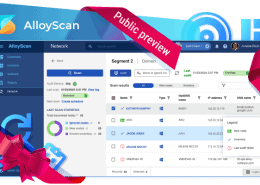
Tickets, assets, incidents, changes, and work orders share one data model, which removes the sync gaps that appear when service and asset tools are bolted together. Discovery runs both agent-based and agentless, collecting hardware, installed software, and license data, including from home laptops that rarely touch the office network. AlloyScan is the cloud discovery option; the legacy on-premise Alloy Discovery is being retired.
Workflows are the real differentiator: you design approval chains and automation around your process instead of reshaping the process to fit the tool, which is a large part of why some customers stay 15–20 years. Data segmentation isolates one department’s tickets and data from another’s, so an HR or security queue stays invisible to general IT staff. That is the mechanism that lets a single platform extend into enterprise service management. Software licensing and lending-library modules round out the suite, and many competitors leave both out entirely.
One vendor, one license, and one integrated system covers assets and service management. Per-technician pricing with unlimited requesters keeps cost predictable as ticket submitters grow, and the choice of on-premise or cloud deployment suits regulated and public-sector teams. Long-tenured reviewers consistently point to responsive support and a steady release cadence.
The trade-offs are real. The on-premise desktop client looks dated, though the newer web interface addresses that and rollout varies by team. The configuration depth that makes the platform flexible also creates a steeper learning curve for small teams, and initial setup takes genuine effort. Plug-and-play it is not, especially at the Enterprise edition. Prebuilt marketplace integrations are also fewer than in the largest cloud suites.
Alloy Navigator is priced per technician per month plus a small per-computer auditing fee, with unlimited requesters. Explorer starts near $19/tech/month for 1–3 technicians, Express near $49/tech/month for growing teams, and Enterprise near $89/tech/month for full ITIL, CMDB, and advanced automation.
Both on-premise and cloud use the same edition structure. A free trial is available; there is no permanent free tier.
Freshservice is the easiest full ITSM platform to stand up when you want cloud-only delivery and a clean, low-friction interface.
It covers incident, problem, change, and release management with a gentle learning curve, and it extends into HR and facilities through separate workspaces. Requesters who only submit tickets are free, so you pay for agents. Freshservice is Freshworks’ ITSM product, the internal-IT sibling of its customer-support tool, Freshdesk.
The agent interface is intuitive and setup is guided, so small teams can configure the system without a consultant. ITIL-aligned incident, problem, change, and release processes are all present, and higher tiers add IT asset management with orchestration that automates actions across connected systems.
Freddy AI, a copilot for reply drafting and classification plus an AI agent for autonomous resolution, is sold separately rather than bundled. ESM workspaces let you run HR, facilities, or finance service delivery alongside IT.
Onboarding is fast and the interface is one of the cleaner ones in ITSM. Unlimited free requesters keep licensing tied to your IT staff, and the marketplace and integrations are broad for a cloud-first stack.
Asset management is the catch: Starter has none, and Growth caps assets, which pinches a growing estate. Freddy AI remains a paid add-on even on the Pro plan, so budgeting for AI is a separate exercise. Orchestration transactions and asset overages meter cost, and there is no permanent free plan.
Freshservice is priced per agent on annual billing: Starter $19, Growth $49, and Pro $99, with Enterprise on a custom quote (typically low-$100s). Monthly billing runs higher at roughly $29/$59/$119.
Freddy AI Copilot is an add-on from about $29/agent/month. A 14-day trial is available, and analysts note the real total often lands 30–50% above the sticker once AI and asset packs are included.
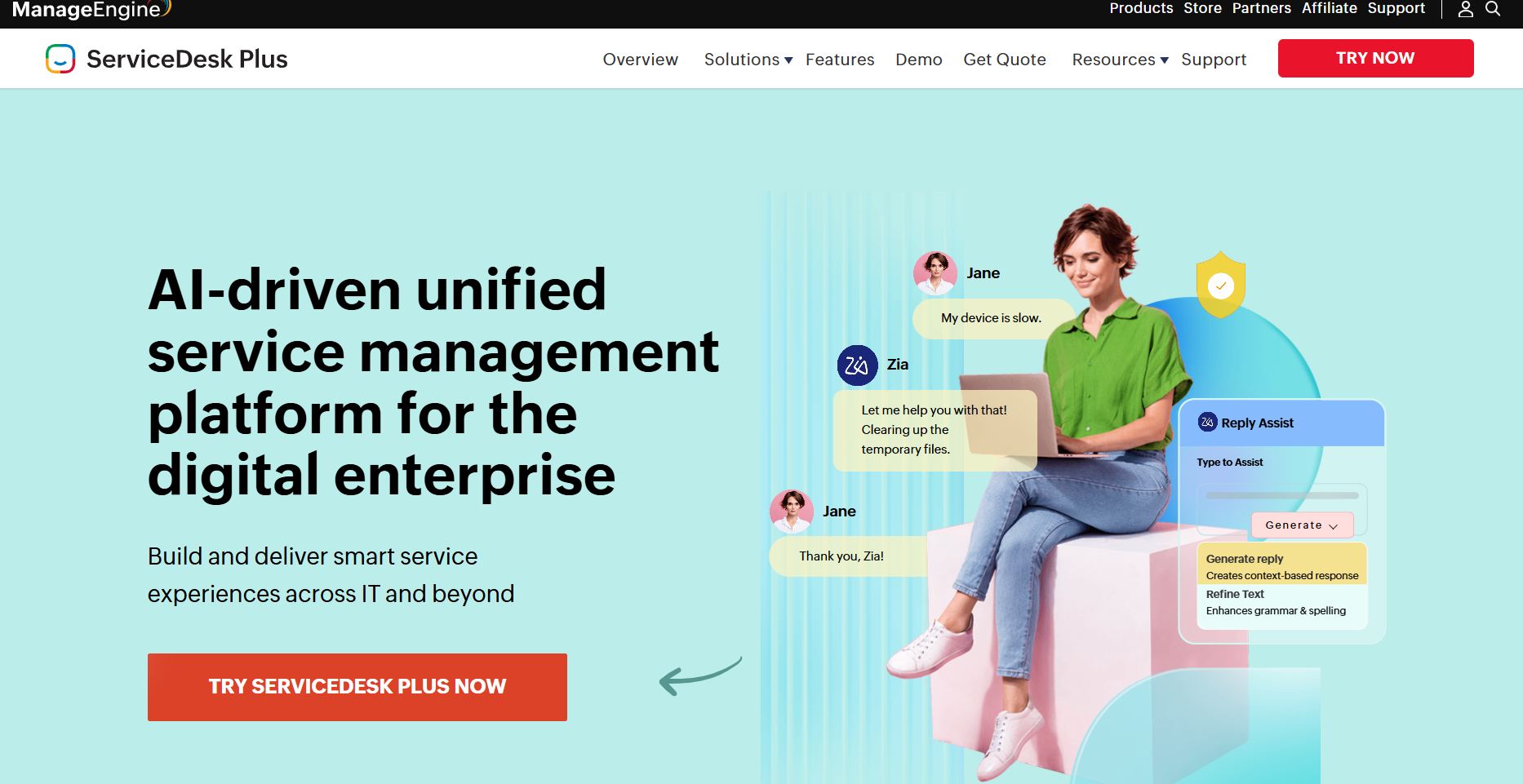
ServiceDesk Plus delivers structured ITIL processes at a low entry price, with a genuine free tier for small teams.
It is a practical choice when you want incident, problem, change, and asset management without premium pricing, on cloud or on your own servers. A division of Zoho Corporation, it favors breadth over polish.
Process coverage is ITIL-aligned across incident, problem, change, and release management. Asset management and a CMDB appear from the Professional edition upward, and project management arrives at Enterprise for change-heavy environments.
Deployment runs on cloud or on-premise, with Windows and Linux server options and multi-language support, a combination few tools at this price offer.
The starting price is low and the free Standard edition covers up to five technicians. The on-premise option keeps data in-house for teams that need it, and ITIL coverage is mature and well documented.
What you give up is clarity. Capabilities are gated by edition (asset management sits in Professional, change and projects in Enterprise), and several modules (CMDB, service catalog, problem, and change) are priced as separate add-ons. On-premise also means choosing and maintaining a Windows or Linux server, and both the UI and the mobile app feel less modern than cloud-native rivals.
Cloud pricing is per technician per month on annual billing: Standard about $13, Professional about $27, and Enterprise about $67. On-premise perpetual licensing starts lower, and a free Standard edition covers up to five technicians, though vendor support on that free edition requires an annual maintenance fee.
Add-ons such as CMDB, service catalog, and project management are billed separately, so map the modules you need before comparing.
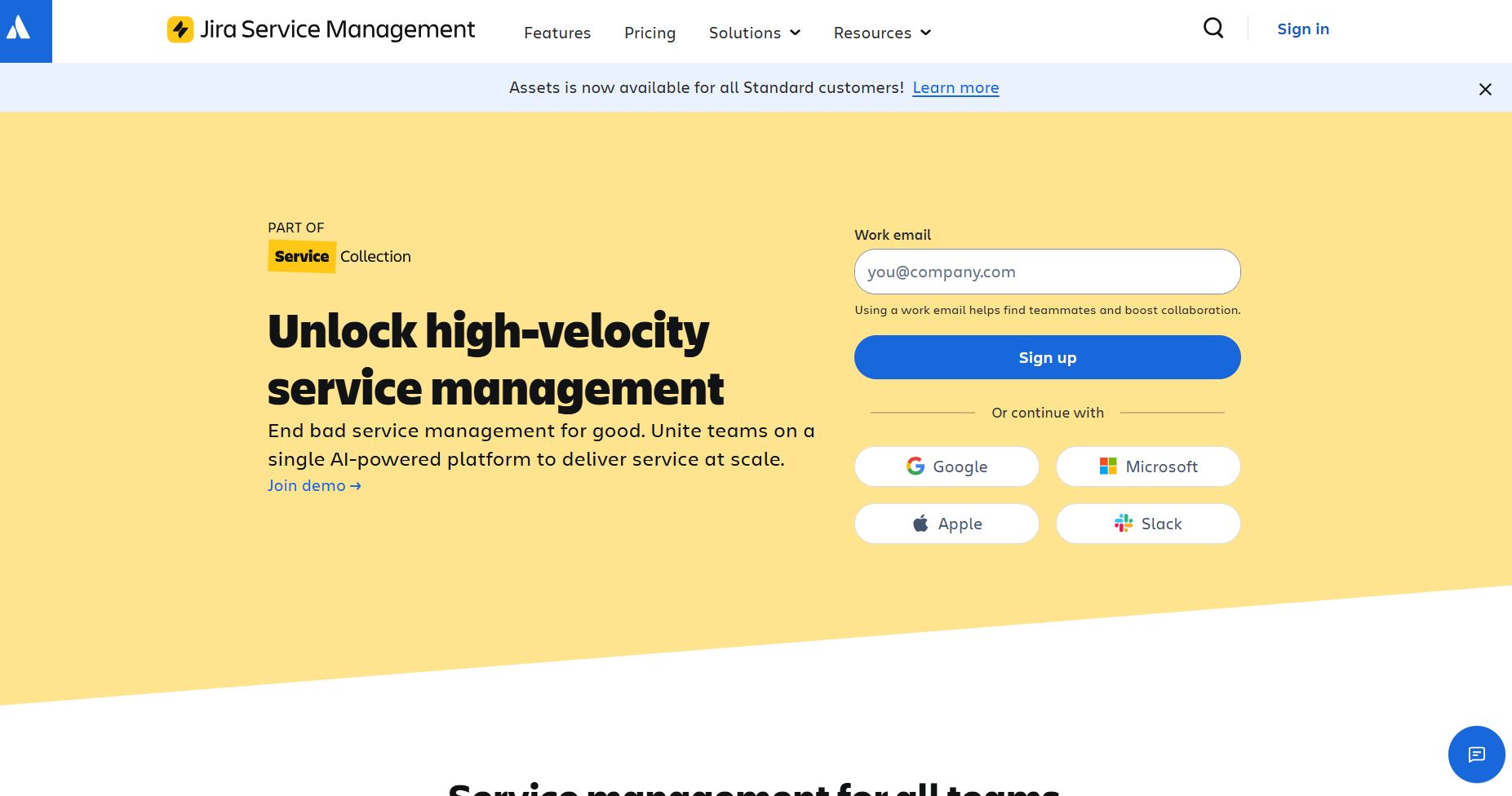
Jira Service Management (JSM) is the obvious pick when your developers already live in Jira and Confluence, because incidents link straight to engineering issues.
It brings ITSM templates, SLAs, and Opsgenie-based on-call into the Atlassian stack, which shortens the path from a reported outage to the team that can fix it. Non-technical service teams may find it heavier than they need.
Native integration with Jira and Confluence means support and development share workflows rather than trading tickets across a connector. ITIL request, incident, problem, and change templates ship with queues and a customer portal, and Opsgenie handles on-call scheduling and alerting for incident response.
Asset and CMDB management, along with Rovo AI agents, sit on the Premium tier.
Developer-IT collaboration is tight for teams standardized on Atlassian, automation is strong and flexible, and a free tier covers up to three agents with volume discounts as agent count rises.
CMDB, AI, and major-incident management are locked to Premium. The free plan hits hard limits quickly: three agents, 500 automation runs per month, and no vendor support. Data Center is also being retired for new buyers, with new purchases ending March 30, 2026, so cloud is the realistic path for new deployments.
JSM cloud pricing is per agent: free for up to three agents, Standard around $20–$24, Premium around $50–$55, and Enterprise on a custom quote. The per-agent rate drops at volume breakpoints, and annual billing saves roughly 15–20% over monthly.
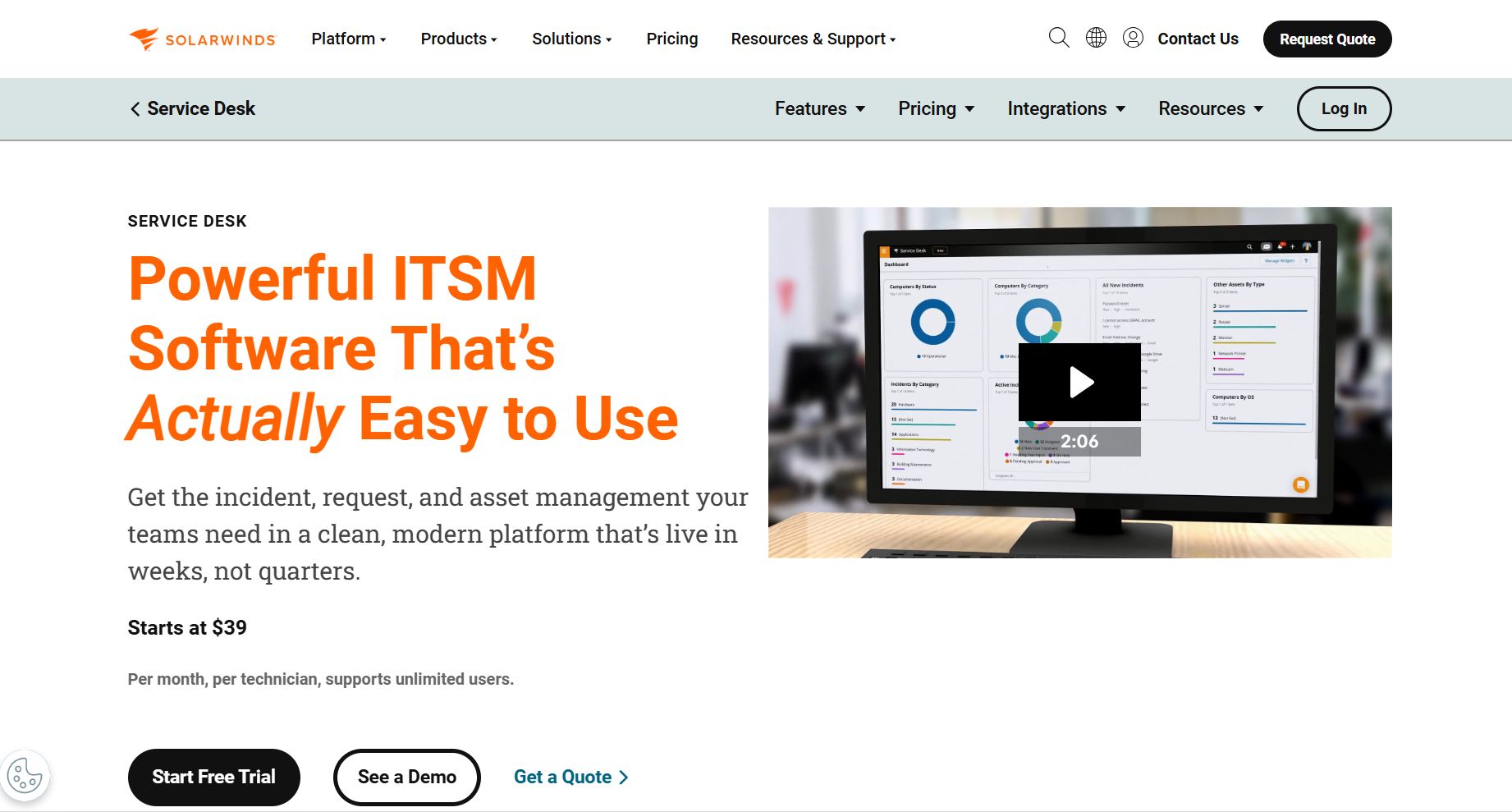
SolarWinds Service Desk pairs an AI-assisted service desk with integrated asset and CMDB tracking, and it bills per technician with unlimited end users.
That model keeps costs flat as request volume grows, which suits teams with many submitters and a small support group. It leans toward IT service management rather than external customer support.
Incident, problem, change, and release management come with a service catalog, and asset management with discovery is integrated alongside purchase-order and contract tracking.
AI handles ticket categorization, auto-assignment, and suggested resolutions, while an integrated CMDB ties assets to services and tickets and supports SLA management.
Unlimited ticket submitters keep per-technician pricing predictable, asset management is built in rather than bolted on, and the interface is clean and relatively quick to deploy.
There is no free tier, only a 30-day trial, and implementation can be costly for complex, customized setups. Given SolarWinds’ history of security incidents, keeping the platform patched and current is best treated as a standing requirement rather than a preference.
SolarWinds Service Desk is priced per technician per month on annual billing, with unlimited users: Essentials $39, Advanced $79, and Premier $99. Asset pricing is quoted on request.
Note that SolarWinds Web Help Desk is a separate on-premise product sold as a perpetual license (around $700 per technician), not the same as the cloud Service Desk above.
Zoho Desk gives small and mid-size teams a capable customer-support help desk at the lowest realistic entry price, including a free plan.
It is strongest for teams already using Zoho CRM, because native two-way sync avoids separate connector costs. Like Zendesk, it targets customer support more than IT service management.
Multichannel ticketing comes with SLAs and Blueprint process automation, plus multi-brand help centers and multilingual support.
Zia AI, which covers an answer bot, sentiment analysis, and reply suggestions, is included on paid plans rather than sold as a separate module, and integration with Zoho CRM and the wider Zoho ecosystem runs deep.
The free plan for up to three agents is genuine and the paid tiers stay low. AI is bundled into paid plans instead of billed separately, and the value is excellent if you already run other Zoho apps.
Advanced AI and reporting are gated to the Enterprise tier, the trial window is short, and light (collaborator) agents cost extra. As a standalone tool it is more customer-support than ITSM, so the best value depends on using the Zoho ecosystem.
Zoho Desk is priced per user per month on annual billing: free for up to three agents, then Express $7, Standard $14, Professional $23, and Enterprise $40. Light agents cost about $6, and monthly billing runs higher. At the entry level it undercuts most customer-support rivals, including Freshdesk.
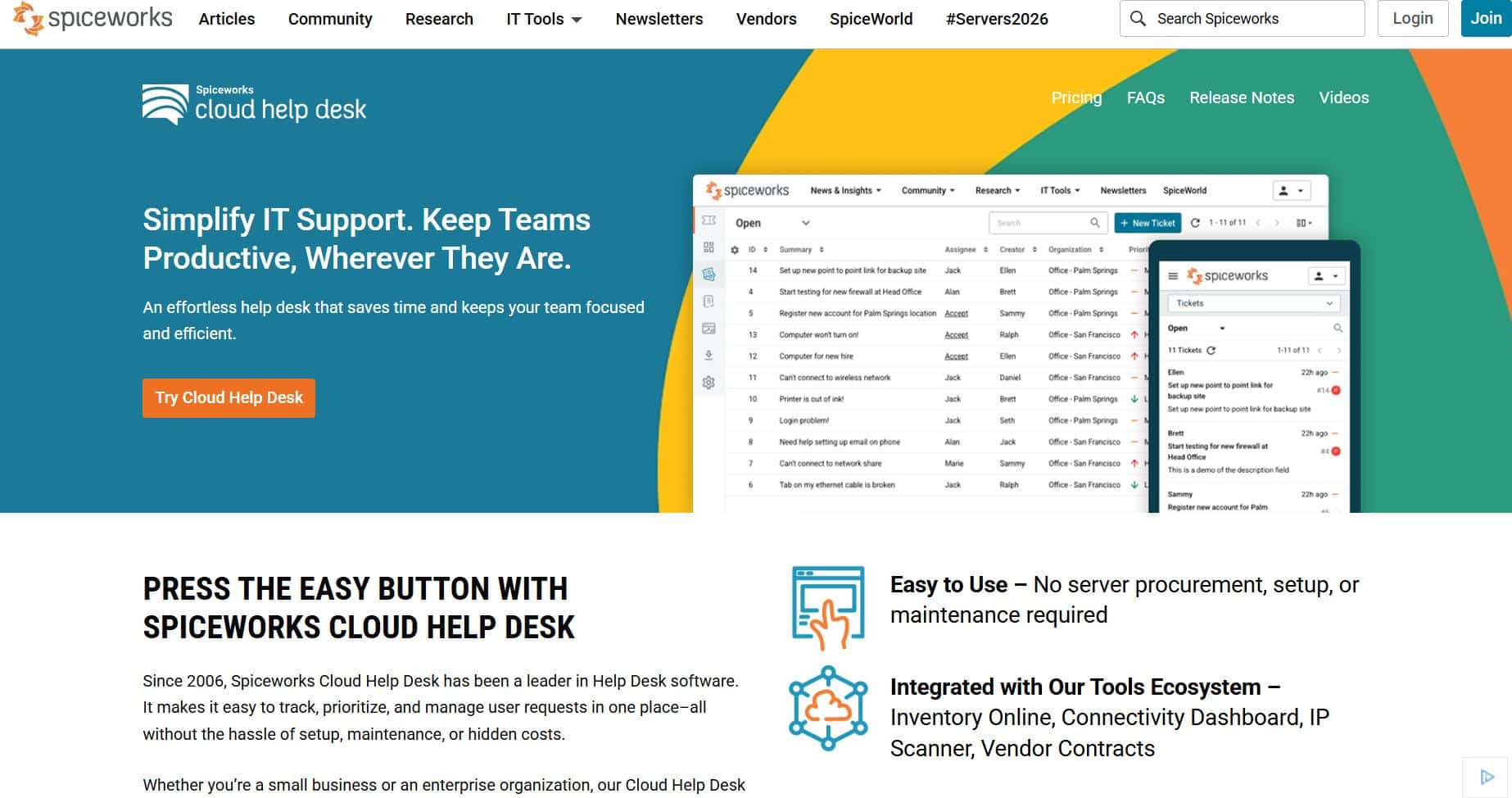
Spiceworks Cloud Help Desk is the genuine free option, with unlimited agents and tickets funded by ads.
It is the pragmatic starter for IT teams with zero budget, and it uniquely bundles network inventory with ticketing at no cost. It trades polish and depth for that price, which shows as teams scale.
Email and portal ticketing include rules-based routing and canned replies, with basic SLA flags and a knowledge base for documenting common fixes.
Built-in network inventory scans the LAN and discovers devices automatically. There is a mobile app, plus access to one of the largest IT peer communities online.
It is truly free, with no agent, ticket, or requester limits. Cloud setup takes about 15 minutes, asset discovery is included, and both the community and the free support are helpful.
Ads appear in the interface on the free tier, and Premium removes them. The interface is dated, reporting is basic, and workflow customization is limited, so it struggles with larger, more complex teams. Ticket search is a known weak spot: locating closed tickets or filtering by requester is awkward, which slows audits.
The Core plan is $0 and ad-supported, with unlimited agents, tickets, and end users. A Premium plan launched June 1, 2025 at $6/agent/month, which removes ads and adds features. Spiceworks is owned by Ziff Davis.
HaloITSM offers enterprise-depth ITSM with every module included in one per-agent price, on cloud or on-premise.
It suits teams that want ServiceNow-style breadth without per-module pricing or a ServiceNow bill. The inclusive model keeps budgeting predictable, though the depth demands real configuration.
ITIL coverage is complete: incident, problem, change, release, and CMDB, with unlimited assets, asset discovery, and remote-control sessions.
A self-service portal, extensive automation, and an AI virtual agent are included, and additional CRM and project modules sit inside the same license.
Every module is in the base license, so there are no feature paywalls around asset management, change control, or the knowledge base. Cloud and on-premise are offered at the same per-agent rate, and the configurability and depth suit mature ITSM teams.
Public per-agent pricing is largely quote-gated for smaller teams, and the rate skews higher for teams under roughly 25 agents. That depth also means meaningful configuration effort, and some users cite the cost of custom development.
HaloITSM uses a single all-inclusive per-agent subscription, typically about $49–$70 per agent per month depending on volume and named-versus-concurrent licensing. Cloud and on-premise are priced the same, with volume discounts at scale; smaller teams generally receive a quote. For a public reference point, HaloITSM’s AWS Marketplace listing prices named-agent licenses near $1,300 per year, which aligns with that monthly range.
SysAid focuses on automating routine IT service work, now with agentic AI (SysAid Copilot) layered across ticketing and workflows.
It fits mid-to-large teams that want to hand repetitive tasks to automation and AI. Every edition includes assets and self-service, and pricing comes only by quote.
Incident management, self-service, asset management, and remote control are in every edition, with workflow automation and orchestration to route and resolve routine requests.
SysAid Copilot adds AI agents for classification, drafting, and autonomous resolution. Higher editions include an ITIL package, and the security posture is backed by ISO 27001 and SOC 2 Type II certifications.
The automation and agentic-AI direction is clear, assets and self-service are included across all editions, and both the security certifications and the support reputation are solid.
Pricing is not public: every deal is quoted. Copilot is an add-on that needs tuning and professional-services effort, and there is a separate onboarding fee. Prebuilt integrations are fewer than in the largest suites, and the Help Desk edition is positioned as an entry or legacy tier.
SysAid is quote-based across three editions (Help Desk, ITSM, and Enterprise), all with unlimited end users. Third-party estimates put the Help Desk plan near $79/agent/month, with ITSM and Enterprise higher or custom, plus a one-time onboarding fee. Because Copilot value depends on knowledge ingestion and flow design, most enterprise rollouts budget extra professional-services days that are easy to underscope in an initial quote.
Help desk software is a platform that captures support requests as tickets and manages them from intake to resolution in one place. It centralizes requests from email, a web portal, chat, and phone, then routes, tracks, and reports on them.
Beyond a shared inbox, it adds automation, a knowledge base, SLAs, reporting, and often asset management. The mechanism matters: a shared inbox loses ownership and history, while a help desk assigns each request, records every update, and flags SLA breaches, so nothing is dropped.
A help desk resolves individual issues; a service desk manages IT services end to end. The help desk is reactive and ticket-focused, while the service desk adds change, problem, asset, and service-catalog management aligned to ITIL.
Many products marketed as help desks (Freshservice, ServiceDesk Plus, and Jira Service Management) are really service desks. Small teams often need only the help desk layer, and paying for full ITIL you will not use is a common mistake.
Help desk software usually serves internal IT users, while customer service software such as Zendesk or Freshdesk serves external customers. The workflows differ: IT tools emphasize assets, SLAs, and change, whereas customer tools emphasize omnichannel messaging, CSAT, and CRM.
Some platforms attempt both, but a tool optimized for one rarely excels at the other. Decide which audience you support first, because that single choice splits the market.
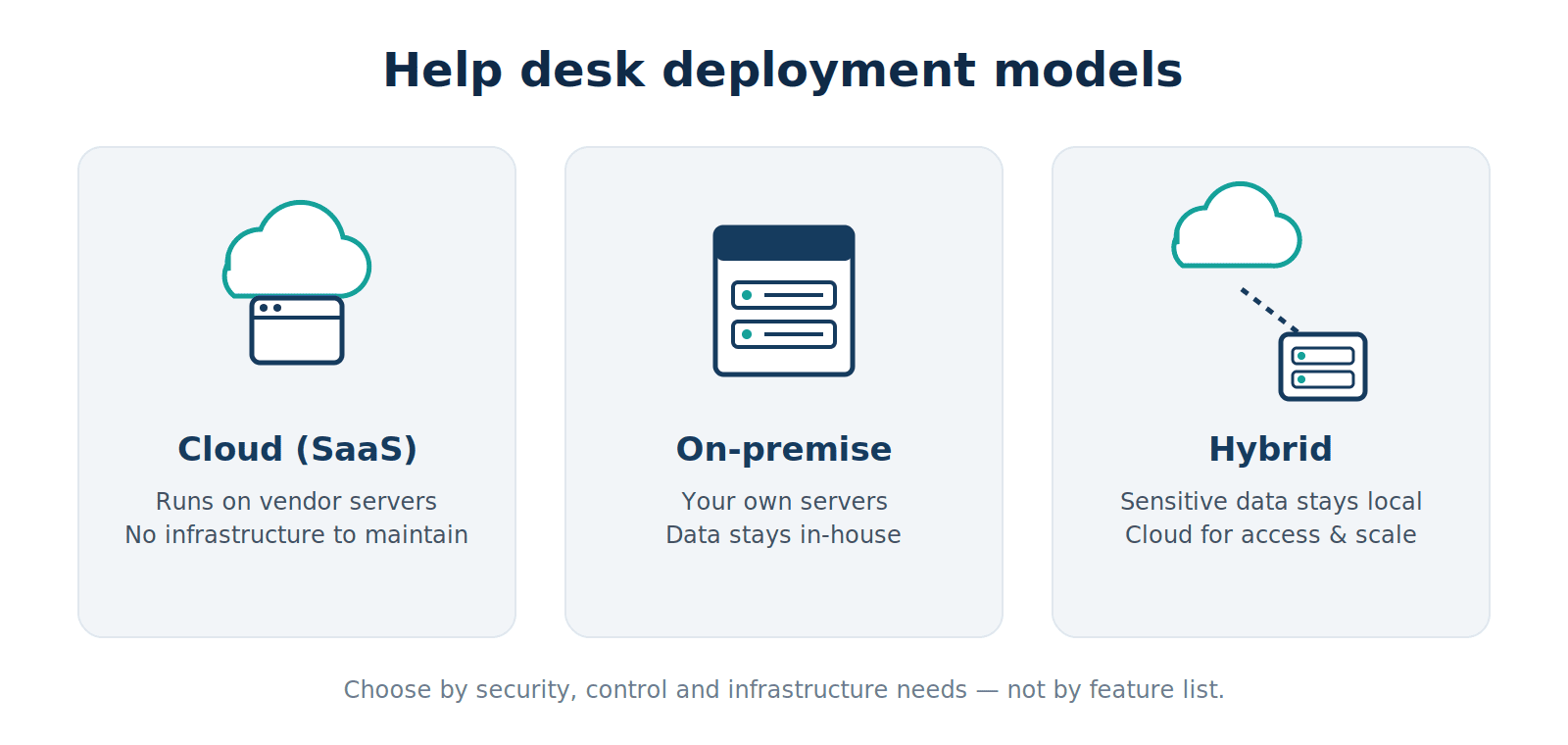
Help desk software comes in three deployment types (cloud, on-premise, and hybrid), and the choice mostly follows your security, control, and infrastructure needs rather than features.
A cloud (SaaS) help desk runs on the vendor’s infrastructure and you access it through a browser. In 2026 it is the dominant model because it removes server maintenance and delivers updates automatically.
The trade-off is that your data lives with the vendor, which some regulated teams cannot accept. Zendesk, Freshservice, and Zoho Desk are cloud-only examples.
On-premise help desk software runs on servers you own and manage. It is preferred where compliance or policy requires data to stay in-house: healthcare under HIPAA, public sector, or air-gapped networks.
The trade-off is that you handle updates, backups, and uptime yourself. Alloy Navigator, HaloITSM, and ManageEngine ServiceDesk Plus offer on-premise editions.
A hybrid setup keeps sensitive data or discovery on-premise while using cloud components for access or scale. It fits teams that need on-premise control for some data but want cloud convenience elsewhere.
In practice, hybrid often means an on-premise deployment with cloud-connected discovery agents, or a vendor that offers both models under one license so you can shift over time.
The features that matter are the ones your team uses daily (ticketing, self-service, reporting, asset management, and AI), not the longest feature grid. Judge how well they work together in your environment.
Ticketing is the core: every request becomes a trackable ticket with an owner, status, and full history. Automation then routes tickets by category, applies SLAs, and triggers actions such as assignments, approvals, and notifications.
The mechanism is simple: rules move routine work without a human, so agents spend time on issues that need judgment. Poorly designed categories break this, a pitfall covered in the implementation section below.
A self-service portal lets users submit tickets and find answers without contacting an agent, and a knowledge base stores documented fixes so recurring questions resolve themselves. Deflecting Tier-1 requests such as password resets reduces ticket volume and frees agents.
Adoption depends on keeping articles current. A stale knowledge base gets ignored, and users go straight back to raising tickets.
Reporting turns ticket data into decisions. Track response and resolution times, SLA compliance, backlog, and volume by category to see what is actually happening.
The value is in reading trends together: a backlog trend tells a manager whether delays come from rising demand, slow routing, or too few agents. Those are three problems with three different fixes. Reports are only as good as your categories, so plan categorization before launch.
Asset management tracks hardware, software, and licenses, while a CMDB records how those assets relate to services and users. When a ticket links to the affected device and its dependencies, agents diagnose faster and change decisions carry less risk.
IT teams commonly adopt asset management before service management, because you cannot manage what you cannot see. That order is why asset depth often decides the platform.
AI now drafts replies, classifies tickets, suggests knowledge articles, and increasingly resolves routine requests on its own. An AI agent can handle a password reset end to end, while a copilot summarizes a long thread for the human working a complex case.
The caveat is data quality: AI acting on a stale CMDB record produces decisions that are hard to reverse. Knowledge hygiene matters more than the specific model.
The payoff is measurable: faster resolution, one view of tickets and assets, higher productivity, and reporting you can act on. Each benefit comes from a specific mechanism, not from the software existing.
Centralized tickets and automation cut the time between a request and a fix. Routing sends each ticket to the right agent immediately, and canned responses plus knowledge articles speed common answers.
No request waits in a shared inbox for someone to notice it. The effect compounds when AI resolves Tier-1 tickets before an agent ever sees them.
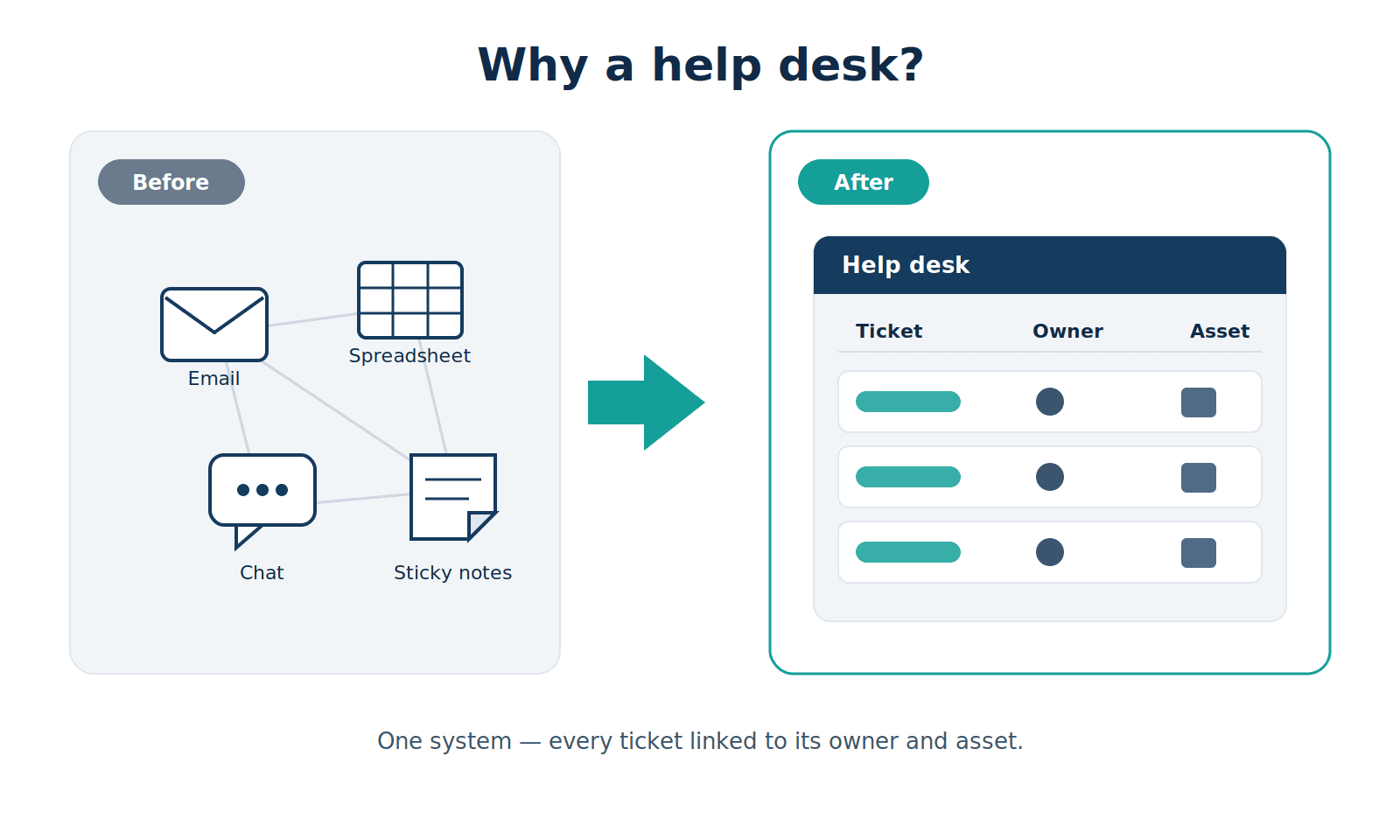
One system shows every open request, its owner, and, in IT platforms, the asset it concerns. Instead of spending time locating where assets are and who reported what, agents start from a single source of truth.
Managers gain a live picture of workload distribution and can prove capacity needs to leadership with data rather than anecdotes.
Automation removes repetitive work so a small support team handles more. Rules assign, escalate, and notify; approvals route themselves; and AI drafts and resolves routine tickets.
Agents stop doing manual triage and focus on judgment-heavy work. This is why overloaded teams that feel “too busy to hire” often get breathing room from a help desk before adding headcount.
Good reporting shifts IT from reactive firefighting to planning. Trends reveal recurring problems worth fixing at the root, seasonal demand, and SLA risk before it breaches.
A spike in one ticket category points to a systemic issue (a failing application or a training gap) that resolving individual tickets never addresses. Those reports also justify budget and headcount to leadership.
Match the tool to your team size, use case, deployment constraints, and true cost, in that order. Getting the sequence right prevents paying for capability you will not use.
1) Decide who you support: internal IT users or external customers. That single choice splits the market before any feature comparison.
2) Size the team. A three-person shop and a 30-technician department need different tools, and a free or entry tier may be enough to start.
3) Let compliance set the deployment model. If data must stay in-house, the shortlist narrows to vendors with an on-premise or hybrid option.
4) Model the real cost: add-ons, AI metering, implementation, and renewal increases, not the sticker price.
IT teams need assets, SLAs, and ITIL processes, which points to Alloy Navigator, Freshservice, ServiceDesk Plus, or HaloITSM. Customer support teams need omnichannel channels and CSAT, which points to Zendesk, Zoho Desk, or Freshdesk.
Size then filters the shortlist further. Entry tiers cover a handful of technicians comfortably, but they cap assets, automation runs, or reporting exactly where a 30-technician department starts to feel the limits.
Let compliance decide deployment before features. If policy or law requires data to stay in-house (HIPAA, public sector, air-gapped networks), you need an on-premise or hybrid option, which narrows the field to vendors like Alloy Navigator, HaloITSM, and ServiceDesk Plus.
If not, cloud removes maintenance and is the 2026 default. Do not pay for on-premise control you do not need.
The sticker price rarely equals the invoice. Add AI add-ons, asset overages, implementation, and renewal increases, and the real cost routinely runs 30–50% above the per-seat headline: Freshservice and Zendesk are clear examples.
Per-technician pricing with unlimited requesters (Alloy Navigator, SolarWinds) stays predictable as submitters grow, while per-resolution AI billing scales with usage. Model your actual volume before signing.
The defining trend is agentic AI: software that resolves tickets autonomously, not just assisting agents. Adoption is real but still early, and the economics of help desk software are shifting with it.
Gartner expects 40% of enterprise applications to embed task-specific AI agents by the end of 2026, up from under 5% a year earlier. In customer service, Gartner projects agentic AI will autonomously resolve up to 80% of common issues by 2029, with roughly a 30% reduction in operational costs.
“Agentic AI has emerged as a game-changer for customer service.”
Daniel O’Sullivan, Senior Director Analyst, Gartner Customer Service & Support Practice (2025)
The catch is execution. A 2026 Gartner survey found only 17% of organizations have deployed AI agents so far, and Gartner also warns that over 40% of agentic AI projects may be canceled by 2027, largely from poor data foundations and unclear return.
Momentum is broad even where full autonomy is not. An HCLSoftware and ITSM.tools 2026 survey found that nearly 75% of organizations already use the AI capabilities in their ITSM tools to some extent.
Two practical consequences follow. Pricing is moving from seats to AI usage (Zendesk now meters resolutions), so budget for the AI layer, not just the seat. And success depends on clean asset and knowledge data, because an agent acting on wrong records makes mistakes that are hard to reverse. The second trend is consolidation: teams increasingly want ticketing, assets, and enterprise service management in one platform rather than five.
Most implementations stumble on planning, not technology, and the single biggest mistake is poor ticket categorization. Service management has three parts (gather, manage, and analyze), and skipping the planning for any of them shows up later as data you cannot use.
Many teams set up ticketing and think no further, or create an unwieldy sprawl of categories. If categories are not structured up front, you cannot analyze anything later, because reporting inherits whatever taxonomy you launched with. Plan categories before go-live.
Capturing tickets is only step one; the value is in managing and reporting on them. Teams that stop at intake get a queue, not the insight that justifies the tool.
Moving from spreadsheets or a legacy tool means exporting, mapping fields, and cleaning records first. Skip the cleanup and you import the old mess into the new system.
Some organizations build elaborate processes and forget that the goal is effective services, not process for its own sake. Before adopting heavy ITIL or enterprise service management, ask whether the implementation effort outweighs the result. For immature processes, it often does.
Deployments stall without a named champion and time to configure. Even tiny teams that succeed treat setup as a primary objective rather than an afterthought.
Prioritize single sign-on (Active Directory, Okta, Entra ID), your communication tools (Microsoft Teams, Slack), and remote-control software. For IT teams, asset discovery and CMDB links add the most value. Match integrations to your daily workflow, not the longest connector list. See our IT asset management guide.
Track first response time, resolution time, SLA compliance, reopened-ticket rate, and backlog trend. Ticket volume by category shows where demand concentrates, and CSAT captures user sentiment. Read them together: a fast response with low satisfaction signals a routing or quality problem, not speed. Explore our reporting and dashboards overview.
Budget for data cleanup first: export tickets, assets, and knowledge articles, then map fields to the new schema. Run a pilot with one team, validate automations, and keep the old system read-only during cutover so you can verify before switching everyone over. Review our implementation checklist.
A ticketing system records and tracks requests as tickets. Help desk software adds a knowledge base, self-service portal, automation, reporting, and often asset management around that core. Every help desk includes ticketing, but not every ticketing tool is a full help desk. Compare help desk vs. service desk.
The best help desk software is the one that fits your users, your compliance needs, and your real budget, not the tool with the longest feature list. For unified IT asset and service management, Alloy Navigator leads, especially where on-premise control and predictable per-technician pricing matter.
Cloud-first IT teams gravitate to Freshservice, ITIL-focused teams to ServiceDesk Plus or HaloITSM, and Atlassian shops to Jira Service Management. Customer-facing teams choose Zendesk or Zoho Desk, and zero-budget teams start with Spiceworks.
Shortlist two or three, run a free trial or pilot on your own tickets, and confirm the AI and add-on costs before you commit. The seat price is the easy part; the real number is what you pay once the features you actually use are switched on.