Best ITSM Tools for Tech Support Teams in 2026
How to choose one, and what options exist on the market.
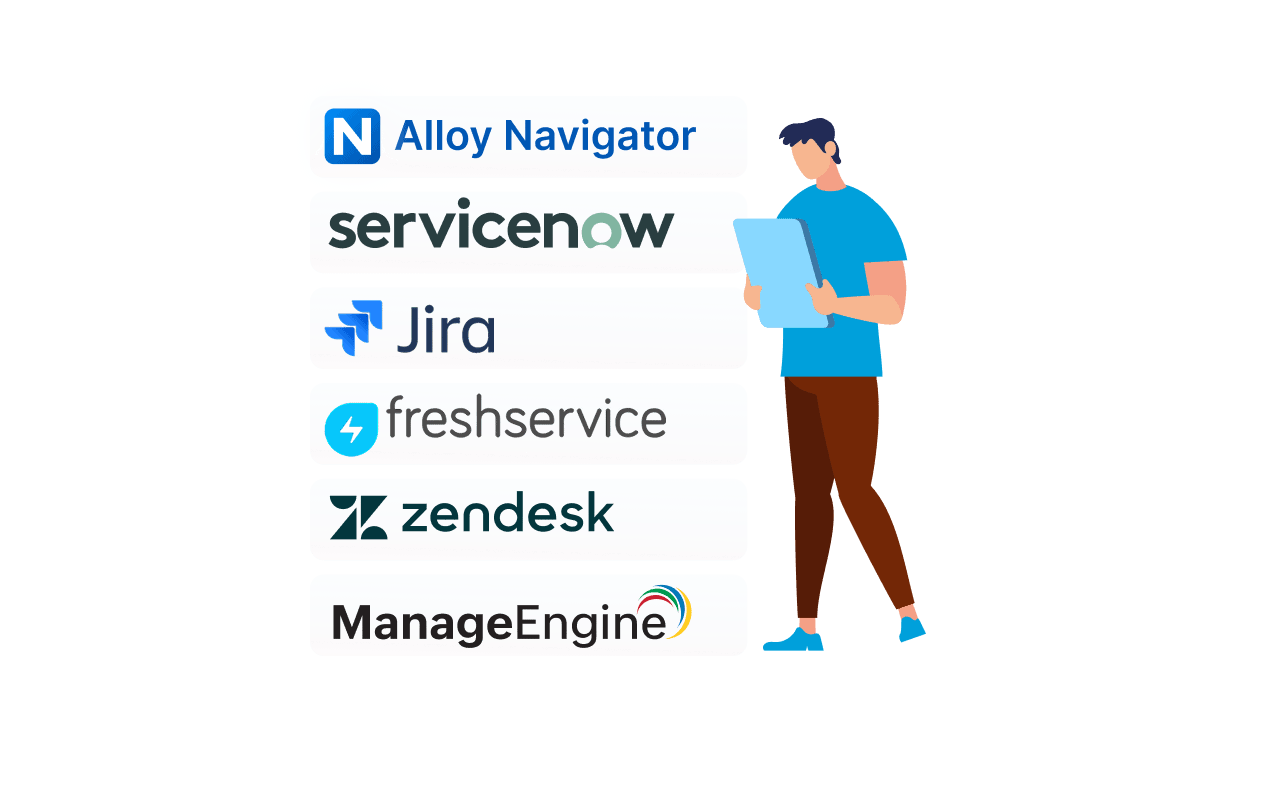


How to choose one, and what options exist on the market.
Selecting the right ITSM tools has become a defining decision for technical support organizations in 2026. The market now spans lightweight help desk apps and sprawling enterprise suites, each promising faster resolution, cleaner workflows, and smarter automation.
This guide reviews the leading options and compares how each platform handles ticketing, incident management, asset tracking, and AI-based support. Our goal is to help you select the right ITSM tool with confidence.
IT Service Management (ITSM) is the structured practice of designing, delivering, and improving IT services. Rather than treating each request as a one-off task, an ITSM platform organizes work into repeatable workflows aligned with business requirements.
For a support team, ITSM software replaces scattered inboxes and spreadsheets with a single platform. Requests are captured, prioritized, and routed automatically, while service-level agreements (SLAs), prioritization rules, and reporting give managers real-time visibility into the queue.
Modern ITSM follows ITIL processes such as incident management, problem management, and disciplined change management. The result is consistent service delivery, fewer bottlenecks, and a measurable improvement in productivity across the organization.
A service management platform also helps unify people, process, and technology. ITSM connects each ticket to the asset, the user, and the workflow behind it, giving technicians contextual information faster. Moreover, modern ITSM tools let HR, Facilities, or other departments adopt a similar approach to service delivery and improve their performance.
We assessed each platform against criteria that matter to a busy IT team: the depth of ticketing and incident handling, workflow automation, request deflection, ITAM coverage, reporting and analytics, and the breadth of integrations.
We also evaluated AI features, deployment flexibility, ease of adoption, and value for mid-market IT teams. Pricing transparency and vendor support informed every verdict, because real-world cost, as opposed to what is promised on paper, and onboarding/setup effort shape long-term satisfaction with any ITSM solution.
Not every ITSM solution fits every team. But the following capabilities separate a capable platform from a frustrating one, and they should anchor any shortlist of ITSM tools you intend to evaluate and compare.

Workflow automation is where teams reclaim time. The best of these tools let you automate repetitive tasks such as assignment, approval, and notification through a visual workflow builder, reducing manual effort and accelerating service request management.
Asset management ties each ticket to the hardware and software behind it. A native CMDB links incidents to assets, users, and locations, giving technicians contextual data that speeds resolution and supports change processes.
A self-service portal lets employees resolve common requests without opening a ticket. Paired with a searchable knowledge base, self-service deflects routine volume and frees agents for higher-value work, lifting overall productivity.
Increasingly, AI-powered features automatically classify and route requests, surface relevant knowledge, and reveal trends in real time, early signs of a shift toward AI-native ITSM and autonomous AI agents.
Finally, a modern tool must integrate with the systems your team already uses. Native connectors that integrate with Microsoft Teams, Slack, Okta, and email let staff submit and resolve tickets within Microsoft Teams and Slack, where staff already work.
| ITSM tool | Best for | Standout strength |
| Alloy Navigator | Mid-market IT teams | Unified service management and asset management with a flexible workflow engine |
| ServiceNow | Large enterprises | Deep, premium platform suite |
| Jira Service Management | Developer-led teams | Tight integration with developer tools |
| Freshservice | Fast-moving mid-market teams | AI-powered, cloud-based deployment |
| Zendesk | Customer-facing and in-house teams | Polished omnichannel ticketing |
| ManageEngine ServiceDesk Plus | Budget-conscious ITIL teams | Broad feature coverage at an accessible price |
We are trusted by IT teams in healthcare, public sector, manufacturing, and education across 50+ countries.

Its standout strength is a flexible workflow engine. Rather than forcing your team to fit the software, the platform adapts to your processes. This depth of workflow automation lets teams automate approval chains, routing, and prioritization without code.
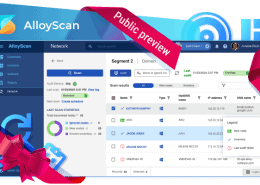
Paired with AlloyScan, Alloy’s cloud-based discovery tool, the platform delivers live network inventory and asset data that feed real-time context into every ticket. Hosting is flexible, cloud or on-premises, making it a fit for regulated organizations, too.
Mid-market IT teams that want comprehensive service management, deep asset tracking, and ITIL-aligned automation without enterprise-grade pricing or the heavy administration that larger enterprise platforms demand.
ServiceNow is the benchmark ITSM platform for large enterprises. Its breadth spans incident management, problem and change control, and a mature configuration database, all extensible across the broader organization through a vast ecosystem of modules.
The strength of ServiceNow is depth and customization. Agentic AI, sophisticated workflow automation, and dashboards with deep analytics make ServiceNow powerful, but that power carries cost and complexity that a small support team rarely needs.
For organizations with dedicated administrators and the budget to match, ServiceNow remains a leading choice for large enterprises. Smaller teams, however, may find its deployment and ongoing maintenance heavier than their everyday work justifies.
Jira Service Management, from Atlassian, extends the Jira family into ITSM. It is a natural fit for teams already invested in those tools, tightly linking incident management and change control with software development.
A self-service portal, configurable queues, and automation rules suit DevOps-aligned organizations. Native integration helps unify development and operations, while built-in incident and request management keep day-to-day work flowing.
Jira Service Management can feel complex for non-technical staff, and advanced setup takes effort. Even so, for engineering-led teams it ranks among the top options for connecting support to the development pipeline.
Freshservice is an AI-powered ITSM platform from Freshworks, a cloud-based ITSM solution known for fast deployment and a friendly interface. It balances ticketing, asset management, and self-service in a package that mid-market teams adopt quickly.
Freshservice by Freshworks leans heavily into AI. AI ticket routing, automation, and an AI-driven virtual agent help teams automate common requests and reduce repetitive work, all delivered from a clean, modern support portal.
For organizations that prioritize quick onboarding and low administrative overhead, it is a compelling choice. Deeper asset tracking and complex workflow needs may eventually push larger teams toward heavier enterprise suites.
Compare Alloy Navigator with Freshservice →
Zendesk began as customer support software and has expanded toward internal service management. Its ticketing, automation, and AI features are polished, making it popular with teams that blend customer-facing and internal use in one tool.
Zendesk excels at omnichannel ticketing and a clean agent and end-user portal experience. It can integrate with most chat and identity systems, and its strength in conversational support and AI-driven assistance suits a helpdesk where responsiveness matters most.
For full ITIL-aligned service management, namely change management, a complete configuration database, and deep asset tracking, Zendesk is lighter than dedicated platforms. Many teams therefore pair it with other management tools to close those gaps.
ManageEngine ServiceDesk Plus is a long-standing ITSM tool offering strong ITIL coverage at accessible pricing. It bundles incident management, problem tracking, change control, and asset management into one tidy package.
Its appeal is breadth for the price. A built-in CMDB, a service portal, and dependable workflow automation cover most scenarios, while both cloud and on-premise deployment options give teams flexibility over hosting and data control.
The interface can feel dated, and customization is less fluid than newer rivals. For teams replacing legacy ITSM systems on a tight budget, however, it remains a dependable and cost-effective ITSM solution.
| ITSM Tool | Deployment | AI Capabilities | Asset Management / CMDB | Typical Pricing |
| Alloy Navigator | Cloud or on-premises | Growing AI-driven automation | Built-in CMDB, with AlloyScan discovery | Mid-market friendly |
| ServiceNow | Cloud | Extensive agentic AI | Enterprise-grade CMDB | Premium / enterprise |
| Jira Service Management | Cloud or data center | AI assist in workflows | CMDB available | Mid to high |
| Freshservice | Cloud-based | AI-powered routing and virtual agent | Built-in asset management | Mid-market |
| Zendesk | Cloud | AI assistance | Limited | Mid-market |
| ManageEngine ServiceDesk Plus | Cloud or on-premise | Built-in automation | Native CMDB | Budget-friendly |

Next, weigh deployment and integration. Confirm the platform can integrate cleanly with the systems your team relies on, such as Microsoft Teams, Slack, Okta, and similar tools, and that the hosting model meets your security and compliance needs.
It should also automate onboarding and provisioning tasks, so new staff get access fast.
Finally, consider scale: a tool that is enough for you today should still help you optimize operations and meet SLA targets as ticket volume grows.
Alloy Navigator is built for exactly this mid-market scenario, with AlloyScan adding automated network discovery alongside it. We invite your team to try our solutions.
Use the demo to pressure-test real workflows. The right questions reveal whether a platform genuinely fits your team or simply looks polished in a scripted walkthrough, helping you compare options accurately.
Yes. Even a small team benefits from structured ticketing, automation, and self-service. An ITSM solution for mid-market teams reduces chaos without the complexity of large enterprise platforms.
Most modern platforms integrate with Slack or Microsoft Teams, letting staff raise and resolve tickets entirely within these applications, where employees already work.
Alloy Navigator suits mid-sized IT departments needing unified ITSM and asset management.
Alloy Software is a privately held, owner-operated company focused specifically on ITSM and ITAM. Choose a platform with consistent direction.