AlloyScan vs.
Alloy Discovery: Quick Comparison
AlloyScan builds on Alloy Discovery’s proven discovery and audit capabilities and brings them to a modern, browser-based platform.


AlloyScan builds on Alloy Discovery’s proven discovery and audit capabilities and brings them to a modern, browser-based platform.
Alloy Discovery relies on a Windows desktop application, Inventory Server, and SQL Server. AlloyScan provides browser-based access and centralized Site administration, reducing the desktop footprint and simplifying day-to-day management.
Both products support agentless and agent-based auditing. AlloyScan extends collection to remote, cloud, and managed-device environments through Audit Services, endpoint Audit Agents, and supported cloud integrations.
For supported cloud inventory, collection can now happen without deploying a local Audit Service, further simplifying deployment.
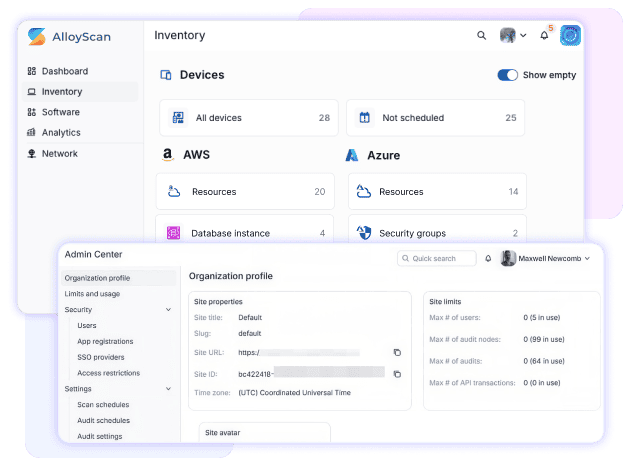

Alloy Discovery offers reports, charts, scheduled reporting, change history, and alerts. AlloyScan adds interactive Analytics, configurable views, dashboards, change history, notifications, and CSV/XLSX export, making it easier to spot trends, changes, and exceptions.
AlloyScan keeps Alloy Navigator integration while adding REST API access, data export, and tools through Alloy Integration Launcher. This gives teams more ways to use inventory data across applications, automation, and existing IT workflows.
AlloyScan carries forward the strengths of Alloy Discovery while adding browser-based access, centralized administration, broader collection sources, modern Analytics, and stronger integration options.
It is also the platform Alloy Software continues to build on, with future development focused on more reliable asset data, richer analytics, and broader ways to use inventory across connected systems and AI-assisted workflows.


