Mobile ITSM & ITAM: Keep Work Moving
Manage requests, workflows, assets, and equipment from an iOS or Android device.
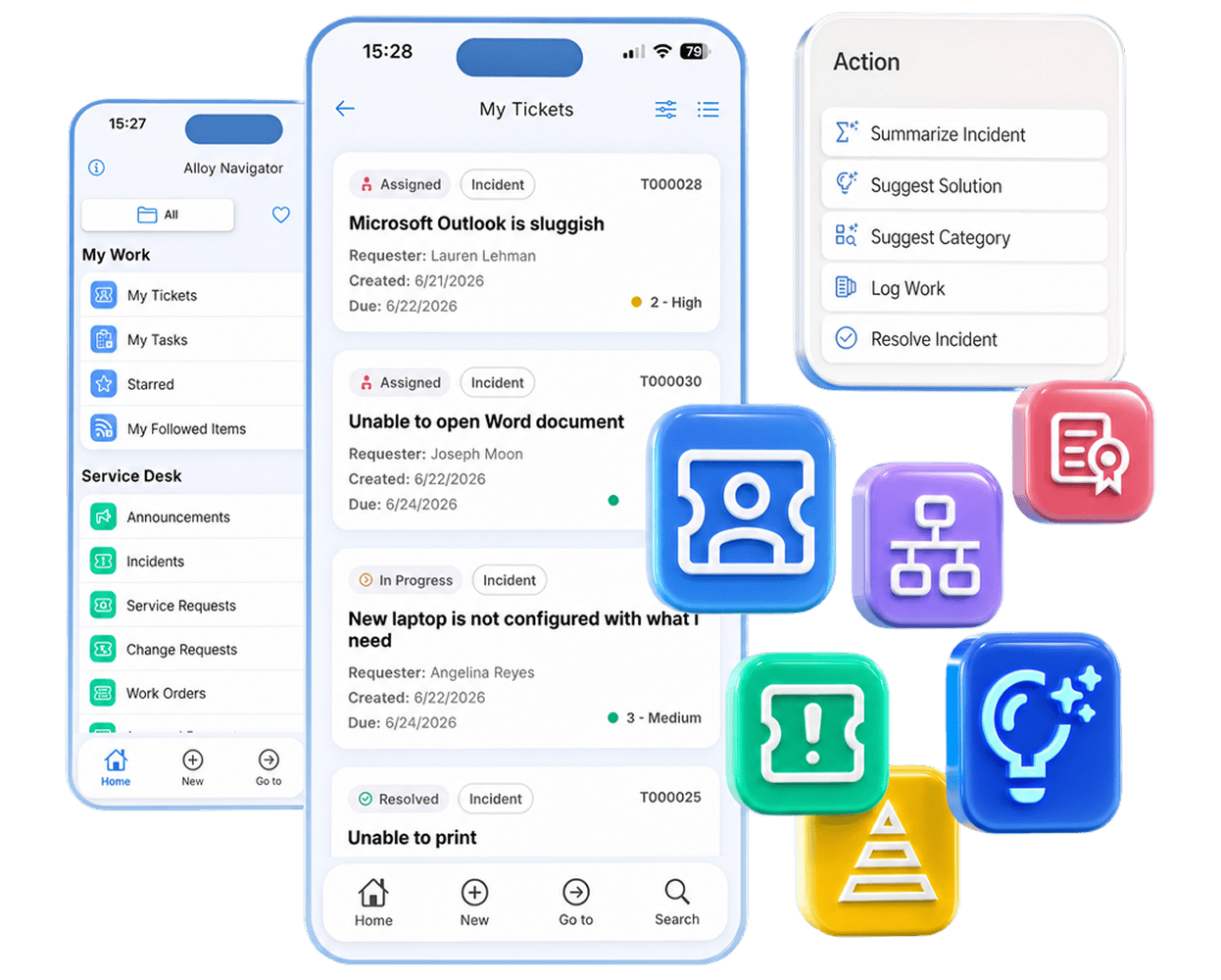

Manage requests, workflows, assets, and equipment from an iOS or Android device.
From the hallway to the server room to an employee’s desk, the information and actions your team needs are always within reach. Alloy Navigator Mobile puts tickets, assets, workflows, and updates on you mobile device, so you can act in the moment instead of waiting to get back to a workstation.
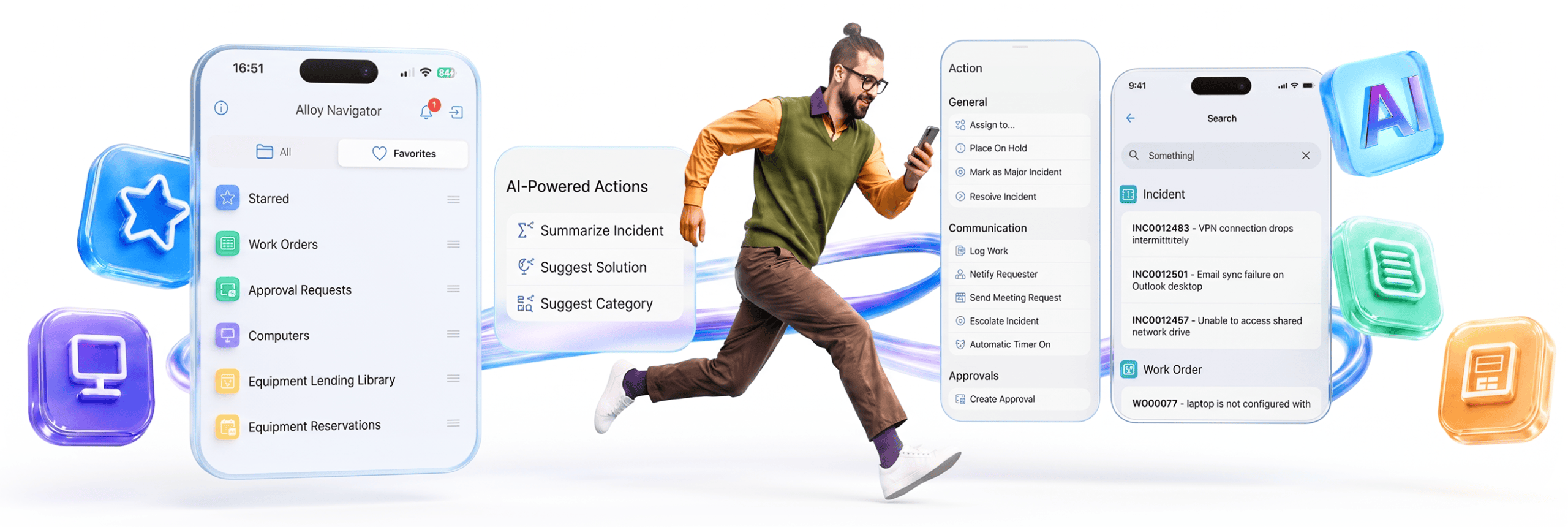

When a service desk ticket needs attention, you can review its history and respond to the user right from your phone. Coordinate next steps with colleagues and get AI suggestions when you need them. Add notes or attachments while the details are still fresh.
Create and update requests, incidents, and work orders in the app and complete the workflow steps needed to move them forward wherever you are.
A new assignment, an escalation, or a status change can need attention right away. Alloy Navigator Mobile sends time-sensitive push notifications to the right people as they happen.
Tap a notification to open the relevant record, see the context, and take the next step without searching through the system.


Scan a barcode or QR code to open the matching asset record and review its details and relationships while you have the equipment in front of you. Take action on the spot, whether you need to deploy it, send it for repair, or retire it.
You’ll especially appreciate this flexibility when managing loaner equipment. Manage reservations from your mobile device, and check items out or back in as you hand them over or receive them.























Start your trial with Alloy Software


